

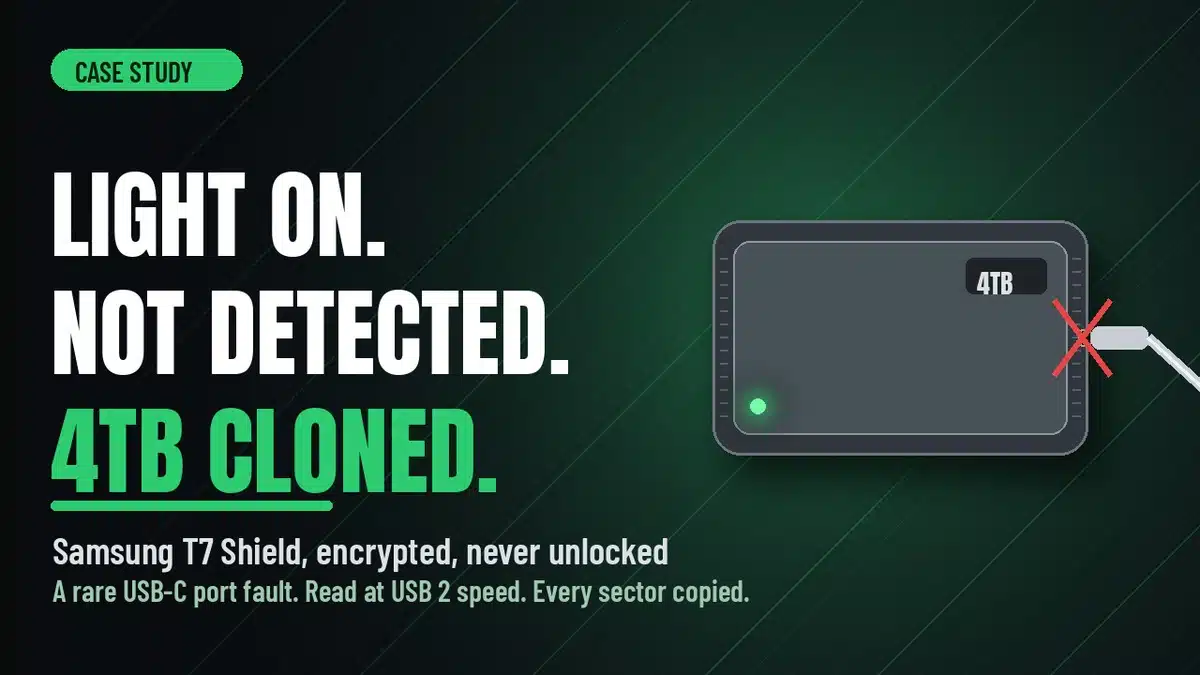
A Samsung T7 Shield 4TB portable SSD stopped being recognised: power light on, no data activity. In this Samsung T7 Shield data recovery case study, we found a fault inside the USB-C port that only appeared at high speed, read the drive at USB 2 speed on a PC-3000, and delivered a complete sector-by-sector clone of the encrypted drive without ever unlocking it.
Case study summary
Client: A customer from the United States who flew to Sydney to hand the drive over in person
Device: Samsung T7 Shield 4TB portable SSD, USB-C, fully encrypted and password protected
Problem: The drive stopped being recognised. The power light stayed on solid, so power was reaching it, but there was no data activity at all
What we found: Damage inside the USB-C port itself. On a normal high-speed port the drive was completely dead. At the slower USB 2 speed it was detected
What we did: Removed the outer case, checked the internal board for electrical faults including a thermal camera inspection, then read the drive at USB 2 speed on the PC-3000 and cloned every sector to a new drive. No chip swap was needed
Result: A complete sector-by-sector clone of the full 4TB on a new drive we supplied, with the customer’s encrypted data never unlocked, decrypted or opened
Turnaround: About three days of cloning at USB 2 speed
Cost: Confirmed in the free written quote. A board-level SSD fault like this one, with no chip work needed, carries no attempt fee
Service: SSD data recovery
Sound familiar?
- The light on your portable SSD comes on, but the computer does not see a drive.
- It stopped being recognised with no warning, no drop and no water.
- A different cable and a different computer made no difference.
- The drive is encrypted and you do not want anyone else reading it.
- The files on it are large and there is no other copy.
Same problem? Call 1300 444 800 or request a free assessment.
A Drive That Flew In From the United States
This job started in an unusual way. The customer did not post the drive. He flew from the United States to the Rhodes lab and handed it over in person. He had watched one of our SSD recovery videos and decided he would rather bring it here than trust it to a company back home.
The drive was a Samsung T7 Shield, the rugged 4TB portable SSD. It had stopped being recognised. The power light stayed on solid, so power was reaching the drive, but there was no data activity at all. Plug it in and nothing happened.
He had done exactly the right thing before the flight. He stopped plugging it in. He ran no recovery software. He never opened the case. The drive arrived in the same condition it failed in, which gave the lab the best possible start.
The Problem: A Dead Port, an Encrypted Drive, and Strict Conditions
The job also came with instructions. The T7 Shield was fully encrypted and password protected, and the customer was clear: do not unlock it, do not decrypt it, do not access a single file. He wanted a complete sector-by-sector clone so he could unlock and read it himself, on his own machine, in his own time.
That brief shapes everything. A clone-only job means the lab never sees a file name, never mounts a volume, never checks a photo opens. Success is measured by one thing: every sector of the original copied, in order, to a new drive. For a drive holding large, irreplaceable video files, a partial recovery was never going to be enough, so the clone had to be complete.
The other constraint was the drive itself. On a T7 Shield the USB-C port, the controller and the memory chips all sit on one thin internal board. There is no separate adapter to swap. Whatever was wrong had to be found on that board. For background on how these drives are built, the Wikipedia entry on solid-state drives is a useful primer, and the article on disk encryption explains why an encrypted clone stays unreadable to anyone without the password, us included.
The Samsung T7 Shield Data Recovery Process
The data recovery engineer removed the outer case to reach the internal board and checked it for electrical faults. That included a look with a thermal camera, which shows a shorted or overheating component as a hot spot before anything is measured. The board looked sound.
Then came the surprise. On a normal high-speed USB port the drive was completely dead, exactly as the customer described. But when the engineer ran it at the slower USB 2 speed on the PC-3000, it came to life and was detected. The damage was inside the USB-C port itself, and it only showed up at high speed. The slower signalling path through the same port still worked.
It is a rare fault, and a lucky one. The lab had a donor SSD ready and electronics technicians on standby for a chip swap if the board turned out to be the problem. None of that was needed. With the drive detected, the engineer started a sector-by-sector clone to a new drive straight from the PC-3000, with the encrypted contents passing through untouched.
Samsung T7 Shield Data Recovery Case Study: The Results
Cloning four terabytes at USB 2 speed is slow. It took about three days. The result is exactly what the customer asked for: a complete sector-by-sector clone of his T7 Shield on a new drive we supplied, with his data never once opened, unlocked or decrypted.
He takes that drive home, enters his password, and everything is where he left it. The lab never knew what was on it beyond the fact that it was video, and that is how sensitive data should be handled.
Why Professional Portable SSD Data Recovery Matters
Two things made this recovery possible, and both happened before the drive reached the bench. The customer stopped using it, and he did not open it or run software against it. A portable SSD with a port fault is still a healthy drive underneath. Repeated plugging, a forced format prompt accepted by mistake, or a home repair attempt on that thin board can turn a three-day clone into a chip-off job with a lower chance of success.
The other half is having the right equipment and knowing what to try. A PC-3000 that can drop the link to USB 2 speed, a thermal camera, a donor drive on the shelf and technicians ready for a chip swap are what turn “not recognised” into a plan. Most of that was never used on this job. It was there in case it was needed, which is the point.
And a clone-only, no-access brief is not a limitation for us. It is a service we offer to anyone whose drive holds material they would rather nobody else saw. We hand back the clone and the original, and the password stays with you.
SSD Data Recovery Pricing and Services
Every SSD case starts with a free assessment and a written quote. We examine the drive, then email you the problem we found, how we can help, the cost and the time involved, for your approval before any chargeable work. Nothing is charged until you say yes.
SSD recovery in Australia generally runs from $350 to $4,000 including GST, depending on the fault. A board-level fault like this one, where the memory is healthy and no chip work is needed, sits in the lower part of that range and carries no attempt fee. Cases that need a donor board, a controller repair or a chip swap sit higher, and some of those carry a non-refundable attempt fee that forms part of the total quoted price: you pay it to begin, then the balance only if the data is recovered. Where it applies, it is stated in the quote before you approve anything. A destination drive is from $150 if we supply one, or you can send your own. Economy, Priority and Emergency service levels are available. You can request a free data recovery quote for any portable or internal SSD.
How Our Process Works for International Customers
This customer flew the drive in himself. Most overseas customers post it. Start with the free quote form so you can see whether the indicative pricing suits you. If it does, we send job instructions and you ship the drive to our Rhodes lab by a tracked courier such as FedEx, DHL or UPS, declared as faulty hardware for repair. Recovered data comes back on a drive, and for an encrypted clone-only job like this one there is nothing to upload, because we cannot read it either. International customers are always welcome, and the easiest way to reach us from overseas is by email at help@payam.com.au, which works in every time zone.
Frequently Asked Questions
My Samsung T7 Shield light is on but it is not recognised. Is the data gone?
Usually not. A solid power light with no data activity means the drive is powered but the computer cannot talk to it. In this case the fault was inside the USB-C port and only affected high-speed operation. The memory chips and your data were untouched. Stop plugging it in and have it assessed.
Can you recover an encrypted SSD without knowing the password?
We cannot read encrypted data without the password, and we do not try. What we can do is clone every sector of the drive to a new one, exactly as it is. You then unlock the clone yourself with your own password. That is what this customer asked for and what he received.
Will you see my files?
Not on a clone-only job. This customer’s instructions were to never unlock, decrypt or access a single file, and the lab worked to that brief. The clone was made at the sector level and handed back still encrypted. If you want the same handling, say so when you request your quote.
Why does the drive work at USB 2 speed but not at full speed?
USB-C ports carry separate signal paths for high-speed and older USB 2 transfers. Damage to the high-speed path inside the port leaves the drive dead on a normal connection but still reachable at the slower speed. It is a rare fault, and a good outcome, because it avoids any chip work.
How long does it take to clone a 4TB portable SSD?
At full speed, hours. At USB 2 speed, about three days for 4TB, which is what this job took. When the fault leaves only the slow path working, the clone runs at that pace from start to finish. We give you a realistic timeframe in the written quote.
Should I try a different cable, another computer, or recovery software first?
A different cable and computer are fine to try once. Recovery software is not, because it cannot see a drive that is not recognised and repeated attempts risk making a board fault worse. Never open the case. This customer did none of that, and it is a large part of why the recovery was so clean.
What if you cannot recover it? What do I pay then?
Yes. The assessment and quote are free, and for most faults there is nothing to pay until we have recovered your data and you have checked the file list and are happy with it. If we cannot recover it, there is no charge. The one exception is cleanroom and other high risk work, where part of the quoted price is a non-refundable attempt fee paid upfront so we can begin. That covers the engineer time and donor parts we commit whatever the outcome. If an attempt fee applies to your job, it will be stated clearly in your quote before you approve anything.
I am overseas. Can I send you my SSD?
Yes. International customers are always welcome. This customer chose to fly in, but posting by tracked courier is the usual route. Request a free quote first, then ship once the indicative pricing suits you. The drive and the clone come back to you by courier. The easiest way for an international customer to reach us is by email at help@payam.com.au, which works in every time zone.
About Payam Data Recovery
Payam Data Recovery has been recovering data since 1998, with more than 300,000 devices recovered. For SSDs and flash storage the lab runs the Ace Lab PC-3000 Portable SSD platform, with donor drives held in-house and electronics technicians for board-level work when it is needed. Everything is done in Australia and never outsourced overseas. Head office and full service lab in Sydney CBD, with the specialist lab for complex cases in Rhodes, full service labs in Melbourne and Brisbane, and secure drop-off points in Adelaide and Perth with free overnight express delivery to Rhodes. International customers are always welcome. You can read more about Payam Data Recovery or start with our SSD recovery service.
Request a Free SSD Data Recovery Assessment
Portable SSD light on but not recognised? Encrypted drive you need cloned without anyone reading it? We can help.
Free assessment and written quote before any chargeable work begins. SSD recovery generally runs from $350 to $4,000, confirmed in your quote.
Any brand, portable or internal, local or international. International customers are always welcome.
SSD Data Recovery Service
Get a Free Quote
Ready to send it in? Submit an SSD job.
Call 1300 444 800 or email help@payam.com.au
Related Case Studies
- Portable SSD firmware failure, 12,000 music files recovered
- SATA SSD NAND degradation, translator rebuilt
- Dead SanDisk SSD, 110GB recovered by chip-off
- Formatted SSD recovered before TRIM finished
Video Transcript
Hey, it’s Mike back at Payam Data Recovery’s lab in Rhodes, New South Wales to see a job that started in a pretty remarkable way. The customer flew all the way from the United States to hand this drive over in person. He had seen one of Payam’s videos on SSD recovery and decided he would rather bring it here than trust the company back home. It is a Samsung T7 Shield, a four terabyte portable SSD, and it had stopped being recognised. The power light stayed on solid, so power was reaching the drive, but there was no data activity at all.
The good news is he did exactly the right thing. He stopped plugging it in, ran no recovery software, never opened the case, and brought it straight to the professionals. This one also came with strict conditions. The drive was fully encrypted and password protected, and the customer’s instructions were clear. Do not unlock it. Do not decrypt it. Do not access a single file. He wanted a complete sector-by-sector clone so he could unlock and read it himself. The team worked to exactly that brief, which is how sensitive data should be handled.
The data recovery engineer removed the outer case to get at the thin internal board, the one carrying the USB-C port, the controller, and the memory chips, and checked it for electrical faults, including a look with a thermal camera. Then came the surprise. On a normal high-speed port, the drive was completely dead. But when he ran it at a slower USB 2 speed on his PC-3000, it came to life and was detected. The damage was inside the USB-C port itself and only showed up at high speed. It is a rare fault and a lucky one. The lab had a donor SSD ready and electronics technicians on standby for a chip swap, but none of that was needed.
Because the drive held large, irreplaceable video files, a partial recovery was never going to be enough. Cloning four terabytes at that slower speed takes about three days, but the customer gets exactly what he asked for, a complete sector-by-sector clone on a new drive Payam supplied with his data never once opened. If your SSD, hard drive, or portable drive has stopped being recognised, Payam Data Recovery in Rhodes, Sydney, takes on cases like this from right across Australia and around the world with a free assessment and quote. Thanks for watching.