

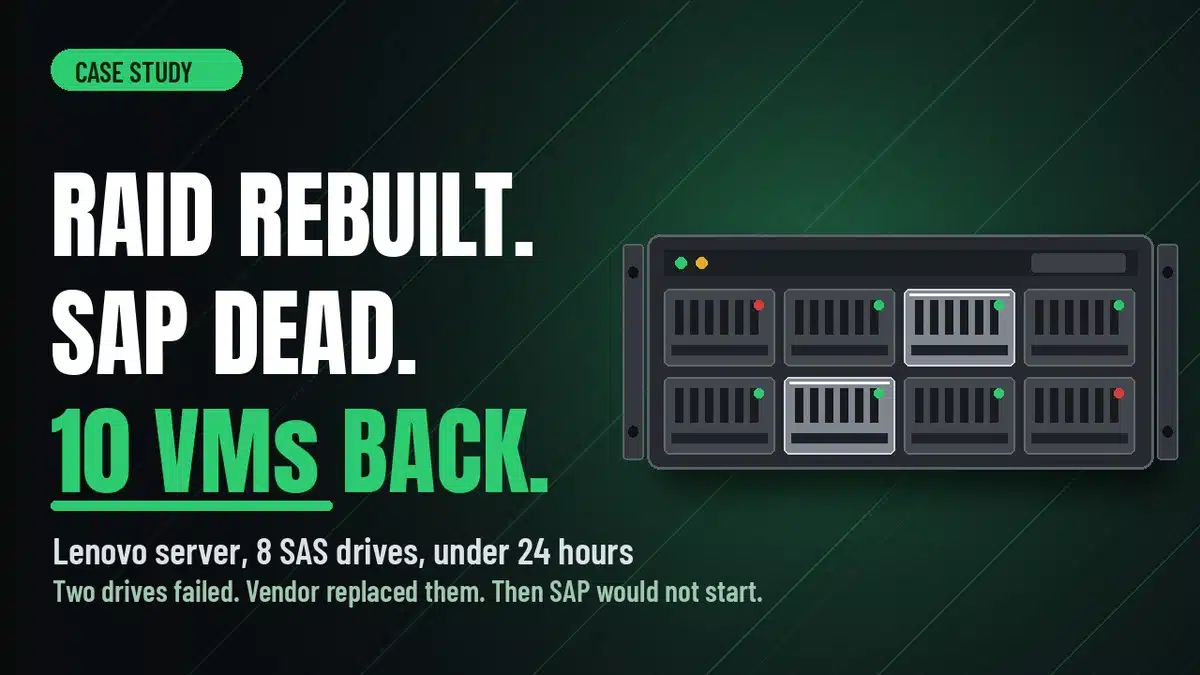
A Lenovo server running SAP lost two drives. The vendor replaced them, the RAID 5 rebuilt itself, and then SAP would not start. In this Lenovo server RAID 5 data recovery case study, we tested all eight SAS drives, read them together through a SAS enclosure so UFS Explorer could detect the RAID 5, and returned around 1.7TB and 10 virtual machines in under 24 hours.
Case study summary
Client: A business whose whole operation ran on one SAP server
Device: Lenovo server, eight SAS drives in a hardware RAID 5, running VMware with SAP inside the virtual machines
Problem: Two drives failed. Lenovo replaced them and the array rebuilt itself, but afterwards SAP would not launch at all and SAP support could not find the files needed to bring it back
What we found: All eight drives in the server tested healthy, including the two shiny new replacements, and every one of them held data. The two original failed drives were still readable but showed SMART warnings
What we did: Tested every drive on Atola Insight Forensic with the SAS extension, moved all eight into a 16-bay SAS enclosure, checked each in WinHex, then let UFS Explorer detect the eight-disk RAID 5 and read the virtual machine files inside
Result: Around 1.7TB of data and 10 virtual machines recovered and copied to a new 26TB drive the customer supplied, with a full file listing and video preview
Turnaround: Urgent assessment inside two hours, full recovery in under 24 hours on the Emergency service
Cost: Emergency service, confirmed in the written quote after the urgent assessment
Service: RAID data recovery
Sound familiar?
- Drives failed, the replacements went in, the array rebuilt, and now the application will not start.
- The software vendor’s support team cannot find the files it needs.
- The server powers on but the virtual machines or the database are missing or will not load.
- The business is stopped and every hour is costing money.
Same problem? Call 1300 444 800 or request a free assessment.
A Rebuild That Finished, and a Business That Stopped
Payam Toloo was on his day off, straight back from holiday and still in a T-shirt, when this one arrived at the Rhodes lab. It could not wait. A business had brought in a Lenovo server running SAP, the system that handled their day to day operations. Two drives in the array had failed. Lenovo had replaced them. The array rebuilt itself, which should have been the end of the story.
Instead, SAP would not launch at all. SAP support looked for the files needed to bring the application back and could not find them. With SAP down, the company was effectively shut down. They asked for an urgent assessment inside two hours, then the Emergency service, and the server and both failed drives came into the lab.
The Problem: Eight SAS Drives, Two Replacements, and No Way to Know What Survived
A RAID 5 can lose one drive and keep running. Lose two and the array is gone until at least one of them is brought back or replaced and rebuilt. When a controller rebuilds onto new drives after a double failure, there is no guarantee the data that lands on those drives is what was there before, and there is no easy way to tell from the outside. The server looks healthy. The array reports fine. The application simply will not start.
That was the situation in front of Payam. Eight drives in the server, two of them freshly replaced, and two original failed drives in a separate bag. Nobody could say which set held the real SAP data, or whether the rebuild had written anything useful at all.
The Lenovo Server RAID 5 Data Recovery Process
Payam started with the two drives the customer said had failed, and set them aside. Then he worked out how to pull the eight drives out of the Lenovo server itself. Every one of the ten went onto the Atola Insight Forensic with its SAS extension for testing.
The two failed drives did show SMART warnings. They were still reading, though, so they would need to be cloned before anything else. Cloning first stops bad sectors slowing the job down or corrupting the recovered files later. All eight drives from the server tested healthy. Two of them stood out straight away: noticeably shinier and newer than the rest. Those were the Lenovo replacements. The question was whether they actually held any data.
To read all eight at once, Payam unscrewed each drive from its Lenovo tray and fitted it onto one of his own, then loaded the set into a 16-bay enclosure running off a SAS host bus adapter. Once Windows could see every drive, he opened each one in WinHex to check whether any were blank. Good news. Every drive held data, including the two replacements.
Then he opened UFS Explorer to see whether it could work out the RAID configuration. It could. It detected an eight-disk RAID 5 with VMware on top. Payam browsed into the virtual machine files, opened a few, and tested the data inside. It was all there. For background on how a parity array like this one spreads data across drives, the Wikipedia entry on RAID is a useful primer, and the article on Serial Attached SCSI explains why SAS drives need their own imaging hardware.
Lenovo Server RAID 5 Data Recovery Case Study: The Results
Everything was copied to a new 26TB drive the customer supplied. Because this was an Emergency job, Payam stayed with it around the clock until it was done. In the end, around 1.7TB of data and 10 virtual machines were recovered in under 24 hours.
The customer collected the new drive and their server in person, with a full file listing and a video preview of what came back. The SAP files that SAP support could not find were inside those virtual machines the whole time.
Why Professional RAID Server Data Recovery Matters After a Failed Rebuild
A rebuild that completes is not the same as a rebuild that worked. Once a controller has written to replacement drives, every further attempt to fix the array in place, whether that is another rebuild, a controller reset, or reinstalling the application, risks overwriting the data that is still recoverable. The safe move is the one this customer made: stop, pull the drives, and have every one of them tested and read outside the server.
Doing that needs a few things most IT departments do not keep on hand. SAS-capable imaging hardware, since ordinary SATA docks cannot read these drives. Enough bays to mount eight drives at once. A tool such as UFS Explorer that can work out the RAID geometry from the drives and read a VMware file system on a Windows machine. And someone who has been solving failed RAID systems since 1998 and knows what a rebuild gone wrong looks like when the array itself says everything is fine.
RAID and Server Data Recovery Pricing and Services
Every RAID and server case starts with a free assessment and a written quote, and no chargeable work begins until you have approved it. The quote explains the problem we found, how we can help, the cost and the time involved. Where a business cannot wait the usual one to two days, an urgent assessment is available for an additional fee, which is what this customer chose to get a written quote inside two hours.
Economy RAID and server recovery generally starts from around $2,500 including GST for a single failed drive, and runs higher for multi-drive failures, large arrays and heavy manual reconstruction. Priority and Emergency service levels shorten the turnaround, and this job ran on Emergency. Some RAID work carries a non-refundable attempt fee that forms part of the total quoted price: you pay it to begin, then the balance only if the data is recovered, and it is always stated in the quote before you approve anything. All prices include GST and free return postage within Australia. You can request a free data recovery quote for any brand of server, RAID or NAS, local or international.
How Our Process Works for International Customers
International customers are always welcome, and server cases arrive from outside Australia regularly. Start with the free quote form so you can see whether the indicative pricing suits you. If it does, we send job instructions and you ship the drives to our Rhodes lab by a tracked courier such as FedEx, DHL or UPS. Recovered data can be returned on a drive, and urgent files can be uploaded to a cloud service of your choice before the physical drive lands back with you. The easiest way for an international customer to reach us is by email at help@payam.com.au, which works in every time zone.
Frequently Asked Questions
Our RAID rebuilt after replacing the failed drives, but the application will not start. Is the data gone?
Usually not. In this case every one of the eight drives still held data, including the two replacements, and UFS Explorer was able to detect the RAID 5 and read the virtual machines inside. The rebuild had not destroyed the data. The safest next step is to stop touching the array and have every drive read outside the server.
SAP support could not find the files to restore our system. Can you?
Application support teams work inside a running system. When the storage underneath is the problem, the files they need may be sitting in virtual machine images that the server can no longer present. We recover at the drive level, reassemble the array outside the server, and hand back the virtual machines and the SAP files inside them.
Should we keep the original failed drives?
Yes, always. Even when a vendor has replaced them, the original drives may hold the only clean copy of some data. In this job the two failed drives were still readable despite SMART warnings, so we cloned them before anything else. Label them, bag them, and send them in with the server.
How long does an emergency server recovery take?
This eight-drive Lenovo server was assessed inside two hours and fully recovered in under 24 hours on the Emergency service, with Payam working around the clock. Standard turnarounds are longer, and the written quote gives a realistic timeframe for each service level so you can choose what the business can bear.
Can you recover VMware virtual machines from a RAID?
Yes. Once the array is reassembled outside the server, UFS Explorer can read the VMware file system and expose the virtual machine files. We open and test them before copying anything, so what you get back are working virtual machines rather than a folder of files that might not mount.
What if you cannot recover it? What do I pay then?
Yes. The assessment and quote are free, and for most faults there is nothing to pay until we have recovered your data and you have checked the file list and are happy with it. If we cannot recover it, there is no charge. The one exception is cleanroom and other high risk work, where part of the quoted price is a non-refundable attempt fee paid upfront so we can begin. That covers the engineer time and donor parts we commit whatever the outcome. If an attempt fee applies to your job, it will be stated clearly in your quote before you approve anything.
Do you need the server itself, or just the drives?
The drives are what matter, but sending the server as well is helpful. It lets us confirm the drive order and controller setup, and it means the whole system goes back to you together. This customer brought in the server with both failed drives and collected everything in person when it was done.
We are not in Australia. Can you still help with a failed RAID server?
Yes. International customers are always welcome. Start with the free quote form, ship the drives by tracked courier once the indicative pricing suits you, and we return the recovered data on a drive or by secure upload for anything urgent. The easiest way for an international customer to reach us is by email at help@payam.com.au, which works in every time zone.
About Payam Data Recovery
Payam Data Recovery has been recovering data since 1998, with more than 300,000 devices recovered, and has worked on failed RAID and server systems for that entire time. The lab runs Ace Lab PC-3000, Atola Insight Forensic with SAS support, DeepSpar Disk Imager and UFS Explorer, with an ISO 5 certified laminar flow cabinet for physical drive work. Everything is done in Australia and never outsourced overseas. Head office and full service lab in Sydney CBD, with the specialist lab for complex cases in Rhodes, full service labs in Melbourne and Brisbane, and secure drop-off points in Adelaide and Perth with free overnight express delivery to Rhodes. International customers are always welcome. You can read more about Payam Data Recovery or start with our RAID and server recovery service.
Request a Free RAID Server Data Recovery Assessment
Rebuild finished but the application will not start? Virtual machines missing after a drive replacement? We read the drives outside the server and get the data back.
Free assessment and written quote before any chargeable work begins. Urgent assessment and Emergency service available when the business is stopped.
Any brand, any RAID level, local or international. International customers are always welcome.
RAID and Server Data Recovery
Get a Free Quote
Ready to send a server in? Submit a new job.
Call 1300 444 800 or email help@payam.com.au
Related Case Studies
- Failed VMware ESXi server, 8-drive Dell SAS RAID case study
- 10-drive Windows Server RAID recovered in 18 hours
- Architecture firm RAID 5 head swap case study
- 16-drive RAID recovery across three arrays
Video Transcript
Hi, it’s Mike at Payam Data Recovery’s lab in Rhodes, New South Wales. Payam Toloo, the owner, is here on his day off, straight back from holiday and still in a T-shirt because this one could not wait. A business brought in a Lenovo server running SAP. Two drives in the array had failed. Lenovo replaced them. The array rebuilt itself, and after that, SAP would not launch at all. SAP support could not find the files needed to bring the application back.
The company was effectively shut down, so they asked for an urgent assessment inside two hours and then the emergency service. Payam started with the two drives the customer said had failed, setting them aside, then worked out how to pull the eight drives out of the server itself. Every one of them went onto his Atola Insight Forensic with the SAS extension. The two failed drives did show SMART warnings, but they were still reading, so they would need to be cloned before anything else to stop bad sectors slowing the job down or corrupting the recovered files.
All eight server drives tested healthy, and Payam spotted something. Two of them were noticeably shinier and newer than the rest. Those were the replacements, and the question was whether they actually held any data. To read everything at once, Payam unscrewed each drive from its Lenovo tray and fitted it onto his own, then loaded them into a 16-bay enclosure running off a SAS host bus adapter. Once Windows saw them all, he checked every drive in WinHex to see whether any were blank. Good news. Every drive held data, including the replacements.
Then he opened UFS Explorer to see if it could work out the RAID configuration, and he was in luck. It detected an eight-disk RAID 5 running VMware. Payam browsed into the virtual machine files, opened a few, and tested the data inside. It was all there. Everything was copied to a new 26 terabyte drive the customer supplied. Because this was an emergency job, Payam stayed with it around the clock until it was done. In the end, around 1.7 terabytes of data and 10 virtual machines were recovered in under 24 hours, and the customer collected the new drive and their server in person with a full file listing and a video preview of what came back.
Payam has been solving failed RAID systems since 1998, and he thrives under this kind of pressure, when a business is stopped and every hour counts. If your RAID server or NAS has failed or a rebuild has gone wrong, Payam Data Recovery in Rhodes, Sydney takes on cases like this from across Australia and around the world with a free assessment and quote. Thanks for watching.