
About us
About Payam Data Recovery
Data recovery, and nothing else, since 1998. One dead hard drive, an 18 year old with $200 in the bank, a box of 200 broken drives, and 28 years of bringing people their files back. Our own labs, our own engineers, our own spare parts, and a straight answer about what can be done.
“Your problem is now my problem. You don’t have to stress anymore. You don’t have to be worried. You’re in good hands.” That is what Payam tells customers on the phone, and it is how the whole team works.
Or call 1300 444 800, Monday to Friday, 9am to 5:30pm.
Last updated 16 October 2026
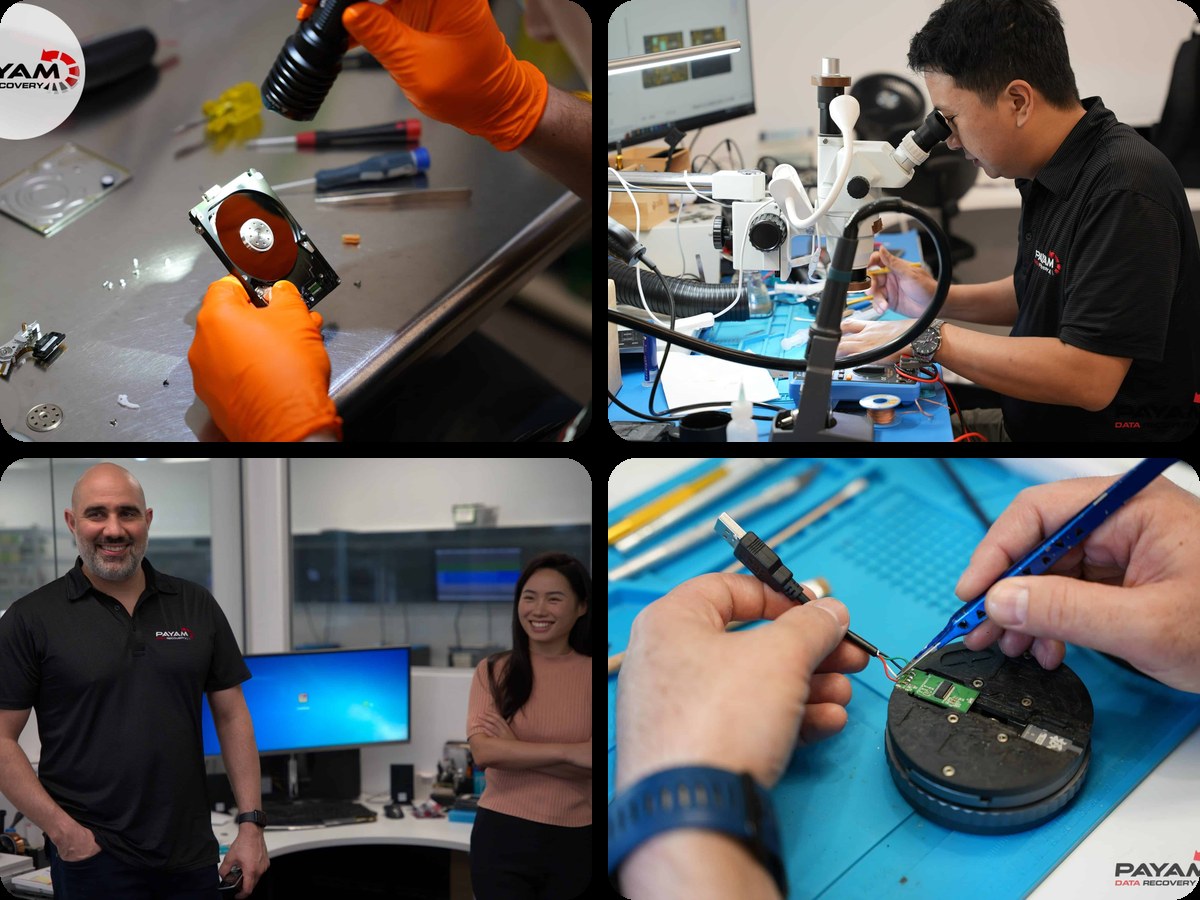
Who we are
Payam Data Recovery is an Australian data recovery company founded in Sydney in 1998 by Payam Toloo, who was 18 at the time and had just taught himself to recover the data from his own failed hard drive. We provide professional and affordable data recovery for faulty or damaged hard drives, SSDs, mobile phones, computers, servers, RAID and NAS units, memory cards and USB flash drives, whether they have been dropped, physically broken, liquid damaged or simply will not turn on. We also work on MacBooks, iMacs, iPads and Microsoft Surface computers, where the storage is soldered to the board.
We have four full service data recovery labs in three cities. Our main lab is in Rhodes in Sydney, and we also have labs in the Sydney CBD, the Melbourne CBD and the Brisbane CBD. In Adelaide, Perth and Auckland we have secure drop-off offices with reception staff. Every hard drive that needs opening is handled at Rhodes, in a dust free, contaminant free cleanroom environment that is anti-static and ESD safe, by an engineer who has done it many times before. We never send a device to another company or overseas.
Payam Data Recovery is our only business. We have done nothing but data recovery since 1998. We work with families who have lost their photos, with businesses whose server has stopped, with IT companies and phone repair shops who send us the jobs they cannot do, with government departments that need a sensitive case handled in confidence, and with customers across Australia, New Zealand, the Pacific and much further away who post their devices to us. For most devices we assess first and you decide whether to go ahead. Phones and tablets are a fixed price, with no assessment stage. Either way, we tell you honestly what is possible before anything happens.
This page is long on purpose. Payam wanted everything in one place: where we came from, what we do in the lab, what the work costs and why, who the people are, what has happened on real jobs, and the things that make us different. If you only need the short version, the table below has the facts, and the links under it take you to any section.
What does Payam mean?
Payam is the founder’s first name. The business is named after Payam Toloo. It has nothing to do with pay or money. It is the question we are asked most often, so here is the whole answer, in Payam’s words.
“My name, Payam, is Persian and it means message, or messenger. It is a common name for newspapers and radio stations. I came to Australia in 1980, when I was two. At school I hated it. I remember telling my mother, look, can I change my name to Alex? I’m different. But as I matured and grew, I realised my name is what made me unique.”
“When I started the business, every other data recovery company had a generic name. I liked brands like Nike and Reebok. I had never met another Payam in Australia, so I used my own name and added Data Recovery, because that is all we do. It’s like Nike. People don’t know what Nike means either.”
It is unique in our industry, people remember it, and it puts the name of the founder on the door and on every quote we send.
Payam Data Recovery at a glance
| Fact | Detail |
|---|---|
| Business name | Payam Data Recovery, named after the founder. Our only business since 1998. |
| Founded | 1998, in Sydney, by Payam Toloo, a year after his own hard drive failed when he was 18 |
| Owner | Payam Toloo, founder, director and senior data recovery engineer, still working on cases every day |
| Main lab | Suite 213, Level 2, 5 Rider Boulevard, Rhodes NSW 2138. Visitors are welcome Monday to Friday, 9am to 5:30pm. |
| Labs | Four full service labs in three cities: Rhodes (main lab), Sydney CBD, Melbourne CBD and Brisbane CBD |
| Secure drop-off offices | Adelaide, Perth and Auckland. Real offices with reception staff where you hand in your device. It goes to our Rhodes lab by overnight courier, and your recovered data comes back to your door by Australia Post, free of charge. |
| Devices we recover | Hard drives, SSDs, RAID and NAS, servers, MacBooks and iMacs, iPhones and iPads, Samsung, Google and other Android phones, Microsoft Surface, USB flash drives and memory cards |
| Cleanroom | A dust free, contaminant free cleanroom environment at the Rhodes lab, anti-static and ESD safe, for all work inside a drive (ISO 5 laminar flow cabinets) |
| Spare parts | Over 30,000 donor drives and parts held at Rhodes, by Payam’s count, every one recorded in our own database, so a job does not wait weeks for a part from overseas |
| Typical turnaround | Economy service 1 to 3 weeks. Priority and Emergency services bring that down to days, sometimes hours. |
| Phone | 1300 444 800 within Australia, +61 2 8076 6079 from overseas. Our own staff in Australia answer. |
| help@payam.com.au, answered after hours and on weekends too | |
| Hours | Monday to Friday, 9am to 5:30pm. Melbourne CBD closes at 5pm on Fridays. The secure drop-off offices are open 9am to 5pm. |
| After hours emergencies, complaints and partnerships | Payam personally. His direct details are in Talk to a real person, once, at the end of this page. |
| Customer reviews | 4.9 out of 5 from 2,483 reviews on Google and ProductReview, as at 16 October 2026 |
Find what you need
- What does Payam mean, Payam’s story in his own words, how the business grew and our history, year by year
- Stories from the lab: real jobs, told plainly
- What we do in the lab: the specialist teams, the equipment, the spare parts library and how we use AI
- The people doing the work, and why Payam calls them the Avengers
- How a recovery works, what it costs and why and what we will not do
- When we are the right choice, second opinions and urgent jobs
- Your data, your privacy and our security, and warranty
- What customers say, working with IT businesses, agencies and other labs and secure data destruction
- Labs and secure drop-off offices, and ways to pay
- Questions people ask about us, and how to reach a real person
A note from Payam: how it started
I am Payam Toloo, the founder of Payam Data Recovery. Everything on this page is fact, and I can back it up. Here is how it started, in my own words.
My hard drive died in 1997, when I was 18. Three companies quoted A$18,000, A$10,000 and A$8,000, and I had about A$200 in the bank. So I set out to learn how to fix it myself.
I started Payam Data Recovery as a one-man business working from home. I struggled for knowledge and information. There was no Google and no YouTube, and the only resources were library books, which didn’t help. I learnt entirely on my own, by trial and error.
My dad’s advice was not to practise on my own drive, and to keep practising until I was sure. So I bought about 200 dead hard drives from a local computer shop for $5 each and worked on them one by one. I got about six of them working. Every failure taught me something, and that is how I learnt data recovery.
The longer version
In 1997 I had just finished school and was in my first IT support job. I was a keen young computer person. I built and upgraded PCs, and I was running one of the very first online PC stores in Australia from home, building computers and selling them on the internet. I thought I knew computers. Then my own hard drive died, and I found out I didn’t know as much as I thought. I had never heard of a hard drive actually dying. I had no backup. Everything I had was on that drive.
There were only three data recovery companies in Australia back then, small and very specialised, and I rang all three. One said $18,000, one said $10,000, one said $8,000. I was an 18 year old kid with about $200 in my bank account. So I decided to find a way to fix it myself, but carefully, because my dad, who is a very experienced computer systems engineer, told me one thing straight away: don’t practise on your own hard drive.
Dad sent me to a friend of his, a respected engineer who looked after servers and mainframes, backups, replacing drives and backup tapes. He told me that nobody fixes hard drives, it’s impossible, and if a drive is dead you just swap it for another one and restore the backup. He didn’t know how to get the data off the drive itself, and he was honest about that. But he also said something that stuck: you just try and get some screwdrivers, pull it apart, you need a dust free room, and give it a try. I think he thought a young kid would never follow through.
So I went to Dick Smith Electronics, which no longer exists, and bought a set of Torx screwdrivers, the star shaped ones that hard drives use. I had my own drive on the desk and the screwdriver in my hand when Dad walked past and said, “Stop. Don’t do it on your own one.”
A local computer shop had a box of about 200 dead hard drives out the back. I told the owner I’d have as many as he’d got, and he sold them to me for $5 each. I worked on them at night and on weekends, in my bedroom, while working full time in IT support. There was nobody to ask. The only thing you had back then was your dad, or your dad asking his friends. Library books had nothing on it. I opened drive after drive, learning how the heads sit over the platters, how to separate them without touching anything, how to avoid scratching a platter, which parts could be swapped between which models.
Around the 50th or 60th drive, I got my first one working. I was so excited that I rushed the next one and killed it. Dad said, “Don’t rush. Keep practising until you’re sure.” By the end of the box I had fixed about six out of 200, and after about six months of trial and error I understood how to do it safely.
My own drive was a 4 GB Western Digital. I bought a matching donor drive, built myself a little dust free chamber out of a box, a fan and a plastic bag, dismantled my drive, swapped the parts, and it worked. I screamed so loudly that my mother ran into my bedroom thinking I had fallen off my chair. She said, “What happened to you?” I said, “My hard drive’s working.” Mum said, “Good job, son.” Dad said, “I knew you could do it.” Even his friend was impressed.
A few months later, Mum’s friend asked me to help a colleague at her work. There was nothing wrong with their computer, but the hard drive had failed and everything was on it. I fixed it. That was the beginning of the journey, and the first job of Payam Data Recovery. In 1998 I registered the business under my own name. I gave up the online PC store to do only data recovery, because nothing else felt as good as giving someone their files back.
I built a website and worked from home while holding two other jobs and studying at university. People mailed their drives to my PO box and I posted their data back. For about the first five years it was very hard to make enough money to even replace what I could have earned working for someone else. Back then it was floppy disks and Zip drives. Now it’s SSDs and phones. The thrill is exactly the same.
28 years later
I still get the feeling I call the fist pump, or the high five moment: the second a dead drive is detected by the computer and it goes ding, the sound of a device being recognised. Still to this day, after 28 years in business, I get that feeling every day, and you will hear our team laugh, cheer and jump in the lab most days.
I am 90 per cent engineer and 10 per cent business. I work seven days a week, in the business and on the business, in the office day and night, Saturdays and Sundays. I am probably the hardest working person in the whole data recovery industry. I am not a figurehead or just a shareholder. I run the Rhodes and Sydney CBD labs, I work on real recovery cases every day, I still test new drive designs when they come out, and I still train our engineers the way I learnt. Our own job records run back to 1998, job number by job number, and I still recognise the early ones.
Here is my promise to you. We would rather tell you the truth than tell you what you want to hear. If your data is not worth the price to you, that is fine, and we will send your device back. If you ask us to go ahead, you get a serious attempt with full effort, no shortcuts, and an honest account of what we tried and what we found. We don’t take any shortcuts, and no excuse or cost is spared. And if you ever feel a job of yours was not handled the way I have described here, write to me directly. I read those emails myself, and I always get back to you.
Payam Toloo, founder and director. Read more about Payam.
Payam tells the story of how the business started in this short video.
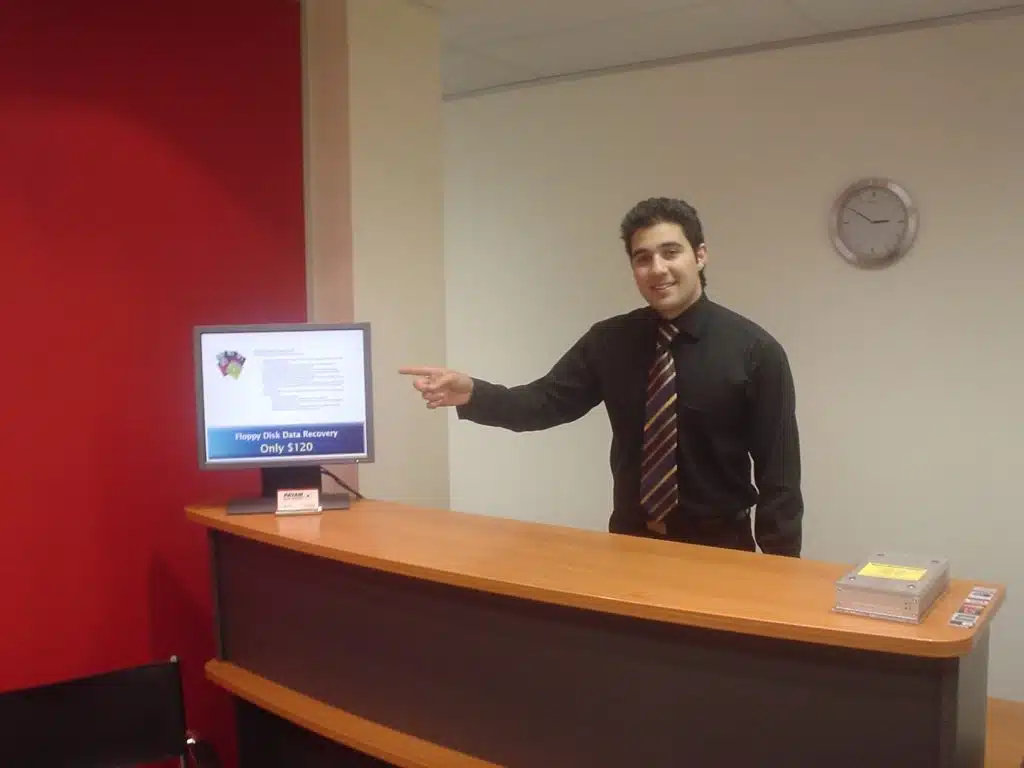
Why I do it
“Imagine this hard drive belonged to your mother, and your mother said, please son, help me. You wouldn’t take a shortcut and say, oh no, it’s too hard, I give up.” That is how I think about every device that comes in. We treat every drive as if it belonged to our own mother.
The most common thing customers tell us is, “I went to another place, and another place before that, and they had my device for weeks. They got nothing back. They charged me money. I wish I found you first.” I would rather you found us first. That is one of the reasons this page exists.
Customers bring us thank you cards, chocolates and gifts all the time. After 28 years, it is still the best part of the job.
How the business grew, 1998 to today
1998 to the early 2000s: a bedroom, a PO box and a lot of dead drives
The business began as a one-man business working from the family home in Sydney, with a growing pile of donor drives, a single phone line and a PO box. Customers posted their drives in, Payam recovered the data at night and on weekends around two other jobs and his university degree, and posted the data back. The first customers were people like Payam had been a year earlier: someone whose drive had stopped, who had been quoted a price they could not pay, and who had nobody else to ask. Word spread from one customer to the next.
In those years data recovery in Australia was a tiny industry. Most of the tools we use today did not exist, so a great deal of the early work was done with donor drives, a steady hand and patience. Payam kept every drive that taught him something, which is how the spare parts library started. Floppy disks, Zip drives and the first few gigabytes of hard drives arrived in the post. The oldest copy of our website in the Internet Archive dates from May 2002.
The 2000s: the first office, Payam’s father, and Melbourne
As corporate customers arrived, a home PO box was no longer enough. Businesses wanted an office to walk into and a person to hand their drive to, so Payam opened the first office, in North Ryde in Sydney. His father, the systems engineer whose advice started it all, joined the business and worked alongside him for 15 years. The first engineers were hired and taught the way Payam had learnt: shown the right way once, then left to practise in front of the computers until it was second nature.
The business outgrew North Ryde and moved to a much larger office in North Sydney, which was home for about 15 years. Drives arrived by post from every state. IT companies and computer shops started sending the jobs they could not do themselves, which is still a large part of our work today. Servers, RAID systems and the first portable drives came into the lab, and the tools and the training grew to match. In the mid 2000s we opened in Melbourne, our first office outside Sydney, so that customers there could deal with us in person.
The 2010s: Brisbane, Adelaide, Perth, Auckland, the Sydney CBD and Rhodes
Brisbane followed Melbourne a few years later, and then Adelaide, Perth and Auckland, so that customers in those cities had a real place to walk into. In 2016 we opened a lab in the Sydney CBD, close to the Apple stores, to help Apple customers whose Mac or iPhone had failed. Apple’s Australian support page lists Payam Data Recovery as one of its recommended data recovery companies.
Then we opened what Payam calls the biggest data recovery facility in Australia, at Rhodes in Sydney. Payam chose Rhodes because it is close to his family in Concord. By then he was married with three young children and wanted to be near them, and a bigger lab meant more room for the cleanroom environment, the imaging systems, the microscopes and the spare parts library that had been growing since 1997. Rhodes became the main lab, and the place where our most complex work is done.
The 2020s: phones, soldered storage, hard decisions and AI
The work has changed a great deal since 1998. A modern phone, MacBook or Surface has its storage soldered to the board and encrypted, so recovering its data means repairing the device at component level under a microscope, and sometimes moving the chips that hold the data and the encryption key onto a donor board. We built that skill in our own labs, by hand, one device at a time.
We also closed three labs, and here is why. Adelaide, Perth and Auckland did not have enough work to keep a full lab team busy every day, and a half busy lab is not a good lab. In 2025 we closed those three labs to keep our costs down and kept the same addresses. Today they are secure drop-off offices: real offices in corporate buildings, staffed by corporate reception staff who work for us, where you hand your device to a person and get a receipt. It goes to Rhodes by overnight courier, the same engineers do the work, and your recovered data comes back by Australia Post, free of charge. The details are under Labs and secure drop-off offices.
Since the beginning of 2026 we have gone all in on AI, 24 hours a day, 7 days a week, from making our website and customer systems more secure to helping our engineers get better results on corrupted photos and videos, lost file systems and complex RAID systems. Some jobs that were not recoverable before now are. There is more about that in the lab section below.
In 2026 we have four full service labs in three cities, three secure drop-off offices, a spare parts library that Payam puts at over 30,000 parts, and a team that has been with us for years.
Our history, year by year
| Year | What happened |
|---|---|
| 1997 | Payam’s own 4 GB hard drive fails. He is 18, in his first IT job, with $200 in the bank and quotes of up to $18,000. He buys about 200 dead drives at $5 each and learns to recover data on them. About six come back to life, and then so does his own drive. |
| 1998 | Payam Data Recovery starts in Sydney as a one person business, working from home, doing only data recovery. The first customer is a colleague of a friend of Payam’s mother. |
| Early 2000s | A website and a PO box. Drives arrive by post from across Australia. The Internet Archive’s oldest copy of our website is from May 2002. |
| 2000s | The first office opens in North Ryde. Payam’s father joins the business and works with him for 15 years. The first engineers are hired. The business moves to a larger office in North Sydney, its home for many years. IT companies and computer shops begin sending their difficult jobs. |
| Mid 2000s | Melbourne opens, the first office outside Sydney. |
| Late 2000s to 2010s | Brisbane opens, then Adelaide, Perth and Auckland. |
| 2016 | A lab opens in the Sydney CBD, close to the Apple stores, to help Apple customers. |
| After 2016 | Rhodes opens and becomes the main lab, the place for the most complex work. |
| 2020s | Phone, MacBook and Surface recovery at chip level becomes a large part of the work. Apple’s Australian support page lists Payam Data Recovery as a recommended data recovery company. |
| 2025 | The Adelaide, Perth and Auckland labs close and become secure drop-off offices with reception staff, at the same addresses. All recovery work is done in the four Australian labs. |
| 2026 | Four full service labs (Rhodes, Sydney CBD, Melbourne CBD and Brisbane CBD), three secure drop-off offices (Adelaide, Perth and Auckland), 28 years of job records going back to 1998, and the business goes all in on AI tools. |
We are still adding exact dates and photographs from the early years to this table. If you were a customer in the 1990s or 2000s and still have an old invoice or a story, we would love to hear from you at help@payam.com.au.
Stories from the lab
Every device that comes through the door has a person behind it. These are some of the jobs from the last year or two, told the way we would tell them to a friend. Each one links to the full case study, with photos and often a video. Names are first names only, used with permission, and every case is different, so none of these predicts the result of yours.
Ten years of family photos, after a lab overseas said it was impossible
A family in Mascot, in Sydney, kept about ten years of photos and documents on a four drive QNAP NAS. When it failed, a data recovery lab in the United States told them it could not be done. One drive was dead and had already been opened by someone else, and another had thousands of bad sectors. Our engineers left the dead drive alone, cloned the other three, and when the rebuilt array showed an empty partition they ran a three day deep scan that found every folder. The family got their decade back, folder structure intact, in about two weeks. As the case video says, sometimes it is the person working on your case that makes all the difference. Read the QNAP story.
An architecture firm in Tasmania, and 3D scans that could not be redone
Two of the four Seagate drives in a Tasmanian architecture firm’s RAID 5 had failed, and their IT team suspected physical damage and stopped there. The drives held project archives and laser scan point clouds of real buildings. We replaced the read and write heads on the less damaged drive and cloned almost all of it, then, when no tool could recognise the array, worked out its layout by hand. Every file came back, including every point cloud. Urgent files went to the firm through a shared folder and the full drive went back by Express Post about two days later. Read the Tasmania story.
A server quoted at over US$40,000 elsewhere, and two months with nothing to show
Iurii’s Lenovo server in Sydney ran eight SAS drives in RAID 5 under VMware. Two drives failed, another company quoted more than US$40,000 and spent two months on it without recovering anything. When it reached us, all eight drives showed warnings and bad sectors, so we cloned every one before touching anything. The array had an unusual layout that no software could detect, so we rebuilt the worst drive with donor heads and worked out the disk order, block size and parity ourselves. It took more than three weeks and one wrong turn, and then the volume opened and the files were there. Read the server story.
A wedding that four recovery programs could not find
Harry, a wedding photographer in New South Wales, formatted his CFexpress card by mistake and kept shooting on it. The photos from a February wedding were on no other card and in no backup. He tried two recovery programs himself, and two professional tools in our lab found many photos but none from that day. Our engineer built a custom file signature from the Nikon files still on the card and searched by date. The wedding was there. It passed every check, went onto a new USB drive and was back with Harry the next morning. Read the wedding story.
A phone dropped on a building site, and the shops that sent him to us
Frank dropped his Samsung Galaxy S25 Ultra on a construction site. It held his work records and photos. Several phone repair shops in Sydney told him the damage was beyond normal repair and sent him to us, but not before another recovery company had tried to split the phone’s two layer board and made it worse. Our specialist moved the processor, the memory, the storage chip and the encryption chip onto a donor phone we bought for the job. The donor started, and all 288 GB came off it onto an external drive for Frank. Read the Galaxy story.
A photography studio, a fire, and the water that did more damage than the flames
David’s studio burnt. The water used to put the fire out did more harm than the fire itself. He sent us four 8 TB drives holding years of client work, and a new 24 TB drive for the copy, and he had done the right thing: he had not plugged anything in after the fire. The drives smelt of smoke and one board smelt burnt. We tested each drive, found all four were healthy inside, discovered they were separate Apple volumes organised by year rather than a RAID, cloned every one for safety and copied all 19 TB onto David’s new drive. Read the fire story.
Twelve drives, a Christmas break and a business that needed Monday
A business in Bankstown kept its CCTV, documents and Microsoft 365 backups on a Synology NAS of twelve 6 TB drives in RAID 5. Over Christmas the NAS went read only and the data disappeared. We tested each drive on its own, found eleven healthy and one with bad sectors, loaded all twelve into a multi bay enclosure, rebuilt the array in professional software and worked through the duplicate folders the corruption had left behind. The copy to the client’s own drive took a few days and they collected it in person. Read the Synology story.
Journals a man could not afford to lose
Adam, in Western Australia, sent us a 4 TB WD My Passport he used as his Mac’s Time Machine backup. It powered on and mounted, but most of his folders had vanished, including years of written and video journals. The backups had been interrupted, leaving half finished snapshots the Mac itself could not read, and a deep scan with a well known tool found nothing. Payam worked through the backup structure by hand, found the journals, and copied about 60 GB of them to a new drive. Adam got back the files that mattered most to him. Read the journals story.
18 TB from Papua New Guinea
Alexis, in Papua New Guinea, could see only a handful of files on a WD My Cloud NAS that should have held about 20 TB, including the backups the business relied on. There is no lab for this in Papua New Guinea, so three of the four drives were posted to our Sydney lab, and the fourth followed. Nothing was wrong with the drives themselves. Payam rebuilt the array and then browsed the file system by hand, following clues to where the real data was stored. The backup files were gone, but about 18 TB of intact files sat in two shared folders. The data was all there. Read the PNG story.
A USB drive, a tax deadline and a few hours
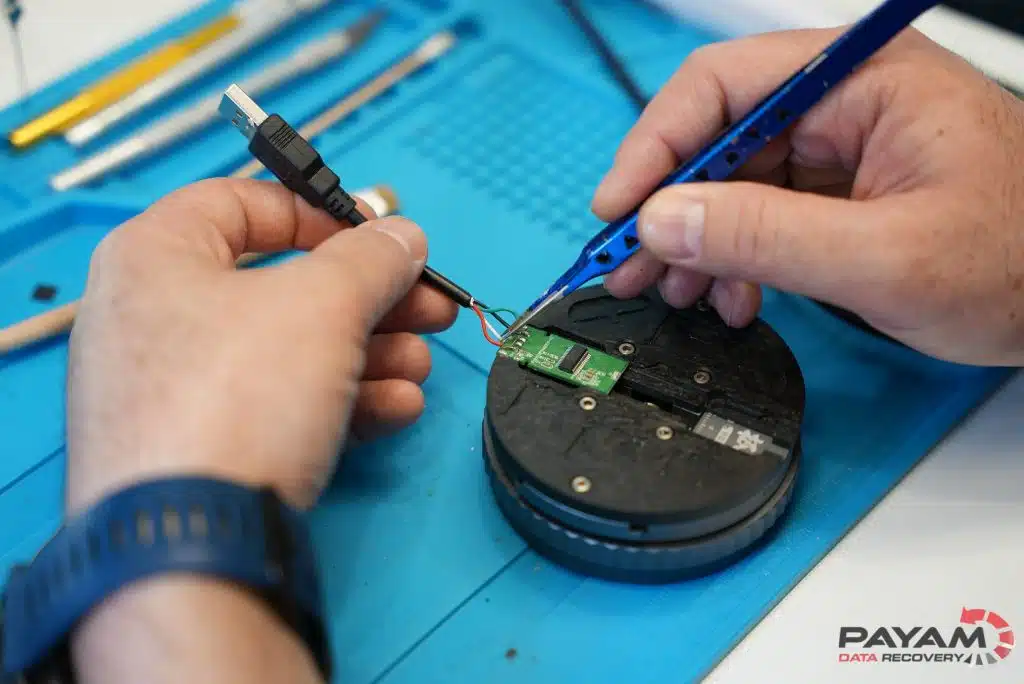
An accountant needed the PDFs on a USB flash drive to finish a client’s tax return by the end of the day. The connector had torn away from the board and nothing showed on screen. She brought it to Rhodes for an urgent assessment. Our engineer opened the shell, found the board and the memory chip undamaged, soldered on a new connector, and the drive was recognised at the first try. Every file went onto a new drive and she collected it a few hours later, in time. Read the USB story.
Two thousand drives from a data centre that closed
Not every story is a recovery. When a Sydney data centre closed, its owners were quoted more than $20,000 to destroy the data on over 2,000 drives. We erased and destroyed them free of charge in exchange for the parts, and gave them a certificate of destruction. Their data was gone for good, and the usable parts went into our spare parts library, where they have since helped bring other people’s data back. There is more about secure data destruction further down this page.
There are many more, with photos and videos, in our case studies.
Watch one of them
Iurii’s Lenovo server, told in under three minutes: eight SAS drives in RAID 5, two of them failed, another company’s two months with nothing to show, and how our engineers rebuilt the worst drive with donor heads and worked out the array by hand until the files opened.
Nobody here gives up alone. Before a job is called unrecoverable, it gets a second opinion from the other specialists. In Payam’s words: “We can be sure that if we can’t fix it, then nobody can.”
What we do in the lab
Our work is recovering data, not repairing devices for further use. A failed drive often only needs to work long enough for its data to be copied, and a recovery does not make the device safe to use again. The right approach depends on the device, the fault, its condition and what has already been done to it. Two drives with the same symptom can need very different work, which is why we assess the device before we quote, and why we ask you to tell us everything that has happened to it.
Three rules apply to every job. We always make a clone copy first, so your original device is not changed or damaged further by the recovery itself. We recover from the clone, then test the files to make sure they open and are not corrupted. And if we cannot recover your data, we tell you exactly why: a scratched platter, a failed processor on your phone, a cracked memory chip. Never a vague template.
| Device | The kind of work involved | Find out more |
|---|---|---|
| Hard drives | Drives that click, tick, beep or are not detected: damaged heads, seized motors, damaged platters, failed circuit boards, USB only boards that need converting for direct access, and firmware and system area damage repaired with PC-3000 tools. Head and platter work inside our dust free, contaminant free, ESD safe cleanroom environment at Rhodes. | Hard drive recovery |
| SSDs | Controller and firmware work, chip level recovery where the controller has failed, and imaging of failing NVMe, M.2 and SATA drives. We remove, recondition and reball SSD controller and memory chips by hand. | SSD recovery |
| RAID, NAS and servers | Imaging each drive, working out the array layout and rebuilding the data from the images. RAID 0, 1, 5, 6, 10 and 50 with more than one failed drive, across SAS, SCSI, IDE, SATA and SSD. Synology, QNAP, Dell, HP and Lenovo. | RAID and NAS recovery |
| iPhones, Samsung, Google and other phones | Board level electronics repair and chip transplants under the microscope on phones that are liquid damaged, bent, broken or will not turn on, so the phone can be unlocked with your passcode and backed up. | Phone recovery |
| MacBooks, iMacs, iPads and Surface | Logic board repair and work on soldered storage that cannot be removed from the board. | MacBook recovery |
| USB flash drives and memory cards | Connector repair, controller faults and chip off recovery when the memory chip has to be read directly. | USB recovery |
| Reformatted and corrupted drives | Reformatted drives, file system corruption, damaged partitions, deleted files, and drives with bad sectors and read errors. If your computer will not turn on and you just want your files, our Basic Backup service is quick and affordable. | Costs and services |
The specialist teams
We used to hire all rounders. Over the years we have moved to specialists: a small team where each person is the best at one thing, backed by customer service staff who are also trained technicians, so the specialists can stay in front of the computers and the cleanroom instead of on the phone.
Our hard drive specialists have been recovering data from hard drives since 1998. In Payam’s words, “We have more in-house specialist knowledge and experience with hard drives than anyone else on the planet.” They handle the drives that click, tick, beep or are not detected, replace heads and motors, repair and swap circuit boards, and repair firmware and system areas with PC-3000 tools.
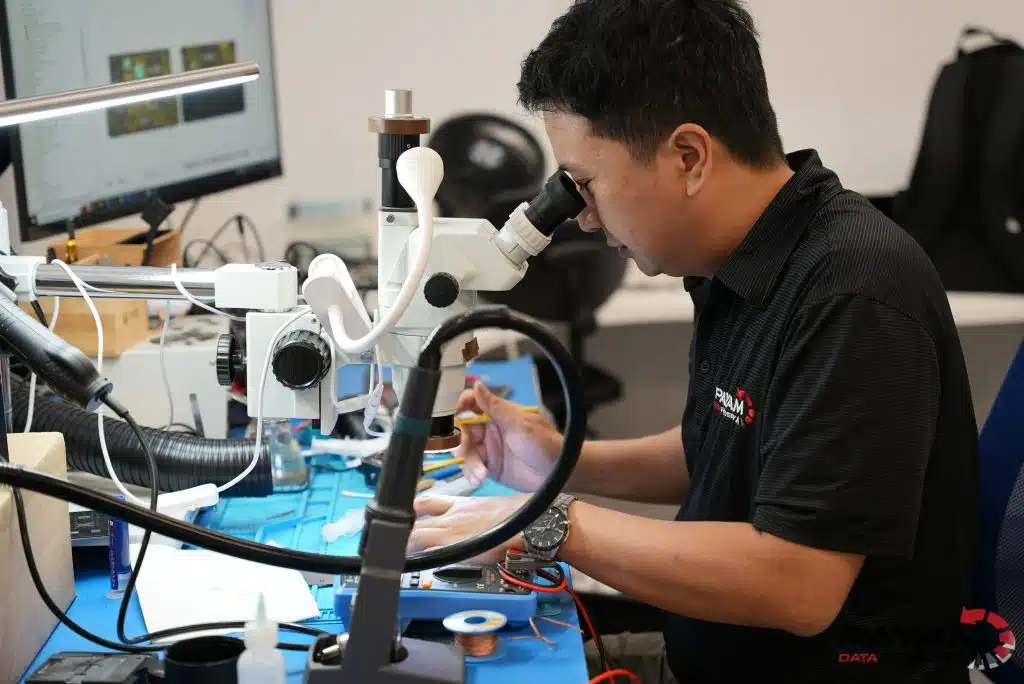
Our electronics team does what we call electronics microsurgery: logic board repair and chip level work on iPhones, iPads, MacBooks, iMacs and Google and Samsung phones that are liquid damaged, bent, broken or will not turn on. Chip removal, reballing and logic board transplants are routine for us, done by hand many times a day here in Australia. Payam says we are one of the few teams in the world doing chip off recovery and logic board chip transplants on all brands of phones and MacBooks.
If you have a broken iPhone, we have highly skilled people who are far more advanced than a typical phone repair technician, and they can get the data back from a damaged iPhone. If you have a Samsung or a Google Pixel, we have dedicated people who recover data from those phones all day, every day. That is something mobile phone shops cannot do, which is why so many of them send their customers to us.
Our RAID team recovers NAS and server arrays, including Synology, QNAP, Dell and HP RAID 5 and RAID 6 systems with more than one failed drive, across SAS, SCSI, IDE, SATA and SSD, on the fastest computers we can buy. Payam calls it the best equipped RAID recovery lab in Australia. Our logical recovery team handles reformatted drives, file system corruption, damaged partitions and drives with bad sectors and read errors.
Rhodes, and the other three labs
Our Sydney CBD, Melbourne CBD and Brisbane CBD labs diagnose, quote and handle roughly four in five jobs on site: standard hard drive, SSD, flash and memory card work, RAID, and the phone calls and quotes. The most complex cases, such as damaged heads, failed SSD controllers and dead phone or Mac logic boards, go to Rhodes, where the cleanroom environment, the full spare parts library and the right specialist are in the same room.
In Payam’s words: “Our Rhodes lab is the biggest and best equipped data recovery lab in Australia, with tools from every major data recovery equipment maker in the world and specialists who have come from around the world to work here. If your data matters, sending it to us is your best chance of getting it back.”
The equipment
Every lab has hardware imaging tools, including DeepSpar Disk Imager, DeepSpar USB Stabilizer, Atola Insight and PC-3000 Portable, Express and UDMA, plus our own custom imaging routines for drives that no standard tool can read. These let us copy a failing drive sector by sector, at the speed it can cope with, without pushing it past the point of no return.
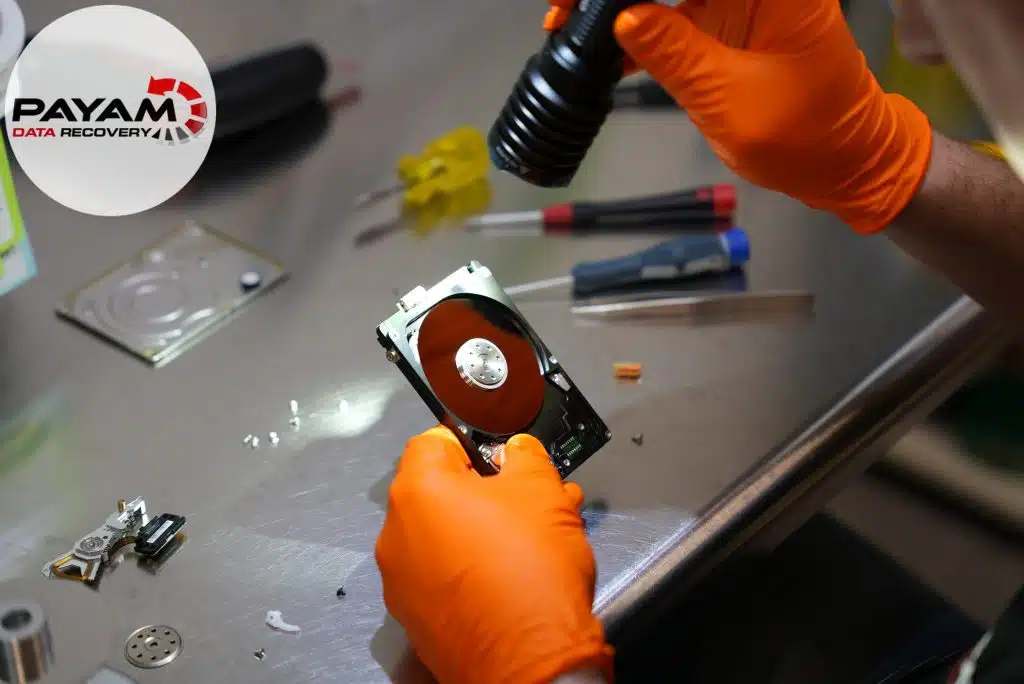
Every hard drive that has to be opened goes to the Rhodes lab, where the work is done in a dust free, contaminant free cleanroom environment that is anti-static and ESD safe, so that no dust and no static reaches the platters or the electronics. Inside it, our engineers open drives in laminar flow cabinets and swap heads with a large collection of head combs, including custom CNC machined combs we had made ourselves, so the platters are never touched. The gap between a head and the platter is smaller than a particle of smoke, which is why this is never done in open air.
Microscopes, soldering irons and hot air rework stations handle the electronics: phones, SSDs, MacBooks and the circuit boards of hard drives. Work is done on a clone of your drive wherever possible, so that the original is not worn further by the recovery itself.
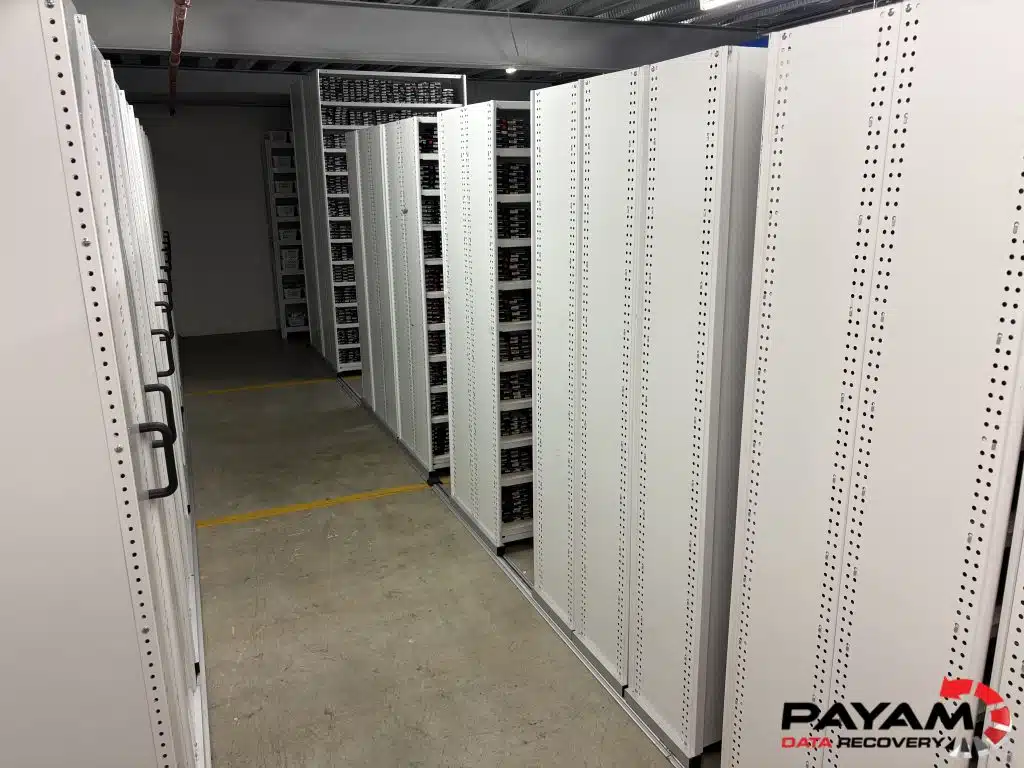
The spare parts library
In Payam’s words: “We have the biggest collection of data recovery spare parts in Australia: over 30,000 parts, from hard drives and SSDs to MacBook logic boards, Apple iPhones, Samsung phones, USB flash drives and memory cards. Thousands and thousands of parts that nobody else has, in Australia or overseas. When people from other companies visit, they say, wow, we’ve only got a couple of shelves, and they aren’t organised. Every part is inventoried in a database with all the details we can find. It’s like a library collection of all our spare parts, right here in our own office.”
Why it matters to you: a matching donor drive, head or board is often the difference between a recovery and a dead end. Without a matching part on the shelf, a job waits one or two weeks for one to arrive from overseas. We walk to a shelf and start straight away. The library began with the drives Payam bought in 1997, and it has grown every year since, partly from the drives customers do not want back and the drives businesses give us to destroy.
How we use AI, 24 hours a day
Since the beginning of 2026 we have gone all in on AI. We use it 24 hours a day, 7 days a week, in every part of the business, in a safe and very secure closed environment, and we have invested heavily in it. We use the best and latest tools from Claude, ChatGPT, Perplexity, Google Gemini and Grok, as well as GrokBot and other automation tools. We spend tens of thousands of dollars a month on tokens for their latest and most powerful models, for one reason: to improve our success rate and bring back data from cases that were previously unrecoverable.
Here is what that means for your job.
- Corrupted and damaged files that used to be written off, such as corrupted photos and video files, can now often be repaired and recovered. That includes the specialised file types on memory cards and cameras that traditional data recovery methods do not handle, like a large 4K video file left fragmented and corrupted after a card or drive was reformatted, the files deleted and partly overwritten.
- Very complex and proprietary RAID systems that commercial RAID recovery software simply does not support: layers of virtualisation, RAID arrays inside RAID arrays, and arrays whose configuration has been deleted or corrupted and whose metadata is lost. Our AI tools help us reconstruct them. In the past these were deemed unrecoverable.
- Verification and testing of recovered files, so what you get back opens and is not silently damaged.
- Reorganising files and folders when the file system is lost. We extract the metadata and put your files back in date order and a meaningful, useful structure, instead of handing you a pile of jumbled files with lost names.
- Custom made solutions and software for the special cases that have no off the shelf answer, where in the past we would have said we do not have a way to fix this. We spend days and weeks researching with all the top AI models, case by case, at no extra charge.
- Our website, our customer system and our email management, all updated and optimised with AI, and our security, IT systems and backups raised to the highest level we can for our customers.
Payam Toloo, the founder and the leader of the business, is all in on AI, not for sales and marketing, but for better results for his customers and the security of his systems. As he puts it, “It’s really exciting for me.”
What can limit a recovery
- Physical damage to the platters of a hard drive, or heat and water damage to memory chips, can destroy data beyond any method.
- Work done elsewhere first, or a drive left running while it clicks, can turn a recoverable fault into an unrecoverable one. Several of the stories above arrived after an earlier attempt had made things harder.
- Data that has been overwritten is gone. Deleted photos and messages on a modern iPhone cannot be recovered by anyone, because of how the phone encrypts its storage.
- A locked iPhone cannot be opened without its passcode. We can repair the phone so it turns on, but you still need the passcode.
- Encrypted drives need the password or key. We can clone an encrypted drive without opening the files, and sometimes that is exactly what a customer wants.
We tell you which of these applies before you decide anything. And some data loss really is simple: a file deleted a moment ago on a healthy drive, or a drive that only needs a new enclosure. A local computer shop or a $30 enclosure can sort those. We are here for when it is not simple.
The people doing the work
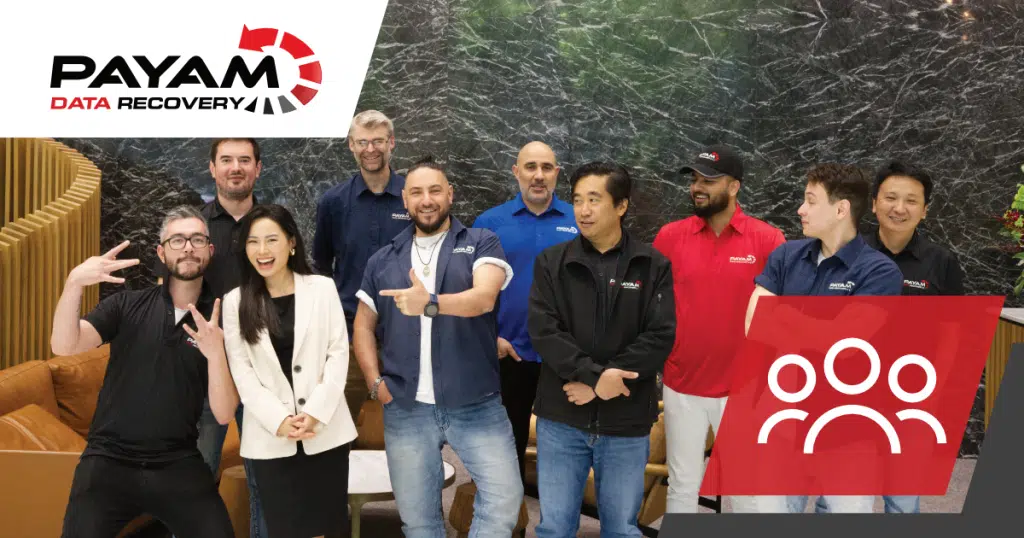
In Payam’s words: “I’m so proud of my team. We like to think of ourselves as the Avengers, or the Navy Seals, of data recovery. In our lab at Rhodes we’ve got specialists like the Hulk and Iron Man and Spider-Man: one is the best at electronics, one at iPhones, one at MacBook logic boards, one at clean room and firmware work, one at RAID and file systems. We have the best people at what they do, and I’m not afraid to say it. We are the best because we’ve got the best people. It’s not just a sales pitch.”
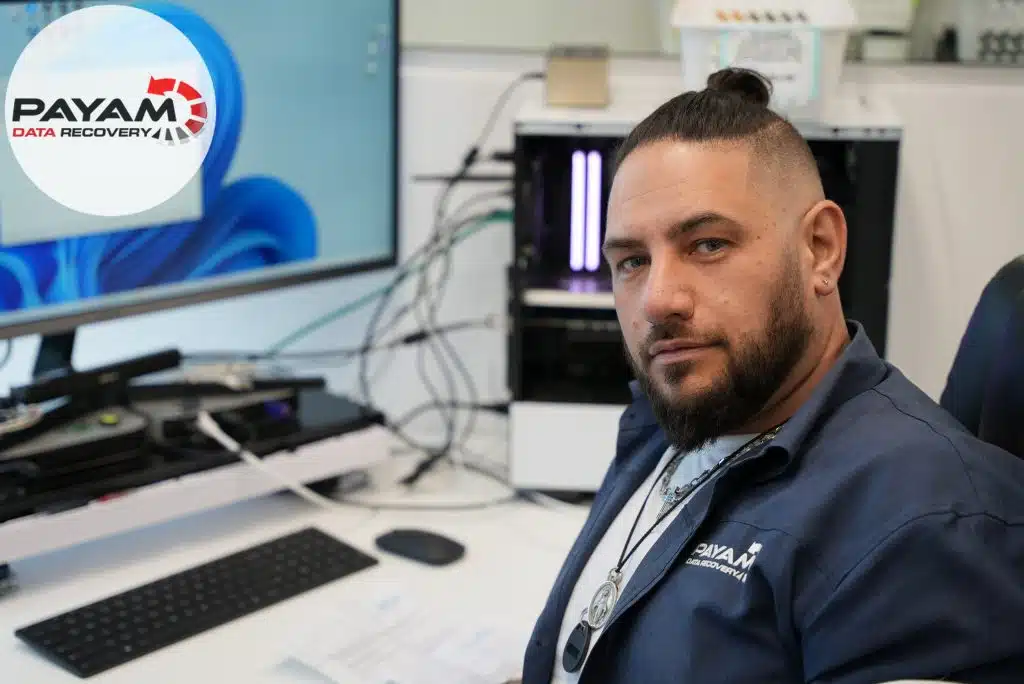
Payam leads the business as founder, director and senior data recovery engineer, and works on cases every day. Around him is a team of full time data recovery engineers and customer service staff in Rhodes, the Sydney CBD, the Melbourne CBD and the Brisbane CBD, and corporate reception staff at the secure drop-off offices in Adelaide, Perth and Auckland. In Payam’s words, some of our team have been with us for more than 20 years, and many for 10 to 15. We have no casual or temporary staff. Everyone is a full time permanent employee on a strict contract that protects your privacy and your device.
How we learn
In Payam’s words: “I don’t teach my staff what to do. I let them learn how to do it. When someone is shown the right way, then learns and practises it themselves in front of the computers, the clean room or the repair station, they never forget it. Experience beats any training guide.”
That is how Payam learnt on 200 dead drives in 1997, and it is still how every engineer here learns. SSDs and phones change constantly and nobody teaches you the newest ones. When the textbook answer fails, we ask how a mechanic, a surgeon or a child building a toy would tackle it.
How we hire
We hire for personality before existing knowledge: a passion for learning and problem solving, and the patience to try a fourth approach when three have failed. We look for creative thinkers from other fields rather than technicians who only know software, and we avoid groupthink on purpose, because a hard recovery is usually a problem nobody has seen in exactly that form before. Some of our team hold bachelor’s and master’s degrees in mathematics, computer science and engineering. Others joined with no experience and learnt on the job over years. We recruit specialists from overseas and sponsor them to come to Australia, and we train in-house.
Our team comes from electronics, Apple technical support, IT and managed services, customer service and university, and from many backgrounds, among them Italian, Iranian, Israeli, Russian, Myanmar, Chinese and Lebanese. That mix of ways of thinking is part of why difficult jobs get solved here.
Why we succeed when others can’t
In Payam’s words: “A user manual or training guide says do this, do this, do that. When that doesn’t work, people get stuck. In our data recovery lab, our specialists turn to each other for a second opinion, talk it through and work out what to do when nothing else has worked. That is why we succeed on jobs where smaller companies with fewer staff can’t.” Several of the stories above were solved exactly that way.
Straight talk, in uniform
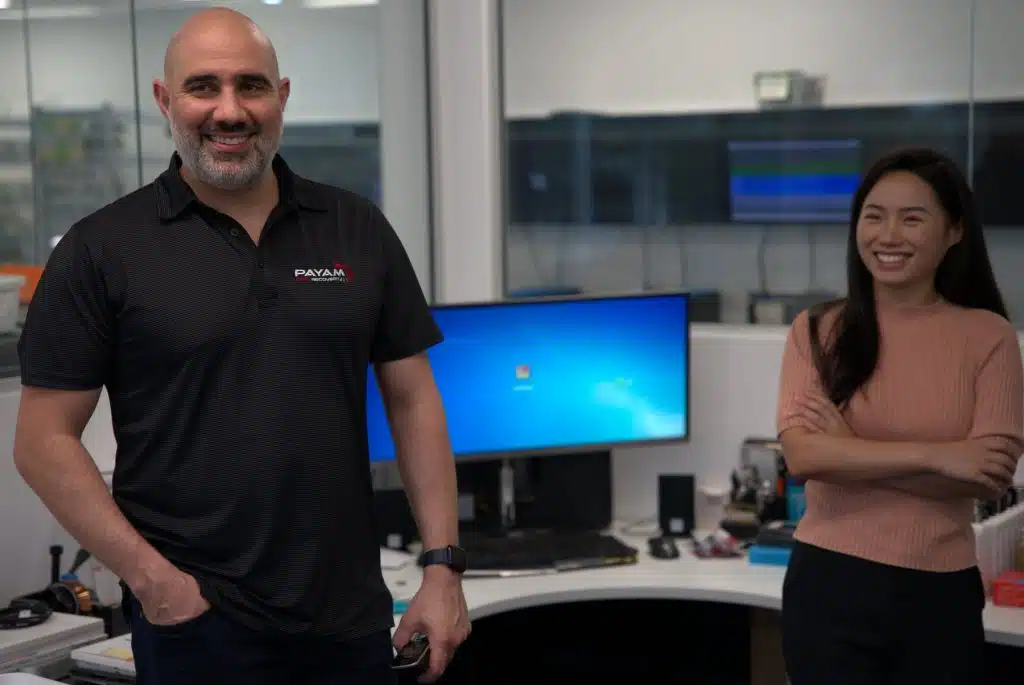
We tell customers the truth, including when it is not what they want to hear. No corporate language. It is an Australian way of doing business: straight talk, from people in uniform who tell you how it is. When you call 1300 444 800, our own staff in Australia answer. We do not have call centres overseas, and you will not sit on hold. The person you speak to is often the person who will work on your device, and emails are answered promptly, including after hours and on weekends.
And when the drive goes ding, the whole lab hears about it.
How a recovery works
- Tell us what happened. Call, use the free quote form or register a job. Tell us the device, the symptoms, any previous attempts and the files that matter most. If the data is sensitive or your organisation has rules about it, say so now.
- Get the device to us. Bring it to a lab, hand it in at one of our secure drop-off offices in Adelaide, Perth or Auckland, or post it from anywhere in Australia or New Zealand. From a drop-off office it goes to Rhodes by overnight courier, and we email you the tracking number and an update when it arrives.
- Free assessment and a written quote. Our engineers test the device and email you a quote with the price, the turnaround and anything you need to know, including an attempt fee if one applies. Nothing is charged until you approve it. Phones and tablets are a fixed price and skip the assessment.
- You decide. Approve the quote online and choose how to pay, or decline and we return the device. There is no pressure either way, and no hard feelings.
- The recovery. We clone your device first, so the original is never changed or damaged further. Our engineers work on the clone in our own labs, and you get updates as it goes. If a second fault turns up that changes the job, we stop and send you a revised quote before any further chargeable work.
- See your files, then pay. Before you pay for the data you see what you are getting: we send you a list of the recovered files and a screen recording showing them, and we test the files to make sure they open. Your data comes back on an external drive, for collection at a lab or sent to your door by Australia Post free of charge.
- Afterwards. We keep a backup of your recovered data for two weeks. If you lose the drive we gave you or accidentally erase it, we give you another copy free, and we help you find files if you need it. If you do not want your old device back, we securely destroy it free of charge.
Things people are glad to know
- You do not have to buy a drive from us. If you have a working, spare hard drive or SSD that is empty and large enough, bring it with your device and the price is lower. We prefer not to save files to a USB flash drive or a memory card, as they are very slow and not suited to large amounts of files and folders. If you need one, we sell USB hard drives and SSDs from 1 TB to 26 TB.
- If your computer will not turn on and you just want your files, our Basic Backup service is quick and affordable, and you do not need the computer repaired first.
- Every device is cloned before anything else is done to it. That is how we protect you from the recovery itself.
- If we cannot recover your data, you get the exact reason, not a form letter, and on no fix, no fee jobs you pay nothing.
Our terms and conditions set out the details, including attempt fees and return postage on declined jobs.
Our pricing promise, and why it costs what it does
We quote what a job really takes.
Some recoveries are quick. Others need donor parts, hours in the cleanroom and a lot of patience. As Payam’s accountant has told him for many years, “We charge you what we need to charge you to be able to do a professional job and still stay in business.” Not to get rich. The quote is not set low just to win your job and then give up when it gets hard.
There is no pressure. If you decide your data is not worth the price, that is completely fine, and we will return your device. We do not use a free quote as bait and then raise the price. We would rather lose a job to a cheaper quote than mislead you to win it.
If you ask us to go ahead, you are paying for our time and skill, and here is what you get for it:
- A serious attempt with full effort, using every tool and method we have.
- No shortcuts. We do not run a failing drive on unstable equipment to save time, and we do not risk the platters to get a quick result.
- We do not give up easily on a hard job. Several of the stories on this page took weeks.
- We always tell you honestly what we tried and what we found. We never say we tried something when we did not.
No fix, no fee, and attempt fees, in plain words
No fix, no fee made sense in the 1990s, when most failures were simple. Today it is fair for some jobs, but not for jobs where every attempt costs real time and parts with no guarantee of a result. So here is how we do it. About 90% of our jobs are no fix, no fee, because for faults like bad sectors, file system damage, a failed circuit board or a basic backup, we expect to get the data back, and if we do not, you pay nothing.
The hardest jobs, such as cleanroom work on a hard drive or a RAID and NAS recovery, carry an attempt fee, because parts and specialist time are spent before anyone can know the result. The attempt fee covers a serious attempt and only part of our real cost. It is part of the total price, it is stated in the quote before you approve anything, and if the recovery fails it is your only cost. It is not refunded. If you decline a quote there is nothing to pay for the work. You can collect the device, send your own courier, or pay $20 for return postage within Australia.
A blanket no fix, no fee offer only works when a failed attempt costs the business nothing, which means easy jobs only. On a hard job it quietly turns into giving up. Some companies quote low, then find the job needs hundreds of dollars in donor parts. With no money left in the job, they call it unrecoverable with a generic excuse. We have heard that story from customers, and from people who used to work at those companies. We quote honestly so that we can do the work properly.
Why it can cost more than the device
People often ask why recovering a 2 TB drive can cost $880 or $1,750 when a new one costs $90, or why a $20 USB stick can cost $375 to recover. You are paying to get your data back, not for the device. A new drive does not contain your files.
A $20 flash drive is made by machines, in the millions, on a tiny margin, and if it fails the maker just replaces it, with no thought for your data. Recovering it is hours of skilled work on one device. A recovery is the opposite of manufacturing: skilled work done by hand on one damaged device, in the cleanroom or under a microscope, in Australia, by people paid Australian wages in offices paying Australian rent, with parts from our own shelves. Think plumber or dentist, not factory. Nobody expects a dentist to work for free if the tooth cannot be saved. And if a device fails early, it is worth asking the manufacturer to cover your recovery cost. As Payam says, “You should really blame the manufacturer.”
In Payam’s words: “Data recovery has costs most people never see. High Australian wages, rent, customer service staff, engineers, the latest equipment, specialised software and the updates for it. We’re not just one guy sitting in a basement with free online tools. Some jobs take us 10, 20 or 30 hours. Spread over that time, our rate is lower than a plumber’s or a painter’s, and sometimes a $1,000 to $2,000 job costs us $4,000 to $5,000 to finish. We’re not trying to charge more than the job costs. Our passion is to help people, and to keep a business that supports our staff and their families.”
“We could be cheaper. We could work from home with a PO box, no phone, no staff and no GST. That is how I started, and plenty still do. Those set-ups can only handle the easy jobs. We’ve built a business that handles the easy ones affordably and the hardest ones in-house. Many people come to us after trying somewhere cheaper, and then find our price is similar or lower, because the cheaper quote often gets sent to someone else to do, sometimes to us.”
“We’re not the cheapest, and we don’t try to be. We try to be the Rolls Royce or the Mercedes Benz of data recovery. We provide a premium result.”
One more thing you should know. Because of the AI data centre boom, hard drive and SSD prices are the highest they have ever been, and they have risen sharply in the last 12 months. That raises what donor drives cost us on every head swap. We have not raised our prices. We are absorbing it.
What recovery usually costs
These are the Economy service prices from our data recovery cost page, which is the page to check for the current figures. All prices include GST. Prices are subject to change, and special cases may cost more than the ranges shown. Your written quote is the price that applies to your job.
| Device | Economy price |
|---|---|
| Hard drives | $375 to $1,750 for drives up to 6 TB. Larger drives cost more and are quoted individually. |
| SSDs | $350 to $1,750 |
| USB flash drives | $350 to $1,500 |
| Memory cards | $350 to $1,250 |
| RAID and NAS | $350 to $6,500 |
| Phones and tablets | Fixed price of $795 |
| MacBooks | $350 to $1,100 |
| iMacs | $375 to $1,750 |
| Microsoft Surface | $350 to $1,500 |
Priority and Emergency services cost more because our engineers work on your job after hours and on weekends. The quote shows the price and turnaround for each level. You can pay in full or in instalments; see easy ways to pay.
Two examples, so you can see how a quote is made
“I dropped my hard drive” is almost always one of two jobs. If the heads survived and the drive has bad sectors, it is usually $880. If the heads are damaged and need replacing in the cleanroom, with a donor drive from our library, it is usually $1,750. Above 6 TB the donor drive itself can cost many hundreds of dollars, which is why larger drives are quoted individually.
A phone that will not turn on is a fixed $795 on the Economy service, no assessment, no attempt fee. The only exception is a complex logic board transplant that needs an expensive or uncommon donor phone, like Frank’s Galaxy in the stories above. If your phone needs one, we quote the extra cost first, and you choose whether to go ahead.
What we will not do
- We will not quote low to win the job and then give up when it gets hard.
- We will not say we tried something when we did not.
- We will not charge you for work you have not approved in writing.
- We will not send your device to another company or overseas.
- We will not pretend a locked iPhone can be opened without its passcode. Nobody can do that.
- We will not take a job we think is a waste of your money without telling you first.
- We will not look through your files beyond what the recovery needs, and we will not keep them longer than we have told you.
- We will not use a free quote as bait. If the price is the price, we say so.
When we are the right choice, and when we are not
We are the right choice when
- The device is physically damaged, clicking, not detected, or has already been opened or worked on somewhere else.
- The data matters more than the device.
- The storage is soldered to the board, as in a MacBook, Surface or phone, and the device is dead.
- A RAID, NAS or server has lost more than one drive, or nobody can work out how it was set up.
- You want a serious attempt by specialists, with the exact reason if it cannot be done.
- You run an IT or phone repair business and need a specialist for the jobs you cannot do in house.
- You are overseas or in a country with no lab of its own, and you need somewhere you can post the device to and trust.
- Your organisation needs a sensitive case handled in strict confidence.
We are probably not the right choice when
- You deleted a file a few minutes ago on a working drive and you are comfortable using recovery software yourself. We can still help, but it may not be worth the cost.
- You need a locked iPhone opened without the passcode. Nobody can do that.
- You want deleted photos or messages back from a modern iPhone. Apple’s encryption makes that impossible for everyone, and we would rather tell you now.
- You want the cheapest possible attempt rather than a serious one.
- You want a working device rather than your data. We recover data. A repairer can fix the device afterwards.
Been told it cannot be recovered?
Send it to us for a second opinion. A good share of our work arrives that way: the family whose NAS a lab overseas called impossible, the server another company spent two months on, the phone that repair shops across Sydney said was beyond help. We regularly recover data from devices that other places have given up on, in Australia and overseas, and other data recovery companies send us the cases they cannot do.
In our experience, “it cannot be done” often means the last place reached the limit of its tools, its parts or its business model. A computer shop does not have a cleanroom to replace heads, a quick software scan does not repair firmware or rebuild a board, and a lab with two shelves of parts cannot find the donor your drive needs. Tell us what happened, what has already been tried and which files matter most. Earlier work can change what is possible, so the more we know the better. You get an honest assessment and a written quote before any work starts. If we do not think it is worth trying, we will tell you that too. A second opinion can find another way in. It cannot promise a different result in every case.
Need it fast?
If a business system has stopped or a deadline is close, call us before you send the device so we can plan for it. Because all the work is done in our own labs, in the three most populated cities in Australia, with our own parts on the shelf, we do not wait on anyone else. Our Priority and Emergency services put your device at the front of the queue, with engineers working on it after hours and on weekends until it is done, and bring the turnaround down from weeks to days, sometimes hours. For a hard drive, SSD, MacBook, USB drive or memory card we can also do an urgent assessment with a written quote within one to two hours for $150. For a RAID or NAS with two or more drives it is $500, within two to three hours. The accountant’s USB drive in the stories above was back the same afternoon.
Priority does not make every recovery instant. Some jobs depend on parts, imaging time or the condition of the device, and we will tell you where yours stands. Call 1300 444 800 during business hours. For a genuine emergency after hours, Payam’s own number is in Talk to a real person at the end of this page.
Your data, your privacy and our security
A storage device holds the most private parts of a life or a business: family photos, letters, medical files, accounts, client records. We have handled all of those for a very long time, and we take it seriously. Your device and your data stay in our own Australian labs, with our own engineers, every one of them a full time permanent employee on a contract that requires privacy and security. We do not outsource or offshore any recovery work. Our engineers access your data only as far as the recovery needs, for example to check that the recovered files open, and we only share data if the law requires it or you ask us to.
- We keep a backup copy of your recovered data for two weeks after you collect it or it is posted, in case you need another copy. About a week before the erase date we email you a reminder, and you can ask us to hold it for two more weeks. After that it is erased.
- If you have paid but not collected, we keep the backup and the device for up to 12 months.
- We sign confidentiality agreements on request. We already do this for clients in finance, medicine, law and software, for government departments and for high profile individuals.
- Tell us before you send the device if the data is sensitive or your organisation has handling requirements, so we can agree the arrangement before any work starts.
Where your device is kept
Come and visit us and meet the team. We work in modern, secure office buildings, never from a house, a garage or an industrial shed, and never on the ground floor, where floods happen. Our labs are in concrete and glass CBD and corporate buildings with CCTV, alarms, access control and after hours security patrols. Your device is logged against your job number from the moment it arrives, and it stays with us until it goes back to you.
Read our privacy policy and terms and conditions for the full detail.
Warranty and your device
If your device is under warranty, check the manufacturer’s position before you decide. A warranty claim usually gets you a new device, without your data: the manufacturer replaces the drive or phone with a blank one. Data recovery gets your data back. When we ask people which matters more, a new device or their files, almost everyone says the files.
We make no promise that recovery will not affect a warranty. Any work we do, including the free assessment, may void a manufacturer or extended warranty, and opening a device will often mark its case. In our experience manufacturers are generally comfortable when a device has gone to a professional data recovery lab rather than a local repairer, but check their requirements first. We get your written permission before we open any device.
Apple’s Australian support article Data recovery and warranty implications lists Payam Data Recovery as one of its recommended data recovery companies. Apple notes that the listed companies are not Apple Authorised Service Providers and that Apple does not warrant their services. We are proud to be on that list, and we would rather you read Apple’s own wording than ours.
What we do not provide
We recover data. We do not provide general computer repair, we do not unlock phones without their passcode, and we do not provide formal reports or expert evidence. If you need a working device as well as your data, we can recover the data first and point you to the right repairer afterwards.
What customers say
Our customers rate us 4.9 out of 5 across 2,483 reviews on Google and ProductReview, as at 16 October 2026. These are a few recent ones, quoted as they were written, with first names only, and the review feed below shows the newest. You can read all of them on our reviews page or on the platforms themselves. One review describes one person’s job. It does not guarantee the outcome of yours.
- “Legit got 180,000+ files of my 4 children’s childhoods saved.” Cat, Google, September 2026.
- “After two other providers were unable to retrieve the information, they had my data back within 2 weeks.” Nathen, Google, October 2026.
- “My data was recovered, and it was both faster and less expensive than the initial estimate.” Campbell, Google, October 2026.
- “Had a job which I thought was lost but they managed to inform me about the process, the chances and what I could expect.” Joseph, Google, September 2026.
- “Khalil kept us regularly updated and informed and we are very grateful.” Ron, Google, September 2026.
- “I thought all hope was lost for my precious family photos and videos.” Talia, Google, February 2024.
What people mention most is a real person on the phone who explains the process, updates along the way, the job finished on time or early, and the files checked before they pay. The thing we hear most often in person is simpler: “I wish I’d found you first.”
In a customer’s own words
Vanessa’s iPhone died just before Christmas, and she sent it to us from overseas. In this short video she talks about how it went, from the first email to getting every photo and video back. Read her review.
























Where to check us
- Google: search for Payam Data Recovery and the city nearest you to see each lab’s Google profile and reviews.
- Our reviews page, which collects Google and ProductReview reviews in one place.
- Apple Support, which lists us as a recommended data recovery company for Australia.
- Our case studies and videos of real jobs.
- Our own job records, which run back to 1998 with a job number for every device. We do not publish customer details, but the records exist, and Payam is happy to talk through the early years with anyone who asks.
Who trusts us with their hard jobs
In Payam’s words: “On a yearly basis, we provide our data recovery service to over 2,000 IT companies and computer repair technicians and computer repair shops, as well as over 500 mobile phone repair shops specialising in mobile phone repairs, utilise our services on a regular basis each year, to help their clients get their data back, because they know that we specialise in this type of work, and they focus on what they’re good at, which is the other services they offer, and they outsource this type of work to us so that we can help them to help their customers with the highest possible success rate.”
Australia’s computer shops and phone repair shops do good work fixing screens, cleaning up malware and keeping office networks running. Recovering a drive with scratched platters, corrupt firmware or a cracked logic board needs equipment and a cleanroom that cost a great deal to run, a library of parts, and years of practice. That is the part we do. IT companies and computer technicians can join our partnership program for trade pricing and direct access to our engineers, so you look after your customer and we look after the recovery. Tell us the device, the fault, any work already done and the files your customer needs, and we will explain the assessment and approval steps so you can pass them on.
Other data recovery companies
Other data recovery companies in Australia and overseas send us their hardest cases: drives with damaged heads, complex firmware faults, USB only drives that need converting, dead SSDs and MacBook logic boards. We do not name them, and we never will. Their customers get their data back, and that is the point.
Law enforcement, government and intelligence agencies
We help law enforcement, government departments and intelligence agencies with complex and highly sensitive cases, in strict confidence, including physically damaged phones, hard drives and SSDs that your own technical team cannot power up. You are welcome to be present while we work. We offer ongoing partnerships and contracts, with flexible payment terms by agreement. Email help@payam.com.au to talk to us. To be clear for everyone else reading this: this is a service we provide to those organisations on their own devices. It changes nothing about how your data is handled, which is described in the privacy section above.
Secure data destruction, and why a recovery lab does it
Data recovery and data destruction are opposites, and we keep them apart. We are a data recovery company, so we know exactly what it takes to get data back, and that is why we know how to make sure nobody can.
- Do not want your old device back after a recovery? We securely destroy it free of charge.
- IT companies, data centres and businesses with end of life drives: we erase and recycle hard drives and SSDs in bulk, free of charge, and keep the usable parts for our spare parts library, where they go on to help other customers. Degaussing and physical shredding are also available. Prices and the steps are on our data destruction page.
- Destruction happens in a separate area of our Rhodes facility, apart from the recovery lab. Nothing is sent to another company. Nobody looks at your data or opens a file. It is erased, in confidence.
- You get a certificate of destruction, and you are welcome to watch by appointment at Rhodes.
The data centre that was quoted over $20,000 elsewhere and had more than 2,000 drives destroyed here free of charge is in the stories above. Retiring IT support businesses with hundreds of old customer drives, finance and law firms clearing archives, and families clearing a late parent’s computers have all used the same service, and it suits managed IT companies disposing of client drives.
Labs and secure drop-off offices
We have four full service data recovery labs in three cities: Rhodes and the Sydney CBD in Sydney, the Melbourne CBD and the Brisbane CBD, each with its own engineers, equipment and parts, and no outsourcing. Rhodes is the main lab, and every hard drive that needs opening goes there. Our own staff move devices between the two Sydney locations every day.
In Adelaide, Perth and Auckland we have secure drop-off offices. These are real offices in corporate buildings, staffed by corporate reception staff who work for us and hold our instructions and our packaging, where you can walk in during business hours and hand your device to a person. You get a receipt, the device is packed and sent to our Rhodes lab by overnight courier, daily, and we email you the tracking number and an update when it arrives. The recovery is done in Rhodes, and when it is finished your recovered data is sent back to your home or office by Australia Post, free of charge. You cannot collect from the drop-off offices, and you do not need to. The office is there to save you the time and cost of posting your device to Sydney yourself.
| Location | What it is | Address and hours |
|---|---|---|
| Rhodes, Sydney | Main data recovery lab, the place for the most complex work and the spare parts library | Suite 213, Level 2, 5 Rider Boulevard, Rhodes NSW 2138. Monday to Friday 9am to 5:30pm. Rhodes details |
| Sydney CBD | Data recovery lab | Level 11, 65 York Street, Sydney NSW 2000. Monday to Friday 9am to 5:30pm. Sydney details |
| Melbourne CBD | Data recovery lab | Level 11, 456 Lonsdale Street, Melbourne VIC 3000. Monday to Thursday 9am to 5:30pm, Friday 9am to 5pm. Melbourne details |
| Brisbane CBD | Data recovery lab | Level 10, 95 North Quay, Brisbane QLD 4000. Monday to Friday 9am to 5:30pm. Brisbane details |
| Adelaide | Secure drop-off office with reception staff. Devices go to Rhodes, data comes back by Australia Post free of charge. | Level 30, 91 King William Street, Adelaide SA 5000. Monday to Friday 9am to 5pm. Adelaide details |
| Perth | Secure drop-off office with reception staff. Devices go to Rhodes, data comes back by Australia Post free of charge. | Level 28, 140 St Georges Terrace, Perth WA 6000. Monday to Friday 9am to 5pm. Perth details |
| Auckland | Secure drop-off office with reception staff. Devices go to our Rhodes lab, data comes back to you by post free of charge. | Level 8, 139 Quay Street, Auckland 1010. Monday to Friday 9am to 5pm. New Zealand details |
Australia, New Zealand, the Pacific and overseas
You can post your device to us from anywhere in Australia or New Zealand, and customers overseas send us devices every week. Payam puts it at more than 50 countries over the years. Many come from the Pacific, where there is no lab of this kind: Papua New Guinea, Fiji, Vanuatu, Tonga, the Solomon Islands, the Cook Islands and New Caledonia. About ten jobs a year come from much further away, mainly the United States, China and Korea, often for chip level phone and MacBook work, and sometimes because the customer found one of our YouTube case studies. The 18 TB job from Papua New Guinea in the stories above is a typical one. Email help@payam.com.au first, tell us the device, the fault and the files you need, and we will explain the best way to send it and how it comes back. The easiest way to reach us from another time zone is email. Read our guide to sending a device from overseas.
Easy ways to pay
We make paying for data recovery easy. You can pay in full by credit or debit card (Visa, Mastercard, American Express), Apple Pay, Google Pay, Link or PayPal, or by bank transfer (EFT).
If you would rather spread the cost, you can pay in instalments with Afterpay, Zip, Klarna or PayPal Pay in 4. Just approve your quote, choose the option you prefer on the payment page, and log in to the account you already have. There is nothing extra to set up with us, and your recovery starts as soon as the payment goes through.
Paying in person? All our offices take cards and contactless on the Square terminal, including Apple Pay and Google Pay.
Talk to a real person
Tell us what happened, what you need back and whether there is a deadline. If you already have a quote and something is unclear, ask us to explain it before you decide.
- General enquiries: 1300 444 800, Monday to Friday, 9am to 5:30pm. Our own staff in Australia answer. No overseas call centre, no hold queue.
- From overseas: +61 2 8076 6079, or email, which works in every time zone.
- Email: help@payam.com.au. Someone answers after hours and on weekends.
Get a free quote, register a new job or find your nearest location.
Contact Payam directly
For a genuine emergency after hours, to discuss a business partnership or opportunity, or for any complaint or special request, contact Payam Toloo himself: 0404 872 926 or payam@payam.com.au. Payam cares about his brand, his name and his reputation, and he will always get back to you.
Payam Data Recovery
Data Recovery Professionals Australia Pty Ltd
ABN 51 642 707 908
ACN 642 707 908
Main lab
Suite 213, Level 2, 5 Rider Boulevard
Rhodes NSW 2138, Australia
Head office
Level 11, 65 York Street
Sydney NSW 2000, Australia
Questions people ask about us
Who owns Payam Data Recovery?
Payam Data Recovery is owned and run by its founder, Payam Toloo, who started the business in Sydney in 1998 at the age of 18 and still works on recovery cases every day. It is fully Australian owned, and it is his only business.
Why is it called Payam?
Payam is the founder’s first name. The business is named after Payam Toloo. It has nothing to do with pay or money. Like Nike, it is just a name, and Payam is a Persian name that means message.
Is Payam Data Recovery a real company with a real lab?
Yes. We have operated since 1998. Our main lab is at Suite 213, Level 2, 5 Rider Boulevard, Rhodes NSW 2138, and you are welcome to visit it on weekdays between 9am and 5:30pm and meet the team. Our reviews are on Google and ProductReview under our own name, Apple lists us on its Australian support page, and our job records go back to 1998.
Where are your labs, and what are the drop-off offices?
We have four full service data recovery labs: Rhodes, the Sydney CBD, the Melbourne CBD and the Brisbane CBD. Adelaide, Perth and Auckland are secure drop-off offices: real offices with reception staff where you hand in your device. It is sent to our Rhodes lab by overnight courier, the recovery is done there, and your recovered data comes back to your door by Australia Post, free of charge. You cannot collect from the drop-off offices.
Do you send devices to another company?
No. All recovery work is done by our own engineers in our own Australian labs. A device may move between our labs, and a courier carries devices from the drop-off offices to Rhodes, but the work itself never leaves us. It is usually the other way round: other data recovery companies send their hardest cases to us.
How much does data recovery cost?
The assessment is free and you get a written quote first. On the Economy service most hard drive (up to 6 TB), SSD, USB and memory card jobs are between $350 and $1,750, larger hard drives are quoted individually, RAID and NAS from $2,500 to $6,500, and phones and tablets are a fixed $795. Prices are subject to change, and special cases may cost more than these ranges. The full list is on our cost page, and the reasons behind the prices are in our pricing promise above.
How long does it take?
The Economy service typically takes one to three weeks. Priority and Emergency services bring that down to days, and an urgent assessment with a written quote can be done within hours.
Do I pay before I see my files?
For most jobs, no. After the recovery we send you a list of the recovered files and a screen recording showing them, and you pay the balance before the data is released. Where a quote carries an attempt fee, that fee is paid to begin and is stated in the quote before you approve anything.
What if you cannot recover it?
About 90% of our jobs are no fix, no fee, so you pay nothing. On the hardest jobs the quote includes an attempt fee, and if the recovery fails that fee is your only cost. Either way we tell you exactly what we tried and exactly why it could not be done.
Is my data kept private?
Yes. Your device stays in our Australian labs with our own full time staff, we access data only as far as the recovery needs, and we keep a backup for two weeks after return and then erase it. We sign confidentiality agreements on request.
Can I get a second opinion after another company failed?
Yes, and many of our customers come to us that way. Tell us what was tried. Earlier work can affect what is possible, so we assess the device and quote before anything else happens.
What should I do right now?
Turn the device off and leave it off. Do not keep trying a clicking or beeping drive, do not run recovery software on a drive that is making noises, and do not open anything. Then call us or send the free quote form.
Can I bring my own drive for the recovered data?
Yes. You can bring us your own hard drive or SSD, as long as it is empty and large enough. We recommend it, because it makes the price lower: you save the cost of us providing a drive. We prefer not to save files to a USB flash drive or a memory card, as they are very slow and not suitable for large amounts of files and folders. If you do not have a spare, we sell USB hard drives and SSDs from 1 TB to 26 TB.
Do you use AI?
Yes, 24 hours a day. Since the beginning of 2026 we have used the latest tools from Claude, ChatGPT, Perplexity, Google Gemini and Grok across the business, in a secure closed environment, from securing our website and customer systems to helping our engineers repair corrupted photos and video files, reconstruct complex RAID systems, verify recovered files, sort data back into date order, and build custom tools for cases that have no off the shelf answer. It is at no extra charge, and it has made some previously unrecoverable jobs recoverable. The detail is under What we do in the lab.
Can I visit the lab?
Yes. Visitors are welcome at Rhodes, Monday to Friday, 9am to 5:30pm, and at our Sydney CBD, Melbourne CBD and Brisbane CBD labs during business hours. Come and meet the team.
Do you work with government and law enforcement?
Yes, on complex and sensitive cases, in strict confidence, with ongoing partnerships and contracts available. Email help@payam.com.au. This changes nothing about how any other customer’s data is handled.
Do you destroy old drives?
Yes. We securely erase and recycle hard drives and SSDs free of charge at Rhodes, with a certificate of destruction, and we offer degaussing and shredding. See our data destruction page.
Can I contact Payam directly?
Yes. His direct number and email are in Talk to a real person above, for after hours emergencies, business partnerships and opportunities, complaints and special requests. He always gets back to you.
Content owner: Payam Toloo, founder and director. Last reviewed 16 October 2026, with the facts checked against our current prices, terms and location pages, our published case studies and our Google reviews. If you see something on this page that needs correcting, email help@payam.com.au.


