

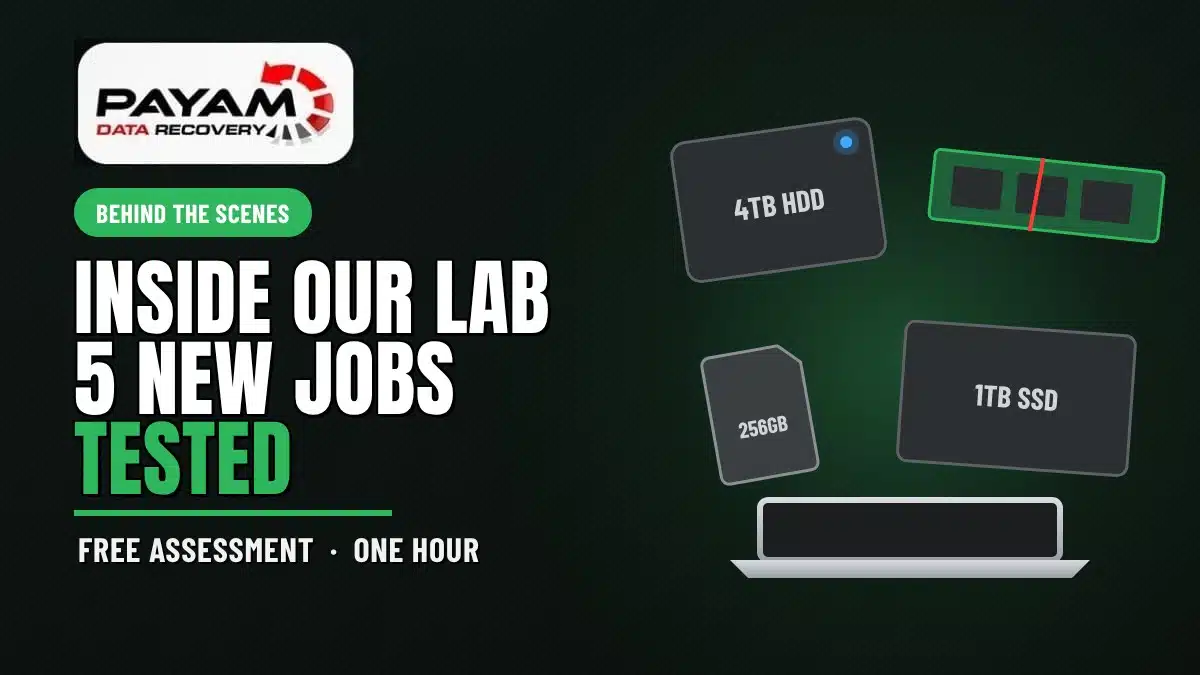
What happens in a free data recovery assessment? Our data recovery engineer checks each device on professional tools such as the Atola Insight, finds what is actually wrong, then sends a written quote explaining the problem, the work involved and the time. Nothing chargeable starts until you approve it. This video shows five real jobs tested in one hour.
Five jobs that arrived in the same hour
Toshiba 4TB USB hard drive: blue light and spinning, but not mounting. Read errors and remapped sectors, files still visible, so it goes for a clone copy first
Samsung 256GB microSD card: not recognised by any device. A monolith card with a failed controller, so it needs a direct read on the PC-3000 Flash
WD Black 1TB NVMe SSD: bent and cracked through the board, but the memory chips look undamaged. It needs an identical donor SSD and a chip transplant
Samsung 1TB SATA SSD: erased by an IT person and showing all zeros. A low chance attempt with the PC-3000 low level recovery option
MacBook with a broken hinge: the SSD is built into the logic board, so the board goes into another housing to back up the data
Next step for every customer: a written quote explaining the problem, the work and the time, for approval before any chargeable work
Have a faulty device of your own? Call 1300 444 800 or request a free assessment.
A Typical Day in Our Data Recovery Lab
This is not a special job. It is a typical day.
In this video, our founder Payam Toloo takes you behind the scenes and shows you one of his favourite tools, the Atola Insight. Five devices had come in within the last hour: a USB hard drive, a microSD card, two SSDs and a MacBook. Each one had a different problem, and each one needed a different answer.
Not everything in data recovery is soldering and replacing heads. A lot of it is careful troubleshooting: working out what is really wrong before anyone touches the data. That first look is the free assessment.
What Happens in a Free Data Recovery Assessment?
When a device arrives, our data recovery engineer tests it to see how it behaves and why the customer cannot get to their files. The aim is to find the fault without causing any more damage.
Then the customer receives a quote through our system by email and SMS. It explains exactly what the problem is, what the work involves and how long it will take. If the customer wants to go ahead, they approve it and we get started. If it is too expensive for them, there is no charge for the assessment.
So if you send something to us for a free assessment, we are not damaging your device. We are having an initial look. If you approve the quote, that is when we spend the time doing the actual recovery work.
Toshiba 4TB USB Hard Drive: Blue Light, Spinning, but Not Mounting
The customer described a blue light that turns on and a spinning sound inside, but the drive would not mount. Plugged into the Atola, it made no unusual noises, though a slight pulsing could be felt in the hand.
The drive was being recognised, which is a good start. The SMART status showed a yellow bar, which on the Atola software means the drive has read errors or bad sectors. Its reallocated sector count showed it had been remapping bad blocks to fix itself. That is usually a good thing, until the drive runs out of room to do it and stops working.
The file recovery check showed a readable file system on the Toshiba 4TB, with files on it. That is a good sign. But a drive like this can work for two minutes and then stop, so we never assume it is fine. It goes to one of our imaging machines for a clone copy first, just in case it dies. You can see how a similar drive was handled in our Toshiba bad sectors case study, and read more about hard drive data recovery.
Samsung 256GB microSD Card: Not Recognised by Any Device
The customer had tried this microSD card in many different devices, and none of them recognised it. Cards this small usually come out of a dashcam or a mobile phone. They are fragile, so they are handled carefully and kept safe in the office.
The Atola has a USB port built in, so it can test card readers, USB flash drives and USB hard drives as well. This card was not recognised at all, which is the same problem the customer had.
This is a monolith type memory card with a failed controller. To read it, the coating on the back has to be scratched away with a fibreglass pen, and tiny wires connected to it so the data can be read with a tool called the PC-3000 Flash. It is a very time consuming job. The customer gets a quote explaining what is wrong, and if they are interested, we get started. More on this kind of work is on our memory card data recovery page.
WD Black NVMe SSD: Bent and Cracked, but Not as Bad as It Looks
The next job was a Western Digital Black 1TB NVMe SSD, and it was bent. Most likely someone tried to pull it out of a computer while the screw was still in, and it snapped. There was a crack all the way through, and the sticker was the only thing holding it together.
The important question was whether the memory chips were damaged, or only the circuit board. With the sticker carefully removed, three main parts were visible: the controller chip, two NAND memory chips and probably a cache memory chip. The good news: the two memory chips did not appear to be cracked. The crack ran right in the middle, next to the controller.
Most SSDs like this are hardware encrypted, so the chips cannot simply be read on their own. The plan is to buy an identical SSD and transplant the chips from the customer’s SSD onto it. The quote to the customer says it is not as bad as it looks. It is not an easy one, but it can be done.
Samsung 1TB SATA SSD: Erased by an IT Person
The fourth device was a Samsung 1TB SATA SSD. The customer said another IT person had erased it, and it was not showing any data at all.
The first thing to confirm is whether it was really erased, or whether it only had a quick format. A check in WinHex showed every sector was zeros except the last one, which is just how it was formatted. So the drive is definitely empty as far as the computer can see.
There is still one thing to try. If the controller is supported, the PC-3000 has a low level deleted file recovery option for SSDs that reads the drive in a different way, and data that appears as zeros might still be there. The chance is low, and if the drive is completely erased there is probably no chance. So the customer gets a quote for our time to make that attempt, and decides whether it is worth it. Our formatted SSD case study shows a job where acting quickly made the difference, and our SSD data recovery page covers SSD faults in more detail.
MacBook With a Broken Hinge: Data Locked to the Logic Board
The last job came with very little information: the computer was damaged and not working. The damage was obvious straight away. The screen was hanging off at the hinge, held on by one tiny ribbon cable, as if someone had lifted it and bent it too far.
On this type of MacBook the SSD is built into the logic board and cannot be removed. The plan is to take the logic board out, fit it into another housing and back up the data, hopefully with no other problems along the way. The customer gets a quote explaining exactly that. You can read more on our MacBook data recovery page.
Why We Test Everything Before Quoting
Five devices, five different answers. One needed a careful clone before it failed for good. One needed chip level work. One looked destroyed but probably is not. One was probably empty, with one low chance option left. One needed its board moved into another housing.
None of those answers can be given honestly without testing the device first. That is why every customer gets a free assessment and a written quote before any chargeable work begins, and why we explain the chances as plainly as we can, including when they are low.
Pricing and How the Quote Works
The assessment and the written quote are free. Your quote explains the problem we found, how we can help, the cost and the time involved, and nothing chargeable starts until you approve it. Some complex work with high risk, a lot of time or costly donor parts carries an attempt fee, and if it applies to your job it is stated clearly in your quote before you approve anything.
See your files before you pay. You tell us which files matter most. Before you pay for the recovery, we’ll send you a list of your recovered files so you can check them. If any of the files you listed are missing, tell us and we’ll search again. Current price ranges are on our data recovery cost page.
Sending a Device From Interstate or Overseas
Drop it at our Sydney, Melbourne or Brisbane CBD office and we’ll start as quickly as possible. Most work is done at the local lab, and some specialist work goes to our main data recovery lab in Rhodes, NSW. We move devices between our own labs at no cost to you. We also have secure drop-off offices in Adelaide and Perth, with free delivery both ways to our main data recovery lab in Rhodes, NSW.
If you are far from an office, post your device straight to our lab in Rhodes, NSW. When you submit a job, our job form emails you a complimentary PDF address label. Postage is not prepaid, so you pay the postage or send it with your own courier. No printer? Write your job number on a note and put it in the box.
International customers are always welcome. The easiest way to reach us from overseas is by email at help@payam.com.au, which works in every time zone.
Frequently Asked Questions
Will the free assessment damage my device?
No. The free assessment is an initial look to work out what is wrong, using professional tools such as the Atola Insight. We are careful not to cause any more damage. The time consuming recovery work only starts after you have read the written quote and approved it.
What do I receive after the assessment?
You receive a written quote by email and SMS. It explains exactly what the problem is, what the work involves and how long it will take. If you want to go ahead, you approve it and we get started. If it is too expensive for you, there is no charge for the assessment.
My hard drive lights up and spins but will not mount. What does that mean?
On the Toshiba 4TB in this video, it meant read errors and bad sectors. The drive had been remapping bad blocks to fix itself, which works until it stops. Files were still visible, so the first step was a clone copy in case it failed completely. Stop using a drive like this.
Can a bent or cracked NVMe SSD still be recovered?
Often it can. On the WD Black SSD in this video the crack ran next to the controller, but the two memory chips did not appear to be damaged. Because these SSDs are usually hardware encrypted, the plan is to transplant the chips onto an identical donor SSD.
Someone erased my SSD. Is there any chance?
Sometimes, but the chance is low. We first check whether it was fully erased or only quick formatted. On the Samsung SSD in this video every sector showed zeros, so the only option left is a low level recovery attempt with the PC-3000, quoted for our time before we try.
My microSD card is not recognised anywhere. Can it be recovered?
Often it can, but it is slow, specialised work. The Samsung 256GB card in this video is a monolith card with a failed controller. It has to be read directly with the PC-3000 Flash by connecting tiny wires to the card itself, so the quote explains the time involved.
About Payam Data Recovery
Payam Data Recovery has been recovering data since 1998, with more than 300,000 devices recovered. Apple lists us as one of three recommended data recovery providers on its data recovery page. We recover hard drives, SSDs, RAID and NAS, iPhones, MacBooks and iMacs, phones, USB flash drives and memory cards, all in our own labs in Australia and never outsourced overseas. Rated 4.9 from over 2,400 Google reviews. International customers are always welcome. You can read more about Payam Data Recovery.
Request a Free Data Recovery Assessment
Hard drive, SSD, memory card or MacBook not working? We can help.
Free assessment and written quote before any chargeable work begins. Your quote confirms the exact price.
From anywhere in Australia. International customers are always welcome.
Get a Free Quote
See Our Case Studies
Ready to send it in? Submit a job.
Call 1300 444 800 or email help@payam.com.au
Related Case Studies
- Toshiba 1TB USB drive with bad sectors, cloned in under 12 hours
- Formatted SSD recovered before TRIM finished
- SanDisk SSD with a failed controller
- MacBook Air M2 with a dead logic board
Video Transcript
This isn’t a special job. This is a typical day. Payam’s going to show you one of his favorite tools, the Atola Insight, and take you behind the scenes so you can see what the lab looks like and the kind of work the team does every single day.
So I’m going to be showing you some new jobs that we got today and how we test them and how we work out what’s wrong with things. So follow me over here.
We have a USB external hard drive. The description from the customer says there’s a blue light that turns on. They can hear internal spinning sound, but it’s not mounting. So I’m just going to plug it into our Atola unit over here. That’s going to let me just troubleshoot to see what’s wrong with it. Have a listen to it.
Seems okay. It’s not making any unusual noises. I can feel a little bit of a pulsing feeling in my hand. I can see the drive is not really in a good condition, but it looks like it’s getting recognized. But the fact that our customer said that it’s got a blue flashing light, which it does on the back here, and they can’t access the data. So a bit of an initial thing is when you check the smart status, there’s a yellow bar here which indicates on the Atola software this drive’s got some read errors or bad sectors. The reallocated sector count means the drive’s been remapping bad blocks trying to fix itself, which is usually a good thing until it stops and doesn’t work. So let me have a look at the file recovery option. This will show us if there’s any readable file system and it’s showing Toshiba 4 terabyte. So far so good. And there’s files on here. So, the fact that it’s showing files, it’s kind of a good sign. And usually what we’ll try and do is make a clone copy of this, because it might just start working and then two minutes later it stops. So I don’t want to assume there’s nothing wrong with it at this point. So I’m going to put this aside. We’re going to take this over to one of our imaging machines soon. But I’m just going to finish having a look at the next ones because this is something that we usually make a clone copy just in case it dies.
Next one I got here is something a little bit different. It’s a memory card we got from a customer. It’s a micro SD card that a customer says that he tried on many different devices, not being recognized at all. So this is pretty tiny. So we keep them always like this in our office. So it’s this small and probably coming out of a dash cam or a mobile phone. So this is a Samsung 256 gigabyte one. And I have to be careful when I plug it in that I don’t plug it in the wrong way or don’t damage it. They’re very fragile. So this one is backwards. So I’ve got to be really gentle. Try the other way. There we go. So that’s in there safely. And I’m going to try and plug it in. Not really sure why it always works out when you plug something in, it’s always the wrong the first time, but got a 50/50 chance. So the Atola has a USB port built in so we can try card readers, USB flash drives and USB hard drives as well. Now this is not being recognized at all. And that’s the same problem the customer was having.
So generally with these, what we’re going to do is we’re going to send the customer a quote to say your micro SD card is dead, not being recognized. And this back surface over here, we have to scratch it off using a fiberglass pen and then we have to connect small wires to it using a tool called PC-3000 Flash. And it’s going to be a very time-consuming kind of process. I don’t know how this goes back in here. There we go. Keep it safe. So we’ll send the customer a quote. We’ll explain to him what the problem is. So we have a CRM system. We can send the customer a quote. They’ll get an email and an SMS and it’ll explain exactly what the problem is. We describe it as a monolith type memory card with a failed controller. So the customer will get an email or a text message saying, “This is what’s wrong. If you’re interested, we can get started. If it’s too expensive, there’s no charge.” But this is going to be a really hard job.
Another one we got in today. Looks like it’s a NVMe SSD. Western Digital black. So it actually looks like it’s bent. That’s a bit weird. I thought my eyes were playing tricks on me. Not really sure how you do that. I’m suspecting that someone tried to remove this out of a computer and they probably left a screw there and then they tried to pull it out and it was still screwed in and they’ve just snapped it. So I’ve got to be gentle with that one. So it does have a crack all the way through. Now this is something that could still be recoverable. What we need to do now is try and see if the actual memory chip is damaged or if it’s only the circuit board. So I need to carefully have a look and try and take the sticker off without causing any more damage. The sticker is the only thing holding this together, but it’s already separated, so it’s going to fall apart when we take the sticker off. But I haven’t damaged it. All right. Feels kind of smooth here, which is good.
Now, what I can see here is I can see three main components. I believe this one is the controller chip and these two are actually the NAND chips. And there’s probably a cache memory chip here. I have to confirm that one, but that’s my suspicion. So the good news is the two memory chips don’t appear to be cracked. Just right in the middle there next to the controller is actually cracked. So most of the time these are hardware-based encrypted. So we need to find another SSD identical to this from the customer’s one. I actually didn’t see what it was. It was a Western Digital 1 terabyte. So one of these might cost around $300 these days. We have to buy another one and transplant the chips from here onto the other one. So I’m going to send the customer a quote to say it’s not as bad as it looks. It actually might be possible to get the data back and he’s really lucky that the actual memory chips themselves don’t appear to be damaged. It’s not an easy one, but we can do it. So I’m going to send the customer a quote for this one later on.
And then we’ve got a different SSD here from a different customer. This looks like it’s a Samsung one terabyte SATA SSD. It says it looks like it’s been erased by another IT person and is not showing any data at all. So, this is usually something that we’ll have to confirm whether it’s really erased or whether or not it’s actually just done a quick format. So I’m going to try and check using WinHex to see what we see. If it’s empty, it’s possible that we can use another tool called PC-3000 if the controller is supported, and we might be able to actually get the data back. But if it’s completely erased, then there’s probably no chance. So we’re not going to charge this guy any money, we’ll just have a look first. I’m just going to close the previous ones and let’s have a look. So there’s a little bit of data here and it’s showing all zeros. So it looks like every sector is zeros except the last one, which doesn’t really mean much to us. It’s just the way it was formatted. So this is definitely empty. So what we’re going to do is send the guy a quote for our time to say we’re going to try and connect this to our PC-3000 and it has a low-level deleted file recovery option for SSDs, where it reads in a different method that we can actually try and recover the data that is appearing as zeros, but it actually might still be on there. So there’s a low chance, but it might work. So I’ll keep that together and we’ll send the guy a quote later on.
And the last one that we are testing, these jobs all came in the last hour. Interesting. It says the computer was damaged and not working, but there’s no other information. So I can see right away it is physically damaged, which seems as though it’s just on the hinge. So I suspect that somebody just kind of lifted it and they bent it too much. It already looks like it’s coming off. There’s just a small ribbon cable, tiny little ribbon cable holding it on. So this type of MacBook computer is usually one where the SSD is not removable and the way I can usually tell is almost every MacBook has just got USB-C ports and especially, yeah, I can tell just by looking at it, this is definitely an integrated one. So we’re just going to send the customer a quote to say we’re just going to basically take the logic board out, put another housing, try and back up the data. Hopefully, there’s no other problems for it.
So this is just an example of some of the variety of different things we see in a data recovery lab. Not everything is to do with soldering and replacing heads. There’s also just general types of troubleshooting and software recovery stuff. So, all these customers today, once we spend a bit more time on it, they get a quote explaining what the problem is and how long it’s going to take and get their approval. So if you ever send something to us for a free assessment, we’re not damaging your things, we’re just having an initial look. And then if you approve the quote, we spend more time actually doing the work. So you can see many different case studies on our website that shows you how we do the process step by step.


