

Hard drive PCB repair case study: what happened?
Case study summary
Device: Western Digital 3.5 inch hard drive
Problem: The drive had failed. On inspection there were no dents and no sign it had been dropped
Findings: Connected to PC-3000 it reported a shorted circuit board. With the board removed and its components tested, a burned capacitor and diode were found
Solution: Rather than patching the burned parts, the ROM chip was swapped from the faulty board onto a donor PCB
Outcome: Back on PC-3000, the data copied successfully
The data recovery engineer’s tip: When using a hot air station and soldering iron, work at the right temperature and move in circles. Too much heat damages the ROM chip, and a heat damaged ROM makes recovery impossible
Service: Hard drive data recovery
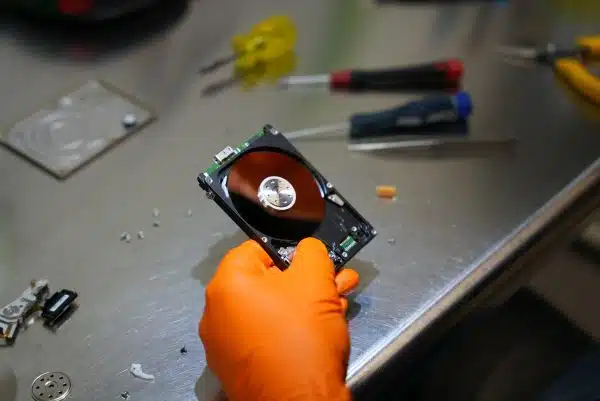
A customer sent us a Western Digital hard drive that was completely dead. No spinning. No detection. Our diagnostics confirmed the printed circuit board (PCB) was shorted due to a power surge. Components like capacitors and diodes were visibly burnt. Without professional PCB repair, data from this drive would have been lost forever.
Can hard drive PCB repair recover data?
Yes, but only with expert knowledge and specialist tools. Many customers try DIY fixes or swap PCBs from similar drives, but this causes permanent damage if the ROM chip is not transferred. This chip contains calibration data unique to each drive. In this case, our data recovery engineers used PC-3000 tools and soldering stations to remove and reattach the ROM chip to a working donor board. This process, known as ROM transfer, is essential for successful hard drive PCB repair.
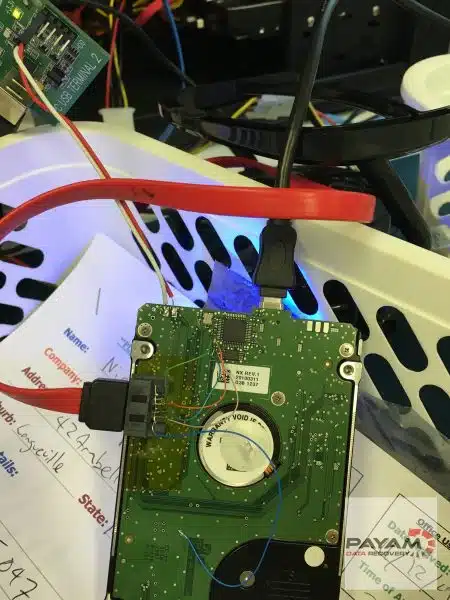
How We Repaired the PCB and Recovered the Data
- Assessment: Our lab performed a free 1-2 day assessment using PC-3000 diagnostics to confirm PCB failure and determine the correct donor board.
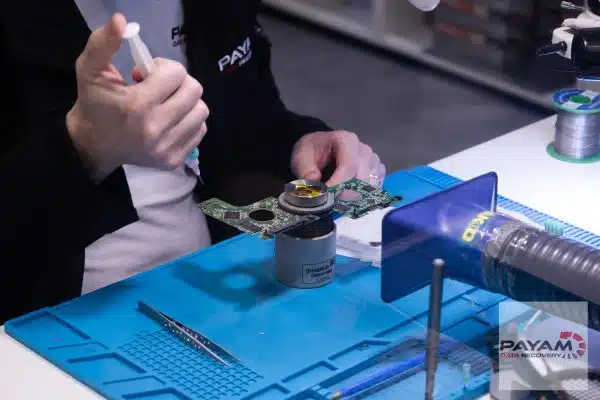
- ROM Chip Transfer: Using heat-controlled soldering, our data recovery engineer safely moved the ROM chip from the damaged board to a healthy donor PCB.
- Testing: The repaired drive was reconnected to PC-3000 equipment. The hard drive spun up, calibrated correctly, and gave us full access to the user data.
- Data Cloning: All data was imaged sector-by-sector onto a new drive, ensuring integrity and file completeness.
Professional Tips for PCB Repair
- Don’t try swapping boards blindly: Even if model numbers match, firmware and ROM data must align.
- Control the heat: ROM chips are heat-sensitive. Too much heat destroys them, making recovery impossible.
- Use the right tools: PC-3000, hot air stations, and antistatic environments are essential for safe PCB work.
What Was the Outcome?
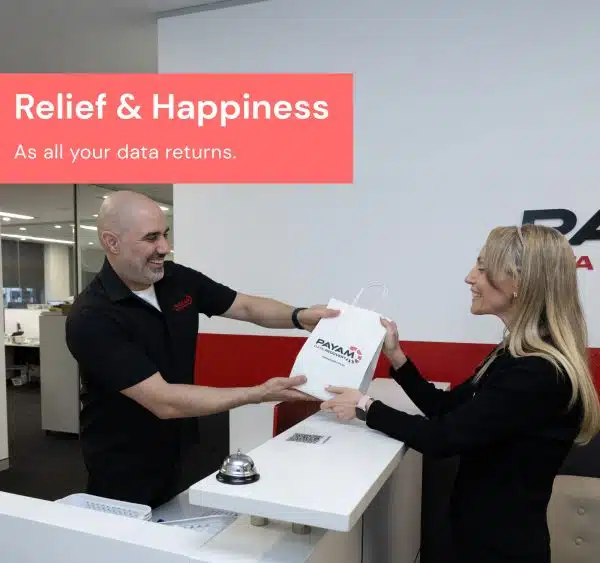
The PCB swap was successful. All user data was recovered and delivered to the client on a new external drive. This case reinforces that circuit board repair should never be attempted without proper training and lab-grade tools. Payam Data Recovery handled this case quickly and safely using an ISO 5 certified laminar flow cabinet and highly skilled data recovery engineers.
Why Trust Payam with Your Hard Drive Repair?
We’re Australia’s oldest data recovery company, operating since 1998. With over 300,000 devices recovered and labs across Sydney, Melbourne, Brisbane, Perth, Adelaide, and Rhodes NSW, we are trusted by 2,000+ IT providers, government departments, and Fortune 500 companies. Our labs use PC-3000 tools, antistatic benches, and an ISO 5 certified laminar flow cabinet.
- ISO 5 certified laminar flow cabinets
- High success rate for hard drives
- Transparent, no-pressure pricing
- Over 2,400 customer reviews
- Specialists in hardware faults: head crashes, firmware, PCB
- All work done in-house by expert data recovery engineers
This hard drive PCB repair case study is just one example of how our team delivers results when others give up. If you’re facing a similar issue, let us help you recover what’s important.
Read more verified client reviews on our testimonial page.
A failed hard drive needs an experienced data recovery engineer, and often a matching donor part. We work on 10 to 15 drives with failed heads every day.
- We are a specialist data recovery lab, not a computer repair shop.
- The best equipped data recovery lab in Australia: an ISO 5 certified laminar flow cabinet for head replacements, an anti-static lab, microscopes and microsoldering stations for circuit board work, the Ace Lab PC-3000, Atola Insight Forensic and DeepSpar Disk Imager, and over 30,000 donor parts, including around 20,000 donor hard drives. When your drive needs a matching part, it is usually already on our shelf.
- Data recovery labs and IT companies in more than 50 countries have sent us their difficult cases over the past ten years.
- Rated 4.9 from more than 2,300 Google reviews.
- About 90% of our jobs are no fix, no fee. The hardest 10% carry an attempt fee.
- See your files before you pay. You tell us which files matter most. Before you pay for the recovery, we’ll send you a list of your recovered files so you can check them. If any of the files you listed are missing, tell us and we’ll search again.
- There is no card surcharge. Pay by Visa, Mastercard, American Express, Afterpay, Zip or bank deposit (EFT).
- Call or visit us, and you can speak with the data recovery engineers who do the work.
We are not the cheapest. We are the best in Australia at this work. We know what to do, how to do it, and we will do our very best for you. Your best chance of getting your data back is with us.
Costs and Timeline for PCB Repair
We offer a free assessment with no obligation. Costs depend on the fault, and current prices are on our hard drive data recovery page. Hardware issues like PCB faults are more complex, but turnaround is usually 1-3 weeks. Faster options are available for emergencies.
Frequently asked questions
My drive was never dropped. How can the hardware have failed?
Electrical faults do not need an impact. This drive had no dents and no sign of a drop, and the circuit board was still shorted. Power surges and component failure account for a great many dead drives.
How do you know it is the board and not the drive itself?
The drive goes onto PC-3000, which reported a shorted circuit board here. The board then comes off and its components are tested individually, which is how the burned capacitor and diode were found.
Why not just repair the burned components?
It can be done, but it is the riskier path. Swapping the ROM chip onto a known good donor board avoids working around damage you cannot fully see, which is why it was chosen in this case.
Why does the ROM chip have to move across?
Because it holds calibration data unique to your drive. A donor board without your ROM chip will not read your data correctly, which is why a straight board swap does not work.
What is the risk during the transfer?
Heat. Too much of it damages the ROM chip, and a heat damaged ROM makes the data unreadable. The work is done at a controlled temperature with the hot air moved in circles rather than held in one place.
What does hard drive recovery cost, and when do I pay?
Every hard drive starts with a free assessment, then a written quote with Economy, Priority and Emergency service levels. Where an attempt fee applies it is stated in your quote before you approve anything, and it forms part of the total price. Before the final payment you receive a complete file list and a video preview so you can check the quality first.
Video transcript
Click to expand full transcript
To start, the data recovery engineer inspects the 3.5 inch drive and observes no dents or drops. Next, he plugs it into the PC-3000 to see what else could be wrong with it. The screen flashes a problem, a shorted circuit board. So he carefully removes the PCB, testing its components before spotting a burned capacitor and diode.
Instead of patching the damaged parts, the data recovery engineer carefully swaps the ROM chip from the faulty board to a donor PCB. He then plugs the drive back into the PC-3000 and is able to successfully copy the data.
The data recovery engineer’s pro tip: when using a hot air station and soldering iron to remove parts, ensure you are operating it at the correct temperature and moving in circles. Why? Too much heat can damage the ROM chip, rendering data recovery impossible if the data is damaged by heat and unreadable.
Thanks to the expertise of Payam Data Recovery’s senior data recovery engineer, another drive is saved. Thanks for watching.
Similar devices we handle
We repair circuit board damage on a wide range of drives, including:
- Western Digital My Passport, MyBook
- Seagate Barracuda, Expansion, Backup Plus
- Toshiba Canvio
- Samsung M3, P3 portable drives
- Hitachi Travelstar, Deskstar
Ready to retrieve your files?
Don’t risk permanent data loss. Book a free assessment and let our data recovery engineers help.
- Book a free assessment
- Phone: 1300 444 800
International customers are always welcome. The easiest way to reach us from overseas is by email at help@payam.com.au, which works in every time zone.
- Read more testimonials
- Abroad? Post your device to us for expert recovery
Our labs across Australia
Real data recovery engineers in four full service labs, plus secure drop-off offices in Adelaide and Perth that send devices to our main lab in Rhodes, NSW free both ways:
- Sydney: Level 11, 65 York Street
- Rhodes: Suite 213, Level 2, 5 Rider Boulevard, Rhodes NSW 2138
- Melbourne: Level 11, 456 Lonsdale Street
- Brisbane: Level 10, 95 North Quay
- Adelaide: Level 30, 91 King William Street
- Perth: Level 28, 140 St Georges Terrace
Want to learn more? Read about Western Digital My Passport drives or view their latest portable hard drive lineup.