

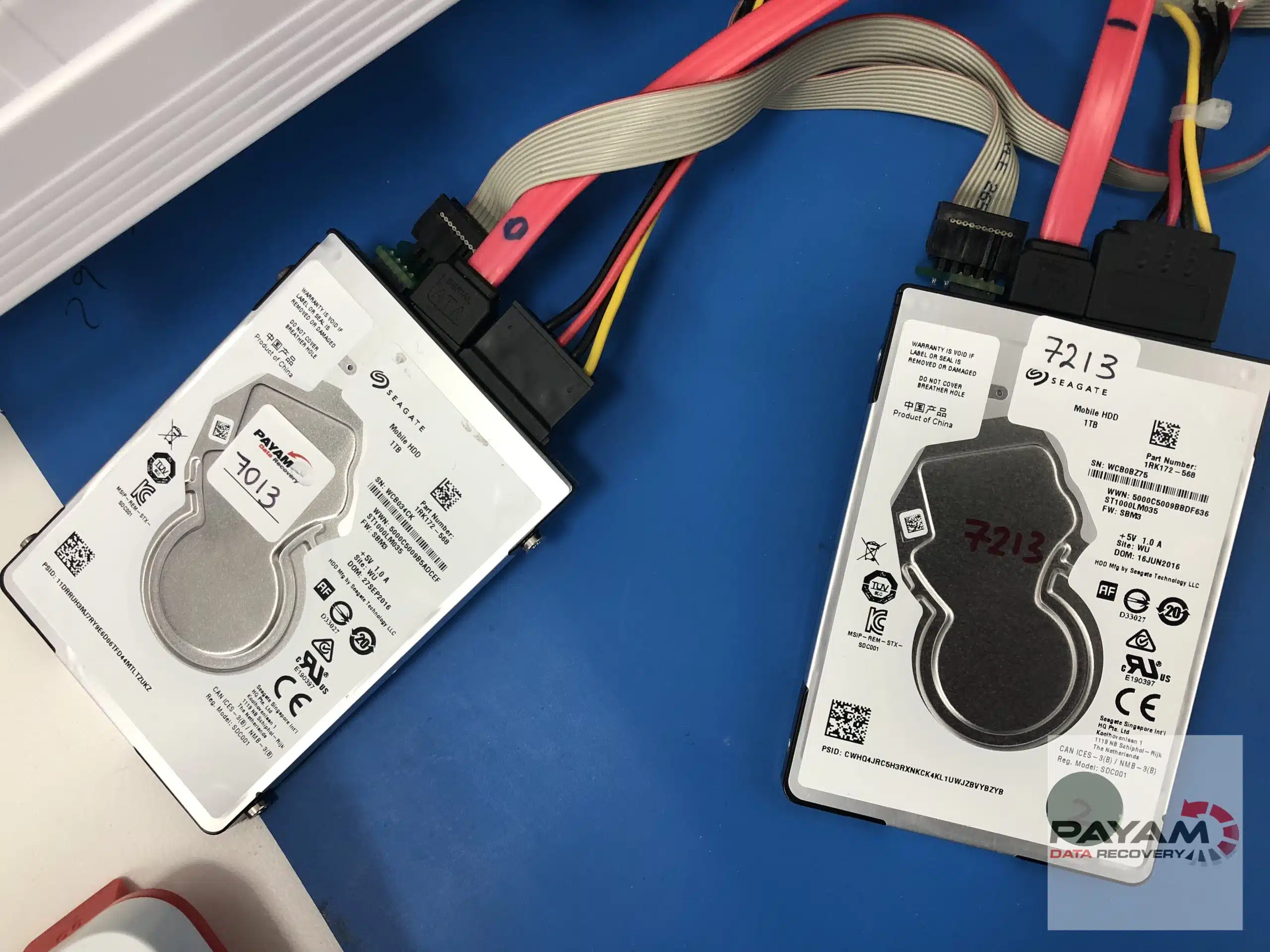
Your Seagate hard drive is spinning but completely invisible to your computer? That sinking feeling in your stomach is real. This frustrating scenario often signals a Seagate firmware bug - a common issue affecting thousands of Seagate drives worldwide.
While it might seem like your precious data has vanished forever, professional Seagate data recovery can often retrieve 100% of your files. We’ll show you exactly how Payam Data Recovery successfully recovered all data from a failed Seagate drive suffering from the notorious Seagate Rosewood firmware bug.
Case study summary
Device: Seagate 2.5 inch USB portable hard drive
Problem: The drive powered on and spun normally, but the computer could not detect it at all
Findings: A LED:000000BD error, often seen alongside an Update Mask error. This signals an MCMT panic, a fault in the Media Cache Management Table. It is the Seagate Rosewood firmware bug we see constantly on these drives, and the translator module was corrupted. No mechanical damage
Solution: The circuit board was unlocked, the corrupted translator module diagnosed, and the firmware rebuilt from the drive’s own backup sectors
Outcome: 100% recovery. Every file restored
Service: Hard drive data recovery
The Seagate BSY error: frustrating but fixable
When a Seagate hard drive develops firmware corruption, you’ll typically see these symptoms:
- Drive spins up and sounds normal
- Computer fails to detect the drive
- Seagate BSY (Busy) error in diagnostic tools
- Drive appears completely inaccessible
- No unusual clicking or grinding noises
This pattern screams Seagate firmware bug - particularly common in popular 2.5-inch drives from the Rosewood family. According to our hard drive failure statistics for 2025, Seagate Rosewood drives are among the most frequently failed drives we encounter. Trust us, you’re not alone in this nightmare.
Common Seagate Rosewood models we recover
If you own one of these Seagate Rosewood drive models, firmware corruption issues are unfortunately common. We’ve seen hundreds of these cases. Payam Data Recovery has extensive experience with all variants in this family:
500GB Model:
- ST500LM034 (Standard HDD)
1TB Models experiencing frequent failures:
- ST1000LM035, ST1000LM048, ST1000LM049 (Standard HDDs)
- ST1000LX015 (FireCuda SSHD)
- ST1000LM014 (SSHD)
1.5TB Model:
- ST1500LM012 (Standard HDD)
2TB Models with known firmware vulnerabilities:
- ST2000LM007, ST2000LM009, ST2000LM010, ST2000LM015 (Standard HDDs)
- ST2000LX001, ST2000LX002 (FireCuda SSHDs)
These slim 7mm drives are everywhere - Seagate Backup Plus and Expansion external drives, laptops from HP, Dell, and Apple. Their lightweight design makes them perfect for portability but unfortunately prone to head crashes and stiction issues when dropped.
Why Payam recovers Rosewood drives faster
Here’s what sets us apart when your failed Seagate drive lands on our workbench. Payam maintains Australia’s largest inventory of over 25,000 donor hard drives, 15,000 donor circuit boards and more than 4,000 donor SSDs, including thousands of Rosewood drives specifically. When your drive needs compatible components for recovery, we source them immediately from our extensive stock.
Smaller data recovery firms? They often wait days or weeks for compatible parts to arrive. With Payam’s massive inventory, we begin working on your Seagate BSY error or firmware corruption immediately. Dramatically reducing your recovery time and getting your precious files back faster.
Why Seagate firmware bugs occur
Seagate Technology drives rely on complex firmware to manage data operations. When this firmware becomes corrupted - often due to power surges, improper disconnection, or natural wear - the drive enters a protective “busy” state. The mechanical components remain functional, but the drive can’t communicate with your computer’s operating system.
The Seagate media cache issue
Here’s a particularly troublesome firmware problem affecting Seagate Rosewood drives - the media cache corruption issue. The media cache is temporary storage on the drive’s platters designed to boost write performance. In models like ST1000LM035 (1TB) and ST2000LM007 (2TB), firmware bugs cause this cache to become corrupted due to power surges, improper shutdowns, or firmware mismanagement.
When the media cache becomes corrupted, you’ll experience:
- Drive not being detected or recognised by your computer
- Computer freezing or hanging when the drive is connected
- BIOS recognition failures
- Extremely slow performance before complete failure
- Complete undetectability by the computer
This issue hits Rosewood’s slim 7mm drives and FireCuda SSHDs particularly hard because they rely on complex firmware management. Payam Data Recovery encounters hundreds of these media cache cases every year. We use professional tools like the Ace Lab PC-3000 to diagnose and repair these specific firmware corruptions, successfully recovering data that would otherwise be lost.
Professional Seagate data recovery process
Data recovery from failed Seagate drives requires specialised equipment and expertise. Here’s how Payam Data Recovery successfully tackled this challenging case:
Step 1: advanced diagnostics
Our technicians connected the failed drive to professional diagnostic equipment. This revealed classic signs of Seagate BSY error - the drive was mechanically sound but firmware-locked.
Step 2: firmware analysis
Using specialised tools, we accessed the drive’s service area to identify specific corruption:
- Translator module corruption - the critical component responsible for logical-to-physical address translation
- Damaged firmware zones preventing normal operation
- Intact user data areas (confirming 100% recovery potential)
Step 3: firmware reconstruction
The most delicate phase involved rebuilding the corrupted firmware:
- Safe unlocking of the drive’s circuit board
- Firmware module restoration using backup copies from the service area
- Calibration verification to ensure stable operation
- Read-only recovery to prevent any data modification
Step 4: complete data extraction
With firmware restored, we successfully extracted 100% of the client’s data:
- All photos, documents, and videos recovered intact
- Original folder structure preserved
- No data corruption or loss detected
Warning: DIY recovery attempts are dangerous
If your drive shows signs of Seagate firmware bug, never attempt these risky “solutions”:
❌ Firmware flashing tools found online
❌ Generic BSY fix utilities
❌ Freezer tricks or physical manipulation
❌ Repeated power cycling
These methods can permanently destroy your data by overwriting firmware areas or damaging delicate internal components.
Success indicators for Seagate data recovery
Your failed Seagate drive is likely recoverable if:
✅ Drive spins normally without unusual noises
✅ Computer recognises something is connected but can’t access it
✅ Seagate BSY error appears in disk management
✅ Drive was working normally before sudden failure
✅ No physical damage to the external casing
According to industry data from Seagate Technology, firmware-related failures account for a significant portion of drive issues but maintain high recovery success rates when handled professionally.
Common questions about Seagate drive problems
Is my Seagate drive making clicking noises?
If your Seagate external hard drive clicking noise is present, this typically indicates mechanical damage rather than firmware issues. However, Seagate backup plus not working drives that click may still be recoverable depending on head damage extent. Our technicians can diagnose whether clicking comes from read/write heads or other mechanical components.
Why Won’t my computer recognise my Seagate drive?
When you’re experiencing Seagate expansion drive not detected Windows 10 issues, this often points to firmware corruption rather than mechanical failure. MacBook Seagate drive failed scenarios frequently involve USB controller problems or firmware bugs preventing proper communication between the drive and your computer’s operating system.
Can dropped external drives be recovered?
Dropped drives present unique challenges, especially with 2025 Seagate drive problems affecting the lightweight Rosewood series. Our latest Seagate firmware issues expertise combined with new Seagate recovery techniques allows us to assess both mechanical and firmware damage. We often achieve successful recovery even from severely impacted drives.
What to do when your Seagate drive won’t work
Wondering how to recover files from broken Seagate drive? The answer depends on specific symptoms your drive displays. When dealing with Seagate firmware bug issues, following the right steps can mean the difference between successful data recovery and permanent data loss.
Payam Data Recovery specialises in Seagate firmware bug recovery with:
- Australia’s ESD safe, ISO 5 certified laminar flow cabinet for safe drive handling
- Professional data recovery laboratory with ISO certified data recovery processes
- Certified data recovery technicians with years of experience in Rosewood firmware issues
- Specialised Seagate diagnostic equipment
- High success rate for firmware issues with recovery time of 12-24 hours possible with our emergency service
- Over 300,000 devices recovered we’ve recovered data for
- Over 2,500 failed Seagate drives recovered per year
- Obligation-free assessment and quote with high success rates and affordable prices
- 6 office locations across Australia - international customers welcome to send drives. The easiest way for an international customer to reach us is by email at help@payam.com.au, which works in every time zone.
Our team understands the complexities of Seagate BSY errors and uses proven techniques that preserve your data while restoring drive functionality.
Frequently asked questions
My drive spins and sounds normal but the computer will not see it. Is that bad?
Usually it is the better outcome. When a drive spins and sounds healthy, the problem is normally firmware rather than mechanical damage, and firmware faults are fixable. This drive was in exactly that state and everything was recovered.
What is the Seagate Rosewood firmware bug?
A corruption in the drive’s own firmware that stops it presenting itself to the computer, even though the motor and heads are working. On the terminal it shows as a LED:000000BD error, usually with an Update Mask error alongside it, which indicates an MCMT panic, a failure in the Media Cache Management Table. It is common enough on the Seagate Rosewood family, models such as the ST1000LM035, ST2000LM007 and ST1000LM048, that we see it constantly.
What is the translator module?
It is the part of the firmware that maps where your files physically sit on the platters. When it is corrupted the data is all still there, but the drive has lost the map to it, so nothing can be read until the module is rebuilt.
How do you fix it without touching the data?
The circuit board is unlocked so the firmware area can be reached, the corrupted module is identified, and the firmware is rebuilt from the backup copies the drive keeps in its own service area. The user data is never written to.
Can I flash the firmware myself with a tool I found online?
Please do not. Flashing firmware or running online tools on this fault can erase your data permanently. It needs professional equipment to do safely, and the difference between a full recovery and a total loss is often one wrong command.
How much was recovered in this case?
100%. Every file was restored.
Video transcript
Click to expand full transcript
This drive had an LED:000000BD failure, corrupted firmware that they see constantly with these popular Seagate 2.5 inch drives. They call it the Seagate Rosewood firmware bug. The owner thought everything was lost. But when your drive spins and sounds normal, it is usually a fixable firmware problem, not mechanical damage.
Watch one of their data recovery specialists unlock the circuit board, diagnose the corrupted translator module, and rebuild the firmware from backup sectors. Result? 100% data recovery. Every file restored safely.
Critical warning: do not try to flash the firmware or try online tools for this type of issue, as you may erase your data permanently. This needs professional equipment and expertise to do it in a safe way with no risk of data loss.
Got a dead drive? Contact Payam Data Recovery today.
Get your Seagate data back today
Don’t let a Seagate firmware bug cost you irreplaceable memories or business files. As the best data recovery company for Seagate Australia, our expert team has successfully recovered data from thousands of failed drives, including the most challenging firmware corruption cases.
Data loss feels like a punch to the gut. But there’s hope.
Ready to recover your data?
- Get a free data recovery quote in minutes
- Learn more about our hard drive data recovery services
- Contact our specialists for immediate assistance
Remember: Time matters with data recovery from failed Seagate drives. The sooner you seek professional help, the better your chances of complete recovery. Contact Payam Data Recovery today and let our experts bring your precious data back to life.
Have questions about your specific Seagate drive issue? Our data recovery specialists are standing by to provide expert guidance and free consultation.