

Published 25 May 2025. Updated 25 October 2026.
What Happened in This External USB Hard Drive Not Detected Case?
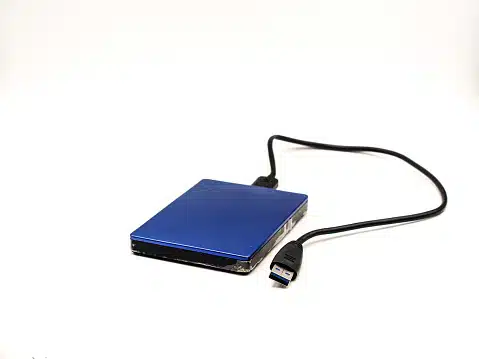
One of our clients from Brisbane plugged in their WD My Passport Ultra, but the computer didn’t respond. No lights, no sounds. Disk Management didn’t show the device at all. This is a classic case of a USB bridge chip failure.
The customer had over 1.2TB of personal photos and videos stored. After trying multiple ports and computers, they wisely stopped further attempts and contacted our team for a professional diagnosis.
What to check first when an external drive is not detected
These checks are safe to try before you contact us:
- Try a different USB cable and a different USB port.
- If the drive has its own power adapter, check it is plugged in and the light comes on.
- Plug the drive into another computer.
If it still does not show up, stop there. Do not run recovery software or open the drive, because both can make the damage worse. Get a free quote and we will assess it at no cost.
Can External USB Hard Drive Not Detected Issues Be Fixed?
Yes, and in many cases, the data is fully recoverable. DIY efforts like third-party repair tools or repeated reconnection attempts can worsen the issue, especially if the problem is hardware-related.
We advise against opening the drive, freezing it, or using risky repair software. These actions can damage the internal components or overwrite critical metadata.
Instead, bring the drive to experts who can diagnose the real issue using specialist tools like PC-3000 and DeepSpar.
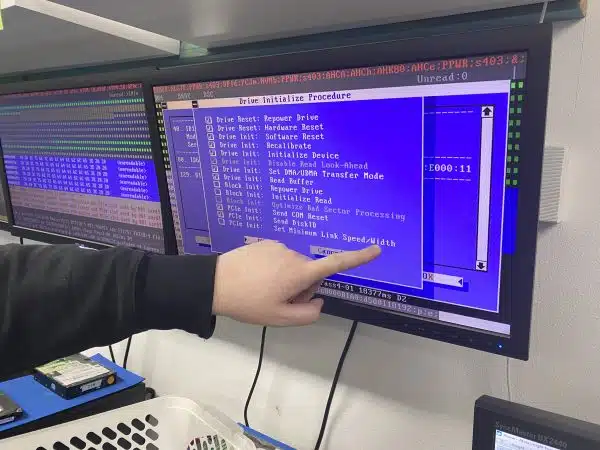
How Payam Handled the External USB Hard Drive Not Detected Retrieval
Step 1: Free Assessment
We tested the drive’s USB interface, confirmed it wasn’t delivering power correctly, and detected no SATA handshake internally.
Step 2: Quote and Client Approval
We explained the cause, outlined the steps needed, and provided a written quote for approval.
Step 3: Recovery and File Extraction
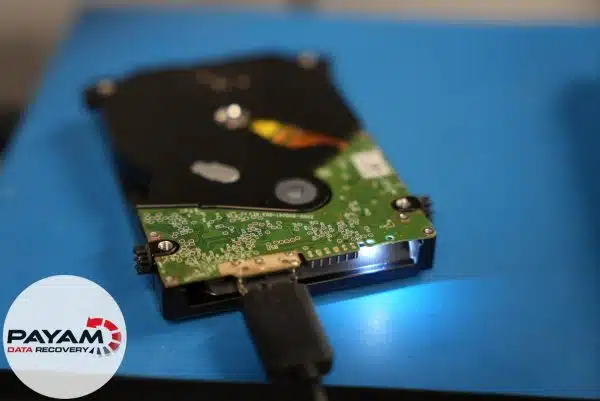
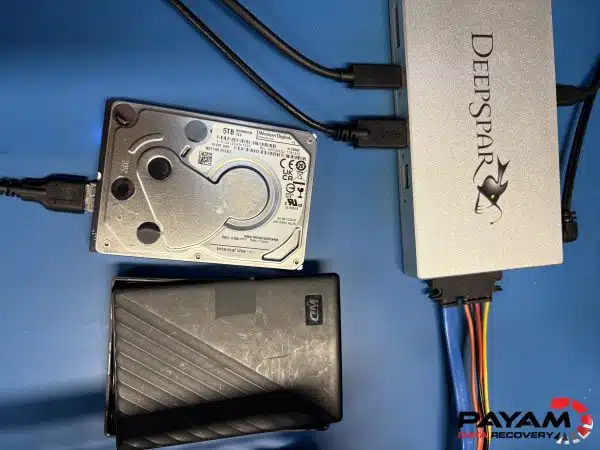
Using our tools, we removed the internal SATA drive from its casing and connected it directly to our forensic lab setup. The drive worked perfectly without the faulty USB bridge. We imaged the disk and retrieved all 1.2TB of data.
Step 4: Data Return
We copied the recovered data to a new 2TB external hard drive and returned it to the client. All files were verified before dispatch.
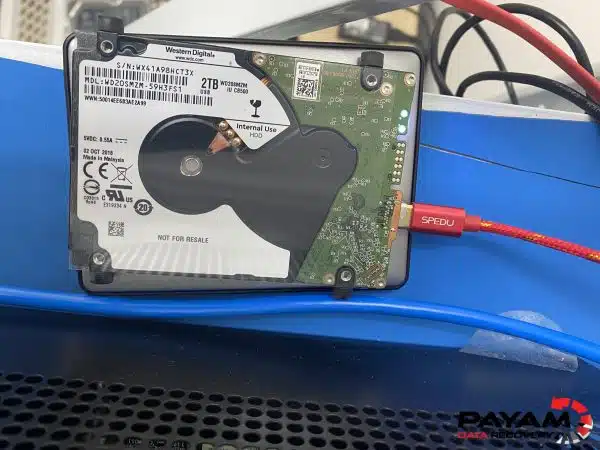
Watch an external USB drive recovery from our lab
A Western Digital 2.5 inch external drive read slowly for months, then stopped showing up. One of its four heads had failed, and we got years of family video back.
Read the full case study: WD external drive slow, then not detected.
Why Trust Payam for USB Hard Drive Recovery Australia?
- Australia’s oldest, biggest and best data recovery company, since 1998
- Over 300,000 devices recovered
- Four labs and a team of expert data recovery engineers
- Trusted by government agencies and 2000+ IT companies
- Labs in Sydney CBD, Rhodes NSW, Melbourne and Brisbane, plus secure drop-off offices in Adelaide and Perth
- ISO 5 certified laminar flow cabinet for safe data handling
- No outsourcing or offshoring, all work done in-house by data recovery engineers
- Over 300,000 devices recovered since 1998
Costs and Timeline for External USB Hard Drive Not Detected
File retrieval costs range from AUD 375 to 1,750 on our Economy service. Priority options speed things up. Costs depend on the issue: file system fixes are simpler, while hardware faults take more work. After a free 1 to 2 day assessment, we provide an exact quote for your approval. International customers are always welcome, and the easiest way to reach us from overseas is by email at help@payam.com.au.
Common Questions on External USB Hard Drive Not Detected
- How long does recovery take? 1 to 2 business days for assessment, 1 to 3 weeks for recovery (faster for priority).
- What causes detection failure? Often the USB-SATA bridge chip fails or the drive gets insufficient power.
- Can I recover files myself? Basic checks like new cables or ports are okay, but physical or firmware faults need expert help.
Similar Devices We Handle
We retrieve files from:
- WD My Passport Ultra, Elements, and My Book
- Seagate Backup Plus, One Touch, and Expansion drives
- Toshiba Canvio Basics, Flex, and Advance
- LaCie Rugged and Porsche Design drives
- Samsung T5 and T7 SSDs
- Buffalo MiniStation and DriveStation
See more models at our hard drive recovery page.
Ready to Retrieve Your Files?
Book a free assessment today. Call 1300 444 800.
Abroad? Post your device to us. All assessments are done in-house by our data recovery engineers.
Our Locations Across Australia
- Sydney: Level 21, 133 Castlereagh Street, Sydney, NSW 2000
- Rhodes: Suite 213, Level 2, 5 Rider Boulevard, Rhodes NSW 2138
- Melbourne: Level 11, 456 Lonsdale Street, Melbourne, VIC 3000
- Brisbane: Level 10, 95 North Quay, Brisbane, QLD 4000
- Adelaide (secure drop-off office): Level 30, 91 King William Street, Adelaide, SA 5000
- Perth (secure drop-off office): Level 28, 140 St Georges Terrace, Perth, WA 6000
Four full service labs with data recovery engineers on site, plus secure drop-off offices in Adelaide and Perth that send devices to our main lab in Rhodes, NSW at no cost.
Learn more about hard drive technology at Wikipedia: Hard Disk Drive and Hard Disk Sentinel.


