


Published 18 May 2025. Updated 25 October 2026.
WD MyBook External USB Hard Drive Not Detected: Common Causes
If your WD MyBook External USB hard drive is not detected, don’t panic. This guide will help you understand what’s wrong and what to do next. Whether the drive was dropped, unplugged incorrectly, or simply stopped responding, it’s a frustrating situation. This article explains what causes these issues and how our in-house data recovery engineers can help recover your lost data quickly and safely.
What Causes WD MyBook Drives to Stop Working?
WD MyBook drives are popular for backing up photos, videos, and documents, but they come with built-in 256-bit AES hardware encryption controlled by a USB-SATA bridge. If this USB board fails or is removed, the encrypted data becomes unreadable, even if the drive itself works. Common problems include:
- Dropping the drive from a desk or shelf
- Power surges damaging the controller board
- Clicking or beeping sounds from internal damage
- USB connector faults
- File system corruption or firmware issues
If your WD MyBook External USB hard drive is not detected by your computer, stop using it immediately to avoid making recovery harder.
Can Files Be Retrieved from a WD MyBook That’s Not Detected?
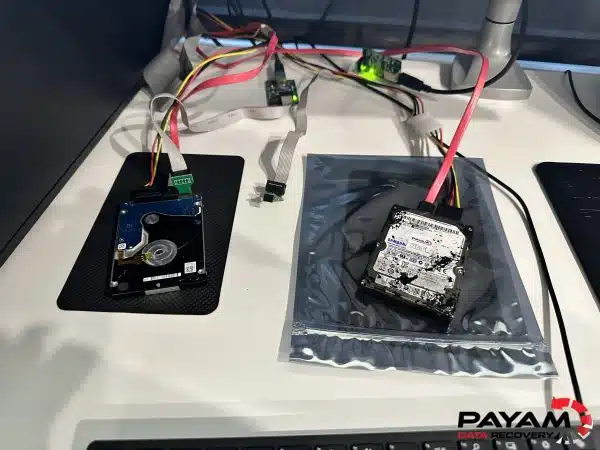
Yes. Even if your WD MyBook External USB hard drive is not detected, your files may still be intact. DIY fixes rarely work and often make things worse, especially due to the drive’s encryption. At Payam, we use specialised tools like PC-3000, DeepSpar Disk Imager, and donor parts to repair damaged MyBook drives, clone the encrypted data, and safely extract your files.
How Payam Recovers Files from WD MyBook Drives
We start with a free 1-2 day assessment. Once we identify the fault, you’ll receive a detailed quote. After approval, we begin recovery using:
- Encrypted disk cloning to avoid further damage
- Controller board repair or replacement with exact match
- Decryption using the original USB-SATA interface
- Sector-by-sector data extraction
- Final transfer to a working external drive
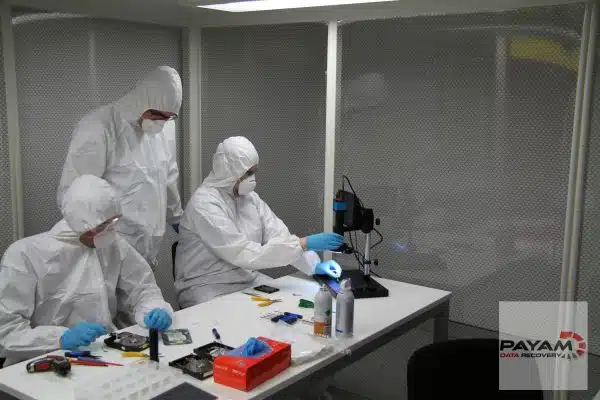
You’ll be kept updated throughout the process and receive your files securely. All work is done in our real Australian labs-not outsourced.
Watch a WD My Book recovery from our lab
A WD My Book started clicking nonstop, with 20 years of family photos on it. We found two separate faults on the one drive and recovered all 440GB.
Read the full case study: clicking WD My Book, 440GB of family photos recovered.
Why Trust Payam for WD MyBook File Recovery?
- Rona Sundial, Google review
We’ve helped thousands recover critical files from a WD MyBook External USB hard drive not detected due to physical damage, power issues, and USB board faults.
- Australia’s oldest data recovery company since 1998
- 300,000+ devices recovered
- Four full service labs, plus secure drop-off offices in Adelaide and Perth
- ISO 5 certified laminar flow cabinet for safe handling
- Over 2,400 customer reviews
- No outsourcing, 100% in-house work by real data recovery engineers
- Trusted by 2,000+ IT companies and government departments
- International customers always welcome
Read more testimonials from real customers.
WD MyBook Recovery Costs and Timeframes
File retrieval costs range from AUD 375 to 1,750 on our Economy service. Priority options speed things up. Costs depend on the issue: file system fixes are simpler, while hardware faults take more work. After a free 1-2 day assessment, we provide an exact quote for your approval. Recovery time ranges from 1-3 weeks, with faster options available.
Common Questions About WD MyBook Not Detected Issues
We specialise in difficult cases like a WD MyBook External USB hard drive not detected after a drop, power surge, or USB fault. Here are some answers:
- How long does recovery take? 1 to 3 weeks for most jobs, faster with priority service.
- What causes these failures? Drops, USB faults, power surges, or encryption board damage.
- Can I fix it myself? Usually not, most DIY attempts risk permanent data loss.
- Is my data safe? Yes. We maintain strict privacy and handle all devices securely, with drives opened inside a laminar flow cabinet.
- Can you recover a WD My Book with encryption? Yes. Many WD external drives encrypt the data through their USB board, so the drive’s own board matters. In our WD head crash case study we soldered a SATA port onto the original board to read the data through its encryption.
Other Devices We Recover Data From
We also handle recovery from:
- WD MyPassport Ultra
- WD MyBook Duo
- WD Elements
- Seagate Backup Plus
- LaCie Rugged drives
- Samsung T5/T7 SSDs
- SanDisk Extreme Portable SSD
- Apple Time Capsule drives
- External SSDs with USB-C
- Encrypted USB drives
Explore our full services: HDD recovery, SSD recovery, RAID recovery.
Ready to Recover Your WD MyBook Files?
Still have a WD MyBook External USB hard drive not detected? Don’t wait-get expert help today. Book a free assessment or call 1300 444 800. Abroad? Post your device to us. Real data recovery engineers. Real labs. Real results.
Our Locations Across Australia
- Sydney: Level 21, 133 Castlereagh Street, Sydney, NSW 2000
- Rhodes: Suite 213, Level 2, 5 Rider Boulevard, Rhodes NSW 2138
- Melbourne: Level 11, 456 Lonsdale Street, Melbourne, VIC 3000
- Brisbane: Level 10, 95 North Quay, Brisbane, QLD 4000
- Adelaide (secure drop-off office): Level 30, 91 King William Street, Adelaide, SA 5000
- Perth (secure drop-off office): Level 28, 140 St Georges Terrace, Perth, WA 6000
Sydney CBD, Rhodes NSW, Melbourne and Brisbane are full service labs with on-site data recovery engineers, and our Adelaide and Perth secure drop-off offices send drives to Rhodes, NSW by DHL each day at no cost to you.
Learn more about how hard drives work


