

Published 11 July 2025. Updated 23 October 2026.
This guide collects 36 hard disk drive facts, each with a link to the source beside it. It covers the history of the hard disk drive, how drives work, capacity and performance, and what reliability figures do and do not tell you. Where a figure belongs to one model, one company or one date, the text says so. Facts and links were checked on 23 October 2026.
Quick hard disk drive facts
| Topic | Fact | Source |
|---|---|---|
| First commercial HDD | IBM 350 disk storage unit, part of the IBM 305 RAMAC system, first shipped June 1956 | source |
| Its capacity | 5 million characters (3.75MB counted as 6-bit characters, about 4.4MB as 7-bit) | source; source |
| A dated high-capacity example | Seagate Mozaic 4+ up to 44TB, shipping in volume to two hyperscale providers, 3 March 2026 | source |
| A named-model example | Seagate Exos M ST32000NM004K: 32TB, 7,200 rpm, 512MB cache, SATA 6Gb/s, 285MB/s maximum sustained at the outer diameter | source; source |
| A scoped reliability statistic | Backblaze 2025: 1.36% annualised failure rate, 344,196 drives, 30 models (one operator’s fleet, not a lifespan) | source |
History and milestones
1. The first commercial hard disk drive shipped in June 1956.
IBM shipped the Model 350 disk storage unit to Zellerbach Paper in San Francisco in June 1956. The 350 was the storage unit. It was one part of the IBM 305 RAMAC (Random Access Method of Accounting and Control) computer system, so “RAMAC 305” and “IBM 350” are not interchangeable names.
Source: Computer History Museum: 1956, first commercial hard disk drive shipped
2. RAMAC stored five million characters, which converts to different megabyte figures depending on how a character is counted.
The 350 held 50 disks, each 24 inches across. The Computer History Museum counts the five million characters as 6-bit characters, which is 3.75MB (5,000,000 × 6 ÷ 8 = 3,750,000 bytes). IBM’s 2005 presentation counts 7-bit characters and says about 4.4MB (5,000,000 × 7 ÷ 8 = 4,375,000 bytes). Both are the same five million characters counted two ways, so quoting the original character count avoids a false precision. (The byte arithmetic is Payam’s own calculation.)
Source: Computer History Museum: 1956, first commercial hard disk drive shipped; IBM zSeries Expo 2005 presentation (PDF); IBM History: RAMAC
3. The RAMAC 350 was a large installation: about 5 ft by 6 ft, over a ton, and leased rather than sold.
The Computer History Museum describes a unit 5 ft high and 6 ft wide that weighed over one ton including a separate air compressor, spun its disks at 1,200 rpm, had an average access time under one second, and leased for US$750 per month. That lease figure is for the storage unit. It should not be compared with the purchase price of a modern drive.
Source: Computer History Museum: 1956, first commercial hard disk drive shipped
4. RAMAC’s heads were held off the disk by compressed air.
IBM says the read arm could not touch the disk, because contact could destroy the data, so the team built a version that used compressed air to keep the arm hovering. The Computer History Museum describes forced-air cushioned heads about 800 microinches above the surface. By the IBM 1311 and 2311 era, heads were shaped to gain lift from the airflow of the spinning disk (see fact 7).
Source: IBM History: RAMAC; Computer History Museum: 1956, first commercial hard disk drive shipped; Computer History Museum: IBM 1311 and 2311 disk drives (PDF)
5. A team led by Reynold B. Johnson developed RAMAC at IBM’s San Jose laboratory.
The Computer History Museum records that Johnson assembled the team in 1954 to develop fast mass storage to replace punched cards and tape in accounting and inventory control, and that IBM drew on ideas from Jacob Rabinow. IBM says Johnson guided the team. The result is best credited to a team rather than a single inventor.
Source: Computer History Museum: 1956, first commercial hard disk drive shipped; IBM History: RAMAC
6. IBM announced the 1311 and its removable disk pack in October 1962.
The 1311 used the 1316 disk pack: six 14-inch disks with ten recording surfaces, two million characters of capacity, and a weight of 9.4 pounds with covers. The disks spun at 1,500 rpm. The 2311, announced in 1964, used the same pack at 7.25MB per pack and became the model that plug-compatible competitors copied.
Source: Computer History Museum: Disk packs offer portability, security; Computer History Museum: IBM 1311 and 2311 disk drives (PDF)
7. Head flying height is specific to a drive model. The 1311 and 2311 flew their heads at 125 to 160 microinches.
A Computer History Museum summary gives 125 microinches at the inner track to 160 microinches at the outer track for both drives, which is about 3.2 to 4.1 micrometres. Later drives fly much lower, but no single flying height applies to all hard drives, so this article does not quote one for modern models.
Source: Computer History Museum: IBM 1311 and 2311 disk drives (PDF)
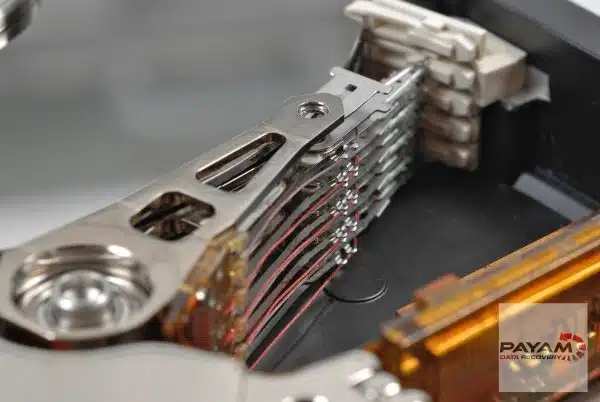
8. The IBM 3340 “Winchester” drive began shipping in November 1973.
The Computer History Museum says the 3340 placed the disks, spindle, bearings and heads in a removable sealed cartridge, the 3348 data module (35MB or 70MB versions), with lubricated disks and low-load landing heads. The nickname is traced to an early design with two 30MB spindles, which suggested the .30-30 Winchester rifle.
Source: Computer History Museum: Winchester pioneers key HDD technology
9. The Seagate ST-506 (1980) was the first 5.25-inch hard disk.
The Computer History Museum lists the 5MB ST-506 as introduced in 1980, the same size as a 5.25-inch floppy disk drive and with a similar interface, which made it easy to fit into personal computers. It was an early 5.25-inch drive for PCs. It was not the first hard drive for a personal computer in every sense.
Source: Computer History Museum: ST-506 5MB hard disk drive
10. The RAID idea was published at Berkeley in December 1987.
Patterson, Gibson and Katz’s technical report, “A Case for Redundant Arrays of Inexpensive Disks (RAID)”, appeared in 1987, with a version presented at the 1988 ACM SIGMOD conference. The “I” originally stood for Inexpensive and was later reinterpreted as Independent. The Computer History Museum also lists an earlier IBM patent by Norman Ken Ouchi, filed in 1977, on recovering data from a failed memory unit.
Source: UC Berkeley EECS: technical report on RAID (1987); Computer History Museum: 1988, Berkeley paper catalyses interest in RAID
11. Toshiba announced a 0.85-inch hard drive in January 2004.
The 8 January 2004 announcement described an initial capacity of 2GB to 4GB, sampling planned for summer 2004 and mass production planned for autumn 2004. Toshiba described it as the first hard drive to deliver multi-gigabyte storage in a sub-one-inch form. That is Toshiba’s own claim.
Source: Toshiba press release, 8 January 2004
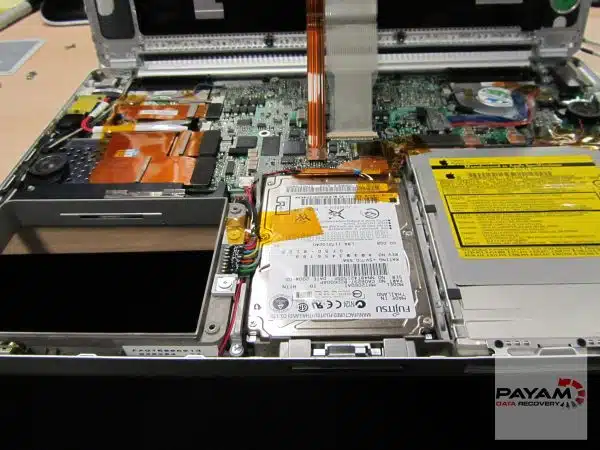
12. Hitachi announced a 1TB hard drive on 5 January 2007.
The Deskstar 7K1000 had five platters, spun at 7,200 rpm, had a 32MB buffer and used perpendicular magnetic recording. Hitachi listed a suggested retail price of US$399 and planned retail shipping in the first quarter of 2007. Hitachi called it the industry’s first terabyte drive.
Source: Hitachi press release, 5 January 2007
13. Albert Fert and Peter Grünberg received the 2007 Nobel Prize in Physics for discovering giant magnetoresistance.
They discovered the effect independently in 1988. The Nobel committee says the first read-out head based on GMR was launched in 1997 and soon became standard, so the discovery (1988), the engineering of read heads and the commercial launch (1997) are separate steps. The prize recognised the physics discovery, not a product from one company.
Source: Nobel Prize: 2007 Physics press release; Nobel Prize: 2007 Physics popular information
14. US Patent 3,503,060 describes a direct access magnetic disc storage device.
It names William A. Goddard and John J. Lynott. The Computer History Museum records it as filed on 24 December 1954 and published on 24 March 1970, and Google Patents also shows a 16 September 1968 filing date. It is one early record within a wider development, not the single origin of every hard drive.
Source: Google Patents: US3503060A; Computer History Museum: 1956, first commercial hard disk drive shipped
Capacity: dated announcements and how to read them
15. In January 2025 Seagate announced 36TB samples and a 32TB volume ramp.
On 21 January 2025 Seagate said it was sampling Exos M drives of up to 36TB with selected customers and ramping volume shipments of capacities up to 32TB with a leading cloud provider. The 36TB design used 10 platters at 3.6TB per platter. Samples are not general availability.
Source: Seagate: up to 36TB announcement, 21 January 2025
16. On 3 March 2026 Seagate said Mozaic 4+ drives of up to 44TB were shipping in volume to two hyperscale cloud providers.
Seagate added that broader availability was planned as production scales. We found no later Seagate announcement of wider availability when this page was checked on 23 October 2026, so these drives should not be assumed to be available through Australian retail channels.
Source: Seagate investor release: Mozaic 4+, 3 March 2026
17. A named 32TB drive, the Seagate Exos M ST32000NM004K, contains 10 disks and 20 heads.
Seagate’s product manual lists the model with 10 disks, 20 heads and HAMR recording. The datasheet lists a helium sealed-drive design. This is one model, so the disk and head counts are not typical of every drive.
Source: Seagate Exos M SATA product manual, Rev C, March 2025 (PDF); Seagate Exos M datasheet (PDF)
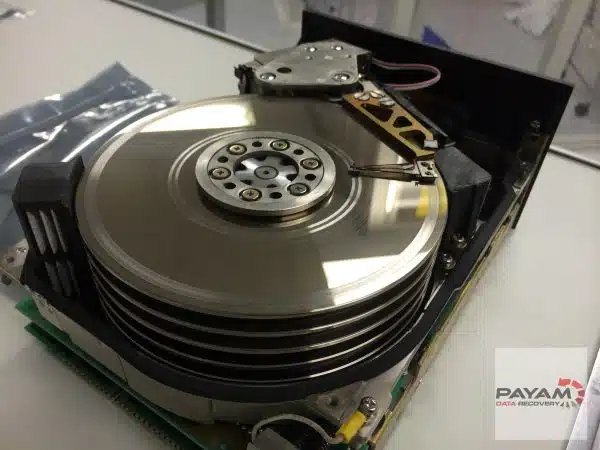
18. Areal density has grown by roughly nine hundred million times since RAMAC.
RAMAC’s disks held 2,000 bits per square inch. Seagate lists an average areal density of 1,841 gigabits per square inch for the 32TB Exos M, which is about 920 million times higher (Payam’s calculation: 1,841,000,000,000 ÷ 2,000). The figures use different measurement bases, so treat the ratio as an order of magnitude. For context, Hitachi’s 2007 1TB drive listed a maximum of 148 billion bits per square inch.
Source: Computer History Museum: 1956, first commercial hard disk drive shipped; Seagate Exos M SATA product manual, Rev C, March 2025 (PDF); Hitachi press release, 5 January 2007
19. A drive labelled in terabytes shows a smaller number in binary units, and no capacity is missing.
Manufacturers label drives in decimal units (1TB = 1,000,000,000,000 bytes). Some operating system tools report binary units, so Seagate notes that a 5TB drive appears as 4.54TB. The table below uses TiB = TB × 1012 ÷ 240 and shows figures before filesystem overhead (Payam’s calculation).
| Labelled capacity | Binary equivalent |
|---|---|
| 1TB | 0.909TiB (931.32GiB) |
| 8TB | 7.276TiB |
| 20TB | 18.190TiB |
| 44TB | 40.018TiB |
Source: Seagate support: why a drive reports less capacity than its label
How hard drives work and perform
20. Spin speed and cache size are model specific: the 32TB Exos M runs at 7,200 rpm with a 512MB cache.
Those are the figures in Seagate’s manual for the ST32000NM004K. Neither number on its own sets how fast a drive feels in use, and other drives differ.
Source: Seagate Exos M SATA product manual, Rev C, March 2025 (PDF)
21. Interface speed and sustained disk speed are different measurements.
The same Exos M has a SATA 6Gb/s interface and a listed burst data-transfer rate of up to 600MB/s, but its maximum sustained transfer rate at the outer diameter of the disk is 285MB/s (272MiB/s). The first describes the connection and the second describes what the platters can deliver. Seagate gives 285MB/s as a maximum, so real file copies can be slower.
Source: Seagate Exos M SATA product manual, Rev C, March 2025 (PDF); Seagate Exos M datasheet (PDF)
22. Some air-filled drives have a filtered breather hole, and manufacturers say not to cover it.
Seagate installation guides for two air-filled desktop drives describe a breather hole that lets condensation escape and lets air pressure inside the drive equalise with the room. They say not to cover, seal or insert anything into it, and that doing so may compromise reliability. Not every hard drive is airtight.
Source: Seagate Barracuda 7200.8 installation guide (PDF); Seagate U Series 9 installation guide (PDF)
23. Helium drives are hermetically sealed, which is a different design from a breather hole.
Western Digital says its HelioSeal drives replace the air inside with helium, which is one-seventh the density of air, and that it has used the technology since 2013. Seagate’s Exos M datasheet lists a helium sealed-drive design with a side-sealing weld. The breather-hole precaution in fact 22 applies to the air-filled models described there, not to sealed helium drives.
Source: Western Digital: HelioSeal technology brochure (PDF); Seagate Exos M datasheet (PDF)
24. Shingled magnetic recording (SMR) overlaps tracks like shingles on a roof.
Western Digital explains that SMR removes the gaps between tracks by writing them in an overlapping pattern. Because a track can sit under the next one, changing it means rewriting the whole band of tracks, so workload matters. SMR comes in drive-managed and host-managed forms, and reading remains random-access.
Source: Western Digital: Shingled Magnetic Recording HDD technology white paper (PDF)
25. Track layout (CMR or SMR) and write-assist technology (HAMR, ePMR, FC-MAMR) are separate categories.
Manufacturers combine them in different ways. WD’s 40TB drive pairs ePMR with UltraSMR. Toshiba’s M12 combines FC-MAMR with SMR. Seagate’s Exos M 32TB uses HAMR and is listed as CMR (conventional recording) in its datasheet. A comparison that sets “CMR versus HAMR versus SMR” side by side mixes up the categories.
Source: Western Digital press release, 3 February 2026; Toshiba Electronic Devices & Storage: M12 sampling announcement, 31 March 2026; Seagate Exos M datasheet (PDF); Seagate Exos M SATA product manual, Rev C, March 2025 (PDF)
26. HAMR uses a small laser on each head to heat a tiny spot of the disk while data is written.
Seagate explains that very dense bits are magnetically stable and hard to change, so the laser momentarily heats a tiny spot, which allows the head to flip the bit’s magnetic polarity. Seagate says each bit is heated and cooled in about a nanosecond. Seagate’s Exos M manual lists HAMR as a feature of that drive.
Source: Seagate: HAMR; Seagate Exos M SATA product manual, Rev C, March 2025 (PDF)
27. Many modern drives have 4,096-byte physical sectors but can present 512-byte sectors.
Seagate describes the move from 512-byte to 4096-byte sectors (Advanced Format) and the 512-byte emulation used for compatibility, which can reduce performance for writes that are not aligned. The Exos M manual lists 512 bytes per logical sector and 4096 bytes per physical sector. A 4Kn drive presents 4096-byte sectors to the host.
Source: Seagate blog: Advanced Format 4K sector hard drives; Seagate Exos M SATA product manual, Rev C, March 2025 (PDF)
28. Shock and temperature ratings belong to a model and a test condition, not to hard drives in general.
Seagate rates the Exos M for 30 g operating shock and 200 g non-operating shock (2 ms pulses), with a drive-reported operating temperature of 10 to 60°C. These are laboratory ratings for one model. They do not translate into a safe drop height.
Source: Seagate Exos M SATA product manual, Rev C, March 2025 (PDF); Seagate Exos M datasheet (PDF)
29. Even at best-case speed, reading a full large drive takes hours.
At the Exos M’s maximum sustained 285MB/s, reading all 32TB takes about 31.2 hours. At a constant 150MB/s, reading 4TB takes about 7.4 hours. These are Payam’s arithmetic illustrations (bytes ÷ bytes per second) with no errors, retries or slower disk regions. They are not measured speeds or recovery time estimates.
Source: Seagate Exos M SATA product manual, Rev C, March 2025 (PDF)
Reliability and common misconceptions
30. Backblaze’s 2025 annual report found a 1.36% annualised failure rate across 344,196 hard drives.
Published on 12 February 2026, the report covers 30 drive models in Backblaze’s data centres during 2025 (the 2024 rate was 1.55%), and the lifetime rate at 31 December 2025 was 1.30%. This describes one operator’s fleet in one period. It is not a failure probability for home or office drives or a prediction of how long a particular drive will last.
Source: Backblaze: Drive Stats for 2025
31. In Q2 2026 Backblaze reported a 1.73% annualised failure rate for the quarter and 1.41% lifetime.
Published on 29 September 2026, the report covers 354,415 drives, with 1,498 failures over 31,553,350 drive days in April to June 2026. “Annualised” means the quarter’s failure rate scaled to a year (1,498 ÷ 31,553,350 × 365 × 100 = 1.73%), not that 1.73% of drives failed in three months. Its lifetime figure across 353,041 drives was 1.41%.
Source: Backblaze: Drive Stats for Q2 2026
32. MTBF describes a population, not how long an individual drive will run.
Seagate explains that a 1,000,000-hour MTBF does not mean a drive can run for a century. MTBF is derived by dividing the total observed running time of a population by the number of failures. The Exos M datasheet lists a 2,500,000-hour MTBF and a 0.35% AFR at full 24×7 operation, which is a manufacturer specification for that model and a different thing from Backblaze’s measured fleet rates.
Source: Seagate technical paper on reliability metrics (PDF); Seagate Exos M datasheet (PDF)
33. A SMART report cannot reliably predict whether one drive will fail.
A 2007 Google study of a large drive population (FAST 2007) found that SMART parameters track failures but that models based on SMART alone are unlikely to be useful for predicting individual drive failures. It also found temperature and activity levels much less correlated with failure than earlier work had suggested. It is a dated study, not a 2026 model-by-model benchmark.
Source: Google Research: Failure trends in a large disk drive population (FAST 2007)
34. Soft clicking can be normal, and persistent loud clicking points to a physical problem. A sound alone does not name the failed part.
Seagate says occasional soft clicks during reading and writing are normal and that persistent clicking, especially with grinding or clunking, suggests a physical issue. Seagate also says to stop and contact a data recovery service before troubleshooting if you hear grinding and need the data. Sound cannot tell you whether the cause is a head, the motor, the electronics or something else. If the data matters, power the drive off and avoid repeated restarts, repair utilities or reformatting.
Source: Seagate support: identifying hard drive sounds
35. Microsoft’s underwater datacentre had one-eighth of the server failure rate of a land replica, but that was not a hard drive study.
Project Natick’s 864 servers spent two years on the seabed off Orkney. Microsoft reported servers were eight times more reliable than in a land replica and proposed that the nitrogen atmosphere and the absence of people were the main reasons. Those are hypotheses, and the result covers whole servers rather than hard drives alone.
Source: Microsoft: Project Natick underwater datacentre, 14 September 2020
36. RAID is not a backup.
RAID can keep a system running through some drive failures, but a deletion, corruption, malware or a controller fault is copied across the array. Seagate’s NAS manual says plainly that RAID is not a backup solution and does not protect against all types of hardware failure. Keep a separate copy that is stored independently and test that you can restore from it.
Source: Seagate NAS OS manual: backing up; UC Berkeley EECS: technical report on RAID (1987)
If a drive fails
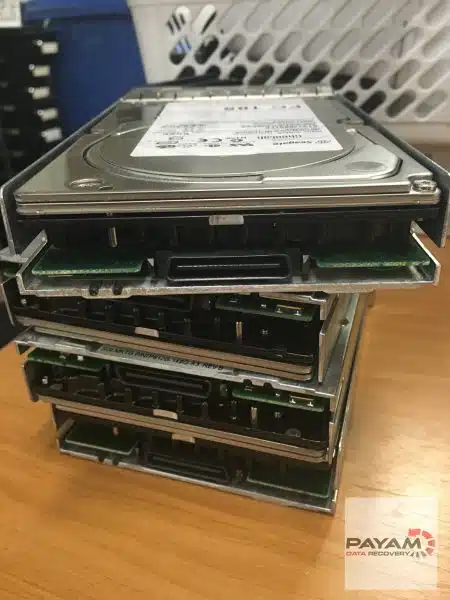
The facts above explain why a drive that makes new, persistent noises, disappears from the computer or is not recognised should be treated carefully. General steps that protect your data are to stop using the drive, avoid repeated power cycles, and avoid formatting, reinitialising or running repair utilities, since they can overwrite data you may still need. Do not open a drive outside a controlled environment. If the data matters, ask a recovery service to assess it.
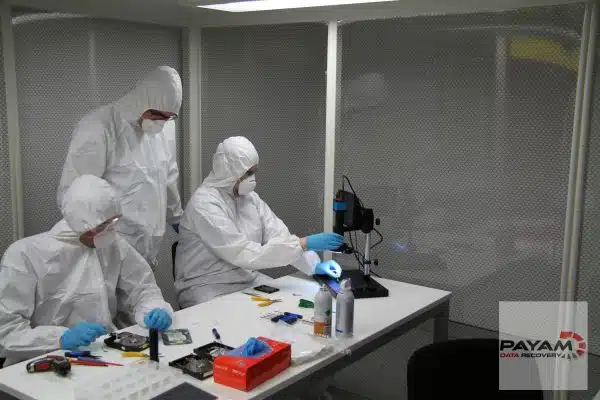
Need help with a failed hard drive? Payam Data Recovery offers hard drive data recovery in Australia, and international customers are welcome.
- Australia’s oldest data recovery company, operating since 1998.
- Over 300,000 devices recovered, a 99% success rate and over 2,400 customer reviews.
- Labs in Sydney, Rhodes NSW, Melbourne and Brisbane, with secure drop-off offices in Adelaide and Perth.
- Everything done in-house in Australia, never outsourced overseas. The Rhodes lab has an ISO 5 certified laminar flow cabinet and 10 PC-3000 systems.
- Over 2,000 IT companies and repair shops around Australia send us their complex cases.
- Listed by Apple on its Australian support page. Apple notes that the listed companies are not Apple Authorised Service Providers and that Apple does not warrant their services.
- Before you pay, you receive a file list and a video preview so you can check the recovery.
- Most recoveries are no fix, no fee. Some complex cases have an attempt fee, then a completion fee only if the recovery is successful. About 90% of our jobs are no fix, no fee.
For examples of real jobs, see the case studies on a dropped Seagate drive that needed new heads, a WD My Passport showing 0MB and drives from a fire and water damaged studio. Overseas customers can read how to send a device from overseas.
Sources and method
Historical facts are taken from the Computer History Museum, IBM, the Nobel Prize website and original papers. Product figures come from manufacturer documents and are tied to a named model and date. Fleet reliability figures come from the original Backblaze reports. Where a company has only announced, sampled or qualified a product, the text says so rather than implying it is on sale. Calculations are marked as Payam’s own. Facts that rested only on a secondary source, a third-party transcript, a recollection or an unconfirmed report were removed in this version rather than kept with a warning.
Not every claim from the earlier version of this article could be verified, and some were removed rather than kept. A fact that was removed has not necessarily been proven false.
Related reading: 100 SSD facts, the hard drive recovery guide for Windows users and how to back up your hard drive. You are welcome to link to this article. Please credit Payam Data Recovery when quoting it.


