

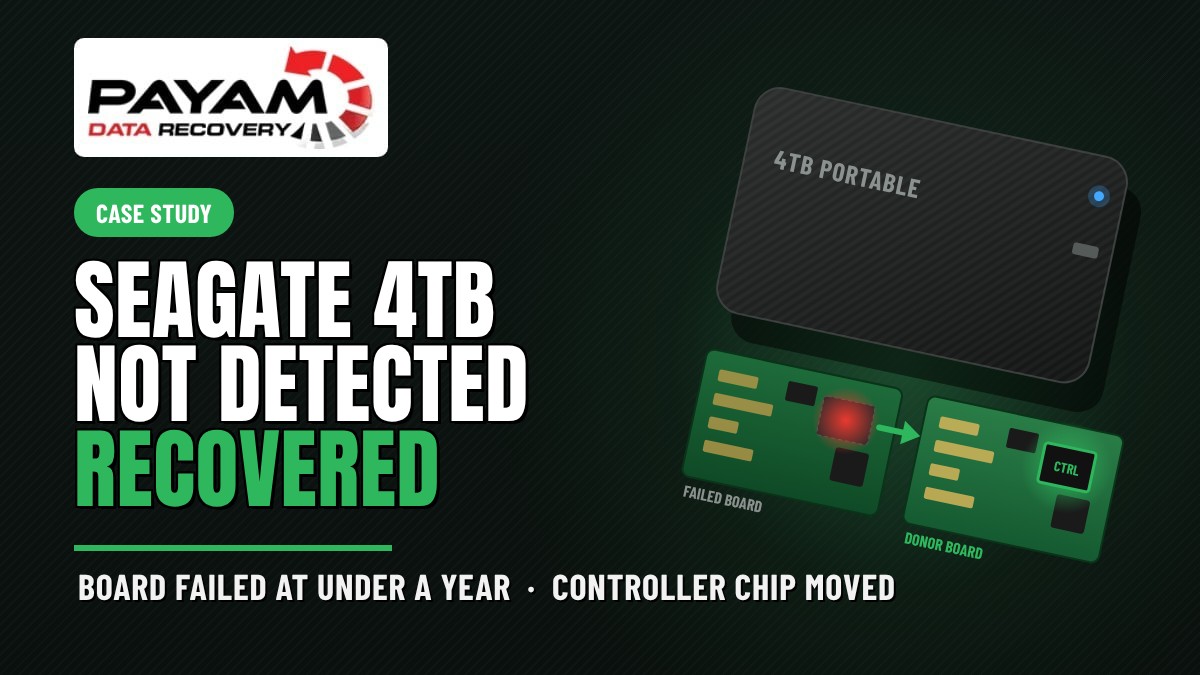
Can a Seagate portable drive that spins but never shows up be recovered? In this Seagate 4TB portable drive not detected data recovery case study, yes. James’s drive had a failed circuit board, and on this model the ROM is tied to the controller chip. We moved the controller to a donor board and copied his files.
Case study summary
Client: James, a small business owner in Brisbane, QLD
Device: Seagate 4TB portable hard drive, less than a year old
Problem: When he plugged it in, it sounded like it was spinning but never settled down, and it never appeared on his computer. It held his business records, invoices and years of family photos
What we found: The drive spun, but not properly, which pointed to the circuit board rather than anything inside. On this Seagate the ROM is tied to the controller chip, so a donor board alone would not work
What we did: Lifted the controller chip off a donor board from the same model, then off James’s board, with every solder ball kept intact, and fitted James’s controller to the donor board. The drive then went onto the PC-3000
Result: The drive powered up normally and James’s files were copied across. He received a full list of his recovered files and a screen recording of his data
Turnaround: Economy, Priority or Emergency, confirmed in the written quote
Cost: Confirmed in the free written quote before any work began
Sound familiar?
- Your portable drive sounds like it is spinning but never settles down.
- It never appears on the computer, on any port or any cable.
- The drive is almost new, and you did not expect it to fail.
- It holds your business records and the only copy of your family photos.
Same problem? Call 1300 444 800 or request a free assessment.
A Nearly New Seagate Drive That Spun but Never Showed Up
James runs a small business in Brisbane. His Seagate 4TB portable drive was less than a year old, and it held his business records, his invoices and years of family photos.
Then one day it stopped working. When he plugged it in, it sounded like it was spinning, but it never settled down into the steady hum a working drive makes. And it never appeared on his computer.
A drive that young is not supposed to fail. But age is no protection for a circuit board, and that is where this fault turned out to be.
Why Does a Drive Spin but Never Show Up?
When a drive makes no sound at all, the circuit board is usually the first suspect. When a drive spins up and clicks, the read and write heads inside are usually the problem.
James’s drive did neither. It spun, but not properly. It never reached a steady speed and never reported itself to the computer.
Our data recovery engineer looked at it first and read that pattern as a board fault rather than anything inside the drive. The platters and heads were not the problem. The electronics that control them were.
The Problem: A Circuit Board Where the ROM Lives Inside the Controller
Board repairs used to be simpler. On older drives, a matching circuit board from another drive of the same model was often enough. Later models also needed a small ROM chip moved across from the failed board to the donor with a soldering iron, because that chip holds settings unique to each drive.
On this Seagate, there is no separate ROM chip to move. The ROM is tied to the controller chip itself. So a donor board on its own would never run James’s drive, and a ROM transfer was not an option either.
That left one path. The controller itself had to move from James’s board to the donor board.
The Seagate 4TB Portable Drive Not Detected Data Recovery Process
The lab had a donor board from the same model on the shelf. Payam Data Recovery holds over 30,000 donor parts, including around 20,000 donor hard drives, so a matching donor is usually already in-house and work can start without waiting.
Another data recovery engineer lifted the controller off the donor board first. Slowly. The reason for the care is that there is no stencil for this model to rebuild the tiny solder balls underneath a controller chip. Every ball had to stay intact, or the chip could not be fitted again.
Then he removed the controller from James’s board the same way and fitted it to the donor board. James’s controller, carrying James’s ROM, now sat on a board with working electronics.
With the new board in place, the drive went onto the PC-3000, the hardware the lab uses to copy data from failing drives. It powered up normally.
Seagate 4TB Portable Drive Not Detected Data Recovery Results
James’s files were copied across. The business records, the invoices and the years of family photos.
He received an email with a full list of his recovered files and a screen recording of his data, so he could check it before paying. The recovered data goes back on a new drive, and he can collect it from the office or have it shipped back free of charge.
Why Does a Board Fault on a Portable Drive Need a Data Recovery Lab?
Swapping a circuit board sounds simple. On a modern Seagate it is not. The board carries information unique to the drive, and on this model that information is inside the controller chip, soldered to the board with dozens of tiny solder balls underneath it.
Moving that chip without a stencil for the model is fine microsoldering work, done by a data recovery engineer who does this every week. One damaged ball and the controller cannot be fitted, and with it goes the only copy of the drive’s own settings.
Then the drive has to be copied, not used. The PC-3000 reads a failing drive on its own terms, so the data comes off without the drive being asked to do more than it can.
What Should You Do If Your Drive Spins but Does Not Show Up?
Leave it unplugged. That is the best first step, and it is what James did.
Do not keep plugging it in to see if it comes good. Do not try recovery software, which cannot fix electronics. And do not open the drive or swap the board yourself, because on a drive like this one a bare donor board will not work and the attempt can make the job harder.
Get in touch instead. The assessment and the written quote are free.
Why People Choose Payam Data Recovery
A failed hard drive needs an experienced data recovery engineer, and often a matching donor part. We work on 10 to 15 drives with failed heads every day.
- We are a specialist data recovery lab, not a computer repair shop. We have been recovering data since 1998, from over 300,000 devices.
- The best equipped data recovery lab in Australia: an ISO 5 certified laminar flow cabinet for head replacements, an anti-static lab, microscopes and microsoldering stations for circuit board work, the Ace Lab PC-3000, Atola Insight Forensic and DeepSpar Disk Imager, and over 30,000 donor parts, including around 20,000 donor hard drives. When your drive needs a matching part, it is usually already on our shelf.
- Over 2,000 IT companies and computer shops across Australia send us their customers’ complex cases, and data recovery labs and IT companies in more than 50 countries have sent us their difficult cases over the past ten years.
- Rated 4.9 from over 2,400 Google reviews.
- About 90% of our jobs are no fix, no fee. The hardest 10% carry an attempt fee.
- See your files before you pay. You tell us which files matter most. Before you pay for the recovery, we’ll send you a list of your recovered files so you can check them. If any of the files you listed are missing, tell us and we’ll search again.
- Pay by Visa, Mastercard, American Express, Apple Pay, Google Pay, Link or PayPal, split the cost with Afterpay, Zip, Klarna or PayPal Pay in 4, or pay by bank deposit (EFT).
- Everything is done in our own labs in Australia and never outsourced overseas. Call or visit us, and you can speak with the data recovery engineers who do the work.
We are not the cheapest. We are the best in Australia at this work. We know what to do, how to do it, and we will do our very best for you. Your best chance of getting your data back is with us.
Hard Drive Data Recovery Pricing and Services
Every hard drive case starts with a free assessment and a written quote. We examine the drive, then email you the problem we found, how we can help, the cost and the time involved, for your approval before any chargeable work. Nothing is charged until you say yes.
The price depends on what we find, and current prices are on our hard drive data recovery page. For most faults the price is the same whatever the size of the drive, so a 4TB portable drive like this one costs the same as a smaller one. Head replacements and other high risk work carry an attempt fee that forms part of the total price: you pay it to begin, and if we are successful, you pay the remaining balance. Where it applies, it is stated in the quote before you approve anything.
Priority and Emergency service are faster and cost more. Your quote confirms the exact price and the timeframe. We can supply a destination drive, or you can send your own. If we recover your data and you pay, return delivery within Australia is free.
How Our Process Works for International Customers
International customers are always welcome. The easiest way to reach us from overseas is by email at help@payam.com.au, which works in every time zone. Start with the free quote form. If the indicative pricing suits you, we send job instructions and you post the drive to our main data recovery lab in Rhodes, NSW by tracked courier. Recovered data comes back on a new drive.
Frequently Asked Questions
My Seagate portable drive spins but never shows up on my computer. What is wrong with it?
When a drive spins but never settles into a steady speed and never appears on the computer, the fault is often on the circuit board rather than inside the drive. That is what our data recovery engineer found on James’s 4TB Seagate. Leave it unplugged and send it in for a free assessment.
Can you just fit a circuit board from another Seagate drive?
Not on a drive like this one. Every board carries settings unique to its own drive. On older drives they sat in a separate ROM chip that could be moved to a donor board. On this Seagate the ROM is tied to the controller chip, so the controller itself has to move across.
What is a controller chip transplant?
The controller is the chip that runs the drive. On this job our data recovery engineer lifted the controller from a donor board, then from James’s board, keeping every tiny solder ball underneath intact because there is no stencil for this model, and fitted James’s controller to the donor board. The drive then powered up normally.
My drive is less than a year old. Why did it fail?
Age gives no protection to electronics. James’s Seagate was under a year old when its circuit board failed. The good news is that a board fault leaves the platters and heads alone, so once the electronics are sorted the data is usually all there, as it was here.
Will I be able to check my files before I pay?
Yes. James received an email with a full list of his recovered files and a screen recording of his data. You tell us which files matter most, and before you pay for the recovery we send you the list so you can check them. If any of the files you listed are missing, tell us and we’ll search again.
If you cannot recover my data, is there nothing to pay?
Yes. The assessment and quote are free, and for most faults there is nothing to pay unless we recover your data. See your files before you pay. You tell us which files matter most. Before you pay for the recovery, we’ll send you a list of your recovered files so you can check them. If any of the files you listed are missing, tell us and we’ll search again. The one exception is damaged heads and other high risk work, where part of the quoted price is a non-refundable attempt fee paid upfront so we can begin. That covers the data recovery engineer time and donor parts we commit whatever the outcome. If an attempt fee applies to your job, it will be stated clearly in your quote before you approve anything.
I am in Brisbane. Do I have to send my drive to Sydney?
No. James is a Brisbane small business owner, and we work with people all around Australia. Drop it at our Sydney, Melbourne or Brisbane CBD office and we’ll start as quickly as possible, or post it to us by tracked courier, well packed in bubble wrap. We move devices between our own labs at no cost to you.
Can I send my drive from overseas?
Yes. International customers are always welcome. Request a free quote first, then post the drive by tracked courier once the indicative pricing suits you. The easiest way to reach us from overseas is by email at help@payam.com.au, which works in every time zone. Recovered data comes back on a new drive.
About Payam Data Recovery
Payam Data Recovery has been recovering data since 1998, with more than 300,000 devices recovered. Apple lists us as one of three recommended data recovery providers. For hard drives the lab runs the Ace Lab PC-3000, Atola Insight Forensic and DeepSpar Disk Imager, circuit board work is done at microscopes and microsoldering stations, and work inside a drive is done in an ISO 5 laminar flow cabinet. Everything is done in Australia and never outsourced overseas. Head office and full service lab in Sydney CBD, with our main data recovery lab for complex cases in Rhodes, NSW, full service labs in Melbourne and Brisbane, and secure drop-off offices in Adelaide and Perth with free overnight express delivery to Rhodes, NSW. You can read more about Payam Data Recovery.
Request a Free Hard Drive Data Recovery Assessment
Portable drive spinning but not showing up? Business records or family photos on it? Leave it unplugged. We can help.
Free assessment and written quote before any chargeable work begins. Your quote confirms the exact price.
Any brand, portable or desktop, anywhere in Australia. International customers are always welcome.
Hard Drive Data Recovery Service
Get a Free Quote
Ready to send it in? Submit a job.
Call 1300 444 800 or email help@payam.com.au
Related Case Studies
- Dead Seagate 3.5 inch drive, donor board with a ROM chip transfer
- Silent Seagate 2.5 inch drive, two burnt board components
- Clicking WD My Book with a torn off head and a failed board
- Hard drive circuit board damaged by a power surge
Video Transcript
Hi, it’s Mike, and I’m at Payam Data Recovery’s lab in Sydney, Australia, following a real data recovery job from start to finish. The drive belongs to James, a small business owner from Brisbane. It’s a four terabyte Seagate portable drive, less than a year old, holding his business records, invoices, and years of family photos. When he plugged it in, it sounded like it was spinning, but never settled down, and it never appeared on his computer. A data recovery engineer looked at it first. The drive spun, but not properly, which pointed to the circuit board rather than anything inside.
Board repairs used to be simpler. On older drives, a matching board from another drive was often enough. Later models also needed a small ROM chip moved across with a soldering iron. On this Seagate, the ROM is tied to the controller chip, so the controller itself has to move to the donor board. The lab had a donor board from the same model. Another engineer lifted the controller off the donor first, slowly, because there’s no stencil for this model to rebuild the tiny solder balls underneath. Every ball had to stay intact. Then he removed the controller from James’s board the same way and fitted it to the donor. With the new board in place, the drive went onto the PC 3000, the hardware the lab uses to copy data from failing drives. It powered up normally and James’s files were copied across.
James received an email with a full list of his recovered files and a screen recording of his data. He can collect it or have it shipped back free of charge. If your drive spins but doesn’t show up on your computer, the best first step is to leave it unplugged. Payam Data Recovery works with people across Australia, and international customers are always welcome. Assessments and quotes are free. Call 1300 444 800 today. Thanks for watching.


