

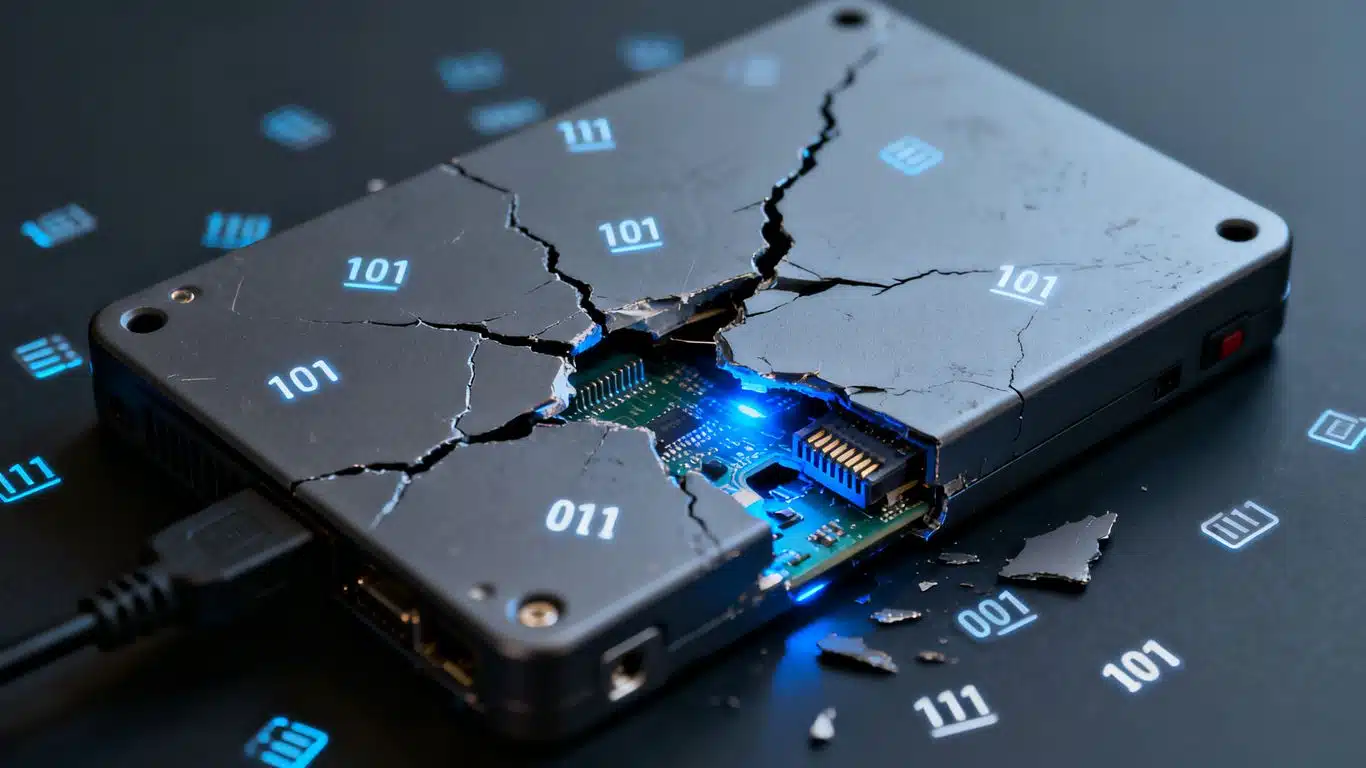
WD My Passport Bad Sector Recovery Case Study Summary
- Client: Leighton, Adelaide, South Australia
- Device: WD My Passport USB-C 2TB external hard drive
- Problem: Drive running at 100% usage, freezing Windows Explorer, computer would not boot with drive plugged in. Backup attempts failing for months. Disk Management showed 0MB capacity with no partition. University files and photos from 2018 needed urgently
- Diagnosis: Device Manager detected WD USB device but Disk Management showed 0MB and no partition. Atola Insight Forensic via USB could not detect the drive. Extensive bad sectors, slow reading sectors, and SMART warnings confirmed
- Solution: Technician removed the PCB and soldered a SATA port to special locations on the circuit board, then connected it to the Ace Lab PC-3000. All files and folders became visible. Sector-by-sector clone performed to recover everything
- Outcome: All university files and photos from 2018 recovered. File listing and video preview sent by email. Data shipped back overnight at no extra charge
- Service: Hard Drive Data Recovery
Leighton from Adelaide sent his WD My Passport USB-C 2TB external hard drive to Payam Data Recovery after months of failed backup attempts. The drive was running at 100% usage, freezing Windows Explorer, and his computer would not even boot with it plugged in. He had university files and photos from 2018 he desperately needed. This WD My Passport bad sector recovery case study documents how Payam Data Recovery’s specialised technicians bypassed USB limitations, connected the drive directly to professional tools, and recovered all of Leighton’s data.
These WD My Passport USB external drives are fast and affordable, but as soon as bad sectors develop or they suffer any impact, they stop detecting or freeze computers. Standard recovery software cannot access a drive that shows 0MB capacity with no partition. This WD My Passport bad sector recovery case study shows why specialised intervention with professional-grade equipment is essential, and why this is something local computer shops and smaller data recovery companies simply cannot handle.
Payam Data Recovery serves customers across Australia with laboratories in Sydney, Melbourne, and Brisbane, plus secure drop-off points in Adelaide and Perth with free shipping both ways. International customers from the USA, New Zealand, UK, and worldwide are also welcome.
The Problem: WD My Passport Freezing and Not Detecting
Leighton had been trying to back up his WD My Passport USB-C 2TB external drive for months using CroneSync, but it kept failing. The symptoms were severe: the drive ran at 100% usage, Windows Explorer froze completely, and his computer would not even boot properly with the drive plugged in.
For Leighton, this was not just an inconvenience. The drive contained university files and photos from 2018 that he desperately needed. Without a backup, all of that data was trapped on a drive that his computer could barely recognise.
The data recovery engineer explained that WD My Passport drives are popular because they are fast and affordable, but they have a significant weakness. As soon as bad sectors develop or the drive suffers any physical impact, the drive can stop being detected entirely or cause the connected computer to freeze. This is exactly what happened to Leighton’s drive, making this a classic WD My Passport bad sector recovery case study.
WD My Passport Bad Sector Recovery Case Study: Diagnosis
The data recovery engineer tested Leighton’s drive on a Windows PC. Device Manager could see a WD USB device, confirming the drive was communicating at a basic level. However, Disk Management showed 0MB capacity with no partition. This meant it was impossible to run any recovery software on the drive through the USB interface.
The engineer then tested the drive using the Atola Insight Forensic tool via USB. The drive sounded okay mechanically, with no clicking or unusual noises, but it still would not detect properly. The USB interface was the bottleneck. The drive’s bad sectors were causing the USB controller to time out and fail before any data could be accessed.
This is a critical point in this WD My Passport bad sector recovery case study. Many people assume that if a drive sounds okay, it should work. But bad sectors cause the drive to hang while trying to read damaged areas, and USB controllers have very low tolerance for these delays. The drive needed advanced intervention that goes beyond what any standard computer shop can provide.
The WD My Passport Bad Sector Recovery Case Study Process
Because the USB interface could not maintain a stable connection, the data recovery engineer passed the drive to Dmitri, one of Payam Data Recovery’s specialised technicians.
Dmitri removed the printed circuit board (PCB) from the drive and soldered a SATA port to special locations on the circuit board. This bypassed the USB controller entirely and allowed the drive to be connected directly to Payam Data Recovery’s Ace Lab PC-3000, the industry’s most advanced hard drive data recovery platform.
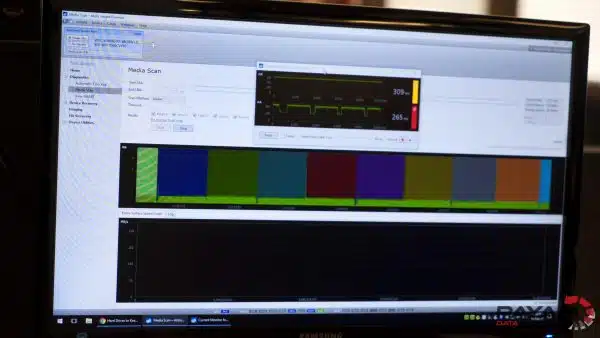
The result was immediate. With the drive connected via SATA through the PC-3000, they could see all of Leighton’s files and folders. The diagnostic results confirmed what the symptoms had suggested: extensive slow reading sectors, bad sectors, and SMART warnings throughout the drive.
Using the PC-3000, Dmitri performed a sector-by-sector clone of the drive. This process reads every sector individually, working around the bad sectors and slow areas to capture as much data as possible. Unlike consumer software that gives up when it encounters errors, the PC-3000 is designed specifically to handle drives with thousands of bad sectors, adjusting read parameters in real time to maximise data recovery.
This WD My Passport bad sector recovery case study is a perfect example of why professional equipment matters. The drive was physically healthy, with no need for cleanroom work or head swaps, but the bad sectors made it completely inaccessible through normal means. Only by bypassing the USB interface and using professional-grade tools could the data be reached.
WD My Passport Bad Sector Recovery Case Study Results
All of Leighton’s university files and photos from 2018 were recovered successfully. Payam Data Recovery sent Leighton a file listing and video preview of the recovered data by email so he could verify everything before making payment.
After Leighton approved the recovery and completed payment, everything was shipped back to him overnight at no extra charge. This is standard practice at Payam Data Recovery, where all recoveries include free return postage.
This WD My Passport bad sector recovery case study had a successful outcome because Leighton made the right decision to send his drive to a professional data recovery company instead of continuing to struggle with it himself. Repeated connection attempts on a drive with bad sectors can cause the bad sectors to spread, potentially turning a recoverable situation into a permanent data loss.
Why Professional Bad Sector Recovery Matters for WD My Passport Drives
This WD My Passport bad sector recovery case study highlights several important points about external hard drive recovery:
USB interfaces cannot handle bad sectors. WD My Passport drives connect via USB, but USB controllers have strict timeout limits. When the drive encounters bad sectors and slows down, the USB controller disconnects, causing the drive to show 0MB or freeze the computer. No amount of retrying through USB will fix this. The drive needs to be accessed via SATA using professional tools.
A drive that sounds okay can still be failing. Leighton’s drive had no clicking or unusual noises. Many people assume this means the drive is fine and keep trying to connect it. But bad sectors are silent. The only way to diagnose them properly is with professional forensic tools like the Atola Insight Forensic or the Ace Lab PC-3000.
Consumer recovery software cannot access a 0MB drive. If Disk Management shows 0MB capacity with no partition, no consumer recovery software will work. The drive is not accessible at the operating system level, so there is nothing for the software to scan.
Repeated connection attempts make things worse. Every time a drive with bad sectors is powered on and connected, the heads continue to struggle over the damaged areas. This can cause the bad sectors to spread and potentially damage the read/write heads, turning a relatively affordable recovery into a much more expensive one requiring cleanroom work.
Professional hard drive data recovery at Payam Data Recovery uses the Ace Lab PC-3000, DeepSpar Disk Imagers, Atola Insight Forensic imagers, and a Class 100 cleanroom for drives requiring mechanical work. Over 2,000 IT companies and computer repair businesses across Australia trust Payam with their most difficult cases.
What to Do If Your WD My Passport Is Freezing or Not Detecting
Based on this WD My Passport bad sector recovery case study, here is what to do if your external hard drive is showing similar symptoms:
- Stop connecting and disconnecting the drive. Each attempt can cause further damage to the sectors and potentially to the read/write heads
- Do not run consumer recovery software repeatedly. If the drive shows 0MB in Disk Management, software cannot help. Repeated scans will only stress the drive further
- Do not open the drive. Bad sector recovery does not require cleanroom work, but opening the drive outside a cleanroom will contaminate the internal components
- Do not attempt to reformat the drive. This will overwrite any recoverable data
- Send the drive to a professional data recovery company that has equipment like the Ace Lab PC-3000 capable of bypassing USB limitations and reading sectors individually
Hard Drive Data Recovery Assessment
If you are experiencing a situation similar to this WD My Passport bad sector recovery case study, hard drive data recovery at Payam Data Recovery starts with a free assessment and quote with no obligation. We test your drive using professional forensic tools and provide you with an exact quote before any recovery work begins.
Hard drive data recovery typically costs $350 to $4,000 depending on the problem type and urgency or turnaround time requested. You receive a detailed quote before any work begins, so you know the exact cost upfront with no surprises.
Three service tiers are available:
- Economy: Best value, standard turnaround
- Priority: Faster turnaround, moves ahead of the Economy queue
- Emergency: Fastest possible, after-hours and weekends if needed
Payam Data Recovery recovers data from all hard drive brands including Western Digital, Seagate, Toshiba, Samsung, Hitachi, LaCie, and all others. All fault types are supported including bad sectors, clicking drives, drives not detected, dropped drives, firmware corruption, and drives showing 0MB capacity.
All prices include GST and free return postage. Payam Data Recovery serves customers across Australia with laboratories in Sydney, Melbourne, and Brisbane, plus secure drop-off points in Perth and Adelaide with free shipping both ways. International customers are welcome from the USA, New Zealand, UK, and worldwide. If anyone can recover your data, it’s us.
Frequently Asked Questions: WD My Passport Bad Sector Recovery Case Study
Why does my WD My Passport show 0MB in Disk Management?
This typically means the drive has developed severe bad sectors that prevent the USB controller from reading the partition table. In this WD My Passport bad sector recovery case study, the drive appeared in Device Manager as a WD USB device but showed 0MB capacity with no partition in Disk Management. Professional tools are needed to bypass the USB interface and access the data directly.
Can data be recovered from a WD My Passport with bad sectors?
Yes. In this case study, all of Leighton’s university files and photos from 2018 were recovered from a WD My Passport that was completely inaccessible through normal means. The technician soldered a SATA port to the PCB and used the Ace Lab PC-3000 to perform a sector-by-sector clone, recovering everything.
Why does my external hard drive freeze my computer?
External hard drives with bad sectors cause the drive to hang while trying to read damaged areas. The USB controller has strict timeout limits, so when the drive takes too long to respond, it causes Windows Explorer to freeze or the entire system to become unresponsive. Unplugging and replugging the drive will not fix this. It is a hardware-level problem that requires professional recovery.
What is a sector-by-sector clone?
A sector-by-sector clone reads every individual sector on a hard drive and copies it to a new drive or image file. Unlike a normal file copy, it captures data from every sector, including areas with bad sectors that would cause a normal copy to fail. Professional tools like the Ace Lab PC-3000 can adjust read parameters in real time to work around damaged sectors and maximise data recovery.
How much does WD My Passport data recovery cost in Australia?
Hard drive data recovery at Payam Data Recovery typically costs $350 to $4,000 depending on the problem type and urgency or turnaround time requested. We offer a free assessment and quote before starting any work, so you know the exact cost upfront with no obligation. All prices include GST and free return postage.
Can a local computer shop recover data from a drive showing 0MB?
In most cases, no. As this WD My Passport bad sector recovery case study demonstrates, a drive showing 0MB capacity requires professional-grade equipment to bypass the USB interface and access the drive directly via SATA. This requires soldering, specialised PCB work, and tools like the Ace Lab PC-3000 that are not available in standard computer repair shops.
Does bad sector recovery require cleanroom work?
Not usually. Bad sector recovery is different from head replacement or other mechanical repairs that require a cleanroom. In this case study, the drive was physically healthy with no clicking or unusual noises. The recovery involved PCB modification and professional cloning tools, not cleanroom work. However, if bad sectors have caused secondary damage to the read/write heads, cleanroom work may be needed.
Will running recovery software damage my drive further?
If the drive shows 0MB in Disk Management, consumer recovery software cannot access it anyway, so there is nothing to scan. However, repeatedly connecting and disconnecting a drive with bad sectors, or running multiple scan attempts, can cause the bad sectors to spread and potentially damage the read/write heads. It is best to stop using the drive and send it to professionals as soon as possible.
How long does WD My Passport bad sector recovery take?
Recovery time depends on the extent of the bad sectors and the service tier selected. Three tiers are available: Economy (standard turnaround), Priority (faster), and Emergency (fastest possible, including after-hours and weekends if needed). In this case study, the recovered data was shipped back to Leighton overnight after the recovery was complete.
Does Payam Data Recovery accept drives from Adelaide?
Yes. Payam Data Recovery has a secure drop-off point in Adelaide CBD with free shipping both ways to the specialised data recovery lab in Rhodes, NSW. Leighton’s drive in this case study was sent from Adelaide. Customers in Perth also have a local drop-off point with free shipping. Full-service laboratories operate in Sydney, Melbourne, and Brisbane.
About Payam Data Recovery
Payam Data Recovery is Australia’s longest-established data recovery company, founded in 1998 with over 150,000 successful recoveries completed. The company is trusted by over 2,000 IT professionals and computer repair businesses across Australia who send their most difficult cases, including WD My Passport bad sector recoveries like this case study.
With full-service laboratories in Sydney (including the head office and main specialised lab in Rhodes, NSW), Melbourne, and Brisbane, plus secure drop-off points in Perth and Adelaide with free shipping both ways, Payam Data Recovery serves customers across Australia and internationally. All recovery work is performed in Australia and is never outsourced overseas.
For hard drive recoveries, the team uses the Ace Lab PC-3000, DeepSpar Disk Imagers, Atola Insight Forensic imagers, and a Class 100 cleanroom for drives requiring mechanical work. Everything is done here in Australia. We never outsource overseas.
WD My Passport Freezing, Not Detecting, or Showing 0MB? Stop Reconnecting. Contact Us First.
External hard drive freezing your computer? Showing 0MB in Disk Management? Not detecting at all? As this WD My Passport bad sector recovery case study shows, stop connecting and disconnecting the drive. Contact Payam Data Recovery for a free assessment. We have the professional tools to bypass USB limitations, diagnose the exact problem, and recover your data.
Free assessment and quote with no obligation. Hard drive data recovery typically costs $350 to $4,000 depending on the problem type and urgency or turnaround time requested.
All hard drive brands supported: Western Digital, Seagate, Toshiba, Samsung, Hitachi, LaCie, and all others. Bad sectors, clicking drives, drives not detected, firmware problems, and all fault types.
Based in Australia. International customers welcome. Over 2,000 IT companies across Australia trust us with their toughest cases. Nobody will try harder or invest more expertise into your case.
Submit your hard drive for recovery | Phone: 1300 444 800 | Email: help@payam.com.au
Related Data Recovery Case Studies
- How to Fix a Clicking Hard Drive Case Study
- Western Digital Hard Drive Data Recovery Case Study
- Clicking Hard Drive Recovery WD My Passport Case Study
- Hard Drive PCB Repair Case Study
Video Transcript: WD My Passport Bad Sector Recovery Case Study
Hey, it’s Mike visiting Payam Data Recovery with owner Payam Toloo. Leighton from Adelaide sent in his WD My Passport USB-C 2TB external drive. He’d been trying to back it up with CroneSync for months, but it kept failing. The drive was running at 100% usage, freezing Windows Explorer, and his computer wouldn’t even boot with it plugged in. He had university files and photos from 2018 he desperately needed.
Payam explained these drives work fast and are affordable, but as soon as bad sectors develop or they suffer any impact, they stop detecting or freeze computers. He tested it on a Windows PC. Device Manager saw a WD USB device, but Disk Management showed 0 megabytes capacity with no partition. It’s impossible to run recovery software.
He tried his Atola Insight Forensic tool via USB. The drive sounded okay but still wouldn’t detect. This needed advanced intervention.
Payam passed it on to Dmitri, one of his specialised technicians. Dmitri removed the PCB and soldered a SATA port to special locations on the circuit board, then connected it to their Ace Lab PC-3000 tools. Success. They could see all the files and folders. The drive had extensive slow reading sectors, bad sectors, and SMART warnings. They performed a sector-by-sector clone to recover everything.
Leighton received a file listing and video preview by email. After payment, everything was shipped back overnight at no extra charge.
This is a common problem with USB external hard drives that have bad sectors. They don’t need cleanroom work or head swaps, but they do need skilled experts who know exactly what to do. This is what Payam calls their bad sector data recovery service, something local computer shops and smaller data recovery companies simply can’t handle.