

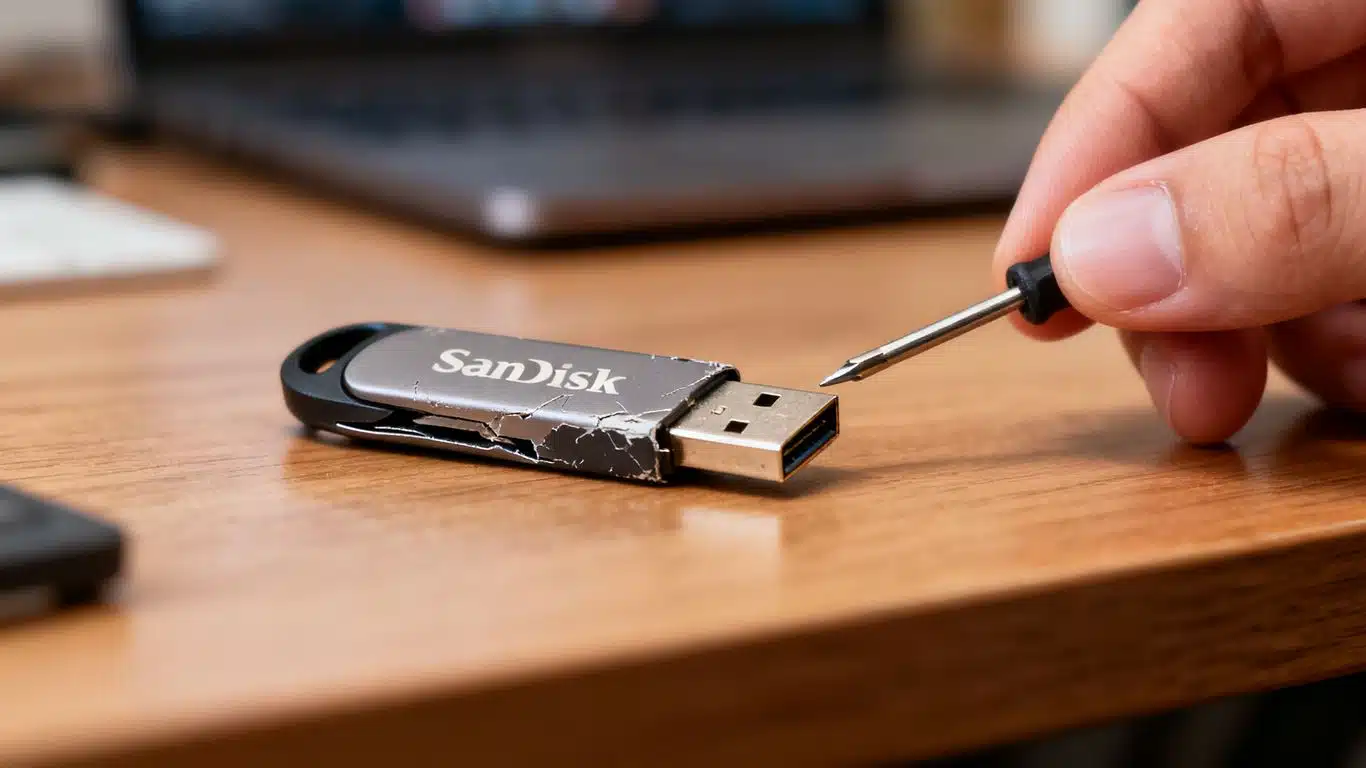
SanDisk USB Flash Drive Data Recovery Case Study Summary
- Client: IT support technician’s client, Perth, WA, Australia
- Device: SanDisk Ultra 128GB Dual Drive Go USB flash drive
- Problem: Drive slowing down computers, files would not open, disk management hanging, recovery software freezing. Local IT technician in Perth unable to recover
- Diagnosis: Severe bad sectors from NAND flash memory degradation, no file system or partition detected after cloning (likely reformatted by owner)
- Solution: Hardware-based cloning with Atola Insight Forensic (3 hours, 99.9% cloned), followed by full sector-by-sector scan to locate files beneath missing partition
- Outcome: All files recovered, tested, and saved to customer-supplied USB drive with complete file list and video preview
- Service: USB Flash Drive Data Recovery
When a local IT support technician in Perth could not recover data from a client’s failing SanDisk Ultra 128GB Dual Drive Go, the USB flash drive was sent to Payam Data Recovery in Australia. This SanDisk USB flash drive data recovery case study documents how professional hardware imaging tools succeeded where standard recovery software failed, cloning 99.9% of a severely degraded drive in 3 hours and recovering all files from beneath a missing partition.
This SanDisk USB flash drive data recovery case study highlights a critical difference between consumer recovery software and professional data recovery tools. When a USB flash drive has severe bad sectors from NAND flash memory degradation, plugging it into a standard computer can cause the entire system to freeze. Professional hardware imaging tools operate independently, preventing this issue and allowing controlled, sector-by-sector cloning. Based in Australia, Payam Data Recovery also regularly handles complex USB and flash drive recovery cases from the USA, New Zealand, UK, and worldwide.
The Problem: SanDisk USB Flash Drive Freezing Computers
The IT technician in Perth had already tried using recovery software on the SanDisk Ultra 128GB dual drive, but his computer kept freezing. When the drive arrived at Payam Data Recovery, senior technician Paolo plugged it in and observed the same behaviour. The drive appeared in device manager, but disk management hung completely. Even a program called File Scavenger froze. As soon as the drive was unplugged, everything responded normally again.
This is a classic sign of severe bad sectors or worse. As this SanDisk USB flash drive data recovery case study demonstrates, a drive that causes system freezes is too unstable for standard software-based recovery and requires professional hardware imaging tools.
The SanDisk USB Flash Drive Data Recovery Case Study Process
The data recovery engineer used an Atola Insight Forensic imager, essentially a dedicated computer running Linux that connects via Ethernet. Because it operates independently from the main workstation, anything plugged into it cannot freeze the engineer’s computer. This is a critical advantage when working with failing drives.
The data recovery engineer started cloning the SanDisk drive to a new hard drive and immediately saw read errors. Professional hardware imaging tools are designed to handle this. They use multiple passes and custom algorithms with special timeouts to recover as much data as possible without killing the drive.
After approximately 3 hours, 99.9% of the drive was successfully cloned. However, when the data recovery engineer ran File Scavenger, it revealed no file system or partition on the cloned image. This often happens when the owner has tried to reformat the drive themselves, thinking it would fix the problem. As the video notes, this is a common mistake.
Locating Files Beneath the Missing Partition
With no file system detected, the data recovery engineer had to perform a long scan, checking every single sector from first to last. One hour later, success. The files appeared.
This SanDisk USB flash drive data recovery case study illustrates an important principle: even when a drive shows no partition or file system, the actual file data may still be intact on the storage cells. A full sector-by-sector scan can locate file structures that partition-aware tools cannot see.
SanDisk USB Flash Drive Data Recovery Case Study Results
The recovery was a complete success. All files were recovered and saved to a new USB flash drive supplied by the customer. The data recovery engineer tested files randomly to confirm they were all working correctly. A file list generator created a complete report with video preview for the customer to review.
Once the customer approved the results and made payment, the recovered data was shipped back via Express Post at no extra charge. This SanDisk USB flash drive data recovery case study was completed using a combination of hardware-based cloning (3 hours) and a full sector scan (1 hour), totalling approximately 4 hours of active recovery time.
Why USB Flash Drives Develop Bad Sectors
USB flash drives develop bad sectors primarily due to the degradation of the NAND flash memory inside. Each memory cell can only be written to thousands of times before it wears out. Heavy use or simply the age of the drive causes cells to fail, creating bad sectors and potential data loss.
When bad sectors become severe enough, the drive can cause computers to freeze when plugged in, as the system repeatedly tries to read damaged areas. This is exactly what happened in this SanDisk USB flash drive data recovery case study. Standard recovery software cannot handle drives in this condition because it relies on the computer’s operating system to communicate with the drive, and the failing drive locks up the entire system.
Why Professional USB Flash Drive Data Recovery Matters
This SanDisk USB flash drive data recovery case study demonstrates why professional tools and expertise make the difference when standard approaches fail:
- Independent hardware imaging: The Atola Insight Forensic operates independently via Ethernet, preventing system freezes
- Multi-pass cloning: Professional tools use multiple passes with custom timeouts to maximise data recovery from failing sectors
- Sector-by-sector scanning: When no file system is detected, a full scan can locate files beneath damaged or missing partitions
- Non-destructive process: Hardware imaging creates a clone without further damaging the original drive
- File integrity testing: Recovered files are tested randomly to confirm they open correctly
If your local IT technician’s recovery software freezes when attempting to read your USB drive, this is a strong indication that the drive needs professional hardware-based recovery. Do not attempt to reformat the drive, as this can overwrite existing data and make recovery more difficult.
Professional USB flash drive data recovery at Payam Data Recovery uses specialised equipment including the Atola Insight Forensic, PC-3000 Flash, and Rusolut Visual NAND Reconstructor. Over 2,000 IT companies and computer repair businesses across Australia send their most difficult cases to Payam.
USB Flash Drive Data Recovery Pricing and Assessment
If you are facing a situation similar to this SanDisk USB flash drive data recovery case study, USB flash drive data recovery at Payam Data Recovery starts with a free assessment and quote with no obligation.
USB flash drive recovery pricing depends on the fault type:
- Bad sectors (No Fix, No Fee): Economy $350, Priority $550, Emergency $1,400 (all Inc GST)
- File system corruption (No Fix, No Fee): Economy $350, Priority $550, Emergency $1,400 (all Inc GST)
- Broken connector (No Fix, No Fee): Economy $450, Priority $650, Emergency $1,800 (all Inc GST)
- Faulty controller / chip-off (Attempt Fee $500): Economy $1,200, Priority $2,500, Emergency $4,000 (all Inc GST)
All prices include GST and free return postage. For bad sector cases like this SanDisk USB flash drive data recovery case study, the service operates on a No Fix, No Fee basis. You only pay if we successfully recover your data.
Payam Data Recovery serves customers across Australia with laboratories in Sydney, Melbourne, and Brisbane, plus secure drop-off points in Perth and Adelaide with free shipping both ways. We also welcome international customers from the USA, New Zealand, UK, and worldwide. Nobody will try harder or invest more expertise into your case.
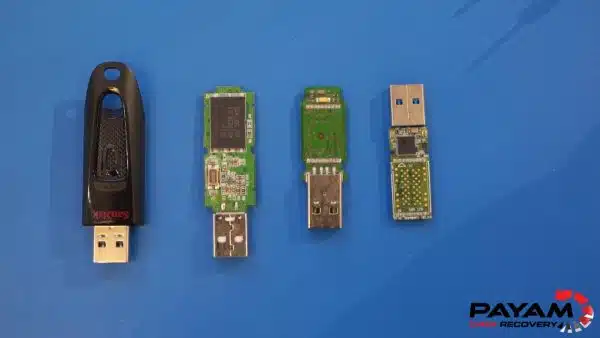
Frequently Asked Questions: SanDisk USB Flash Drive Recovery
Can data be recovered from a USB flash drive with bad sectors?
Yes. In this SanDisk USB flash drive data recovery case study, 99.9% of a severely degraded drive was cloned using professional hardware imaging tools, and all files were recovered. The key is using equipment that can handle read errors without freezing, such as the Atola Insight Forensic.
Why does my computer freeze when I plug in my USB flash drive?
A USB drive that freezes your computer typically has severe bad sectors from NAND flash memory degradation. The computer’s operating system repeatedly tries to read the damaged areas, causing the entire system to hang. Professional hardware imaging tools operate independently and are not affected by this issue.
What is NAND flash memory degradation?
NAND flash memory is the storage technology used in USB flash drives, SSDs, and memory cards. Each memory cell can only be written to a limited number of times before it wears out. Over time, cells fail and create bad sectors, leading to data loss. Heavy use and age accelerate this process.
Should I reformat my USB flash drive if files won’t open?
No. Reformatting a USB flash drive can overwrite existing data and make recovery significantly more difficult. In this case study, the missing partition may have resulted from the owner attempting to reformat the drive. If your files are not opening, stop using the drive and contact a professional data recovery service.
How much does USB flash drive data recovery cost in Australia?
USB flash drive data recovery at Payam Data Recovery ranges from $350 to $4,000 depending on the fault. Bad sector recovery starts at $350 (Economy) on a No Fix, No Fee basis. Chip-off recovery for completely failed drives starts at $1,200 with a $500 attempt fee. All prices include GST and free return postage.
Why couldn’t the IT technician’s recovery software work?
Standard recovery software runs on the computer’s operating system and relies on normal communication with the drive. When a USB flash drive has severe bad sectors, it disrupts this communication and freezes the entire system. Professional hardware imaging tools like the Atola Insight Forensic bypass this by operating independently via Ethernet.
How long does USB flash drive recovery take?
In this case study, the hardware cloning took approximately 3 hours and the full sector scan took 1 hour, totalling about 4 hours of active recovery. Turnaround times vary: Economy service is 5 to 10 days, Priority is 2 to 4 days, and Emergency can be completed within 24 hours to 2 days.
What USB flash drive brands does Payam Data Recovery support?
Payam Data Recovery recovers data from all USB flash drive brands including SanDisk, Kingston, Samsung, Corsair, PNY, Verbatim, Transcend, Lexar, and all others. We handle all types of faults including bad sectors, broken connectors, faulty controllers, and chip-off recovery for completely dead drives.
What tools does Payam use for USB flash drive recovery?
Payam Data Recovery uses Atola Insight Forensic for hardware-based cloning, PC-3000 Flash for controller-level access, Rusolut Visual NAND Reconstructor for chip-off recovery, and professional data recovery software for file extraction and scanning.
Does Payam Data Recovery accept USB recovery cases from outside Australia?
Yes. While based in Australia, Payam Data Recovery regularly handles USB and flash drive recovery cases from the USA, New Zealand, UK, and worldwide. Contact us at help@payam.com.au or call 1300 444 800 to discuss your case.
About Payam Data Recovery
Payam Data Recovery is Australia’s longest-established data recovery company, founded in 1998 with over 150,000 successful recoveries completed. The company is trusted by over 2,000 IT professionals and computer repair businesses across Australia who send their most difficult cases, just like this SanDisk USB flash drive data recovery case study where the Perth IT technician’s own tools could not complete the job.
With full-service laboratories in Sydney (including the head office and main specialised lab in Rhodes, NSW), Melbourne, and Brisbane, plus secure drop-off points in Perth and Adelaide with free shipping both ways, Payam Data Recovery serves customers across Australia and internationally. All recovery work is performed in Australia and is never outsourced overseas.
For USB flash drive recoveries, the team uses Atola Insight Forensic imagers, PC-3000 Flash, Rusolut Visual NAND Reconstructor, and professional chip readers for chip-off extractions performed in-house.
Is Your USB Flash Drive Freezing Your Computer? We Can Help.
USB drive causing computers to freeze? Files won’t open? Local IT technician unable to recover your data? Payam Data Recovery has the professional hardware imaging tools to clone failing drives that standard software cannot handle.
USB flash drive recovery pricing: From $350 (Economy, bad sectors) to $4,000 (Emergency, chip-off). No Fix, No Fee for bad sector cases. Free assessment and quote with no obligation.
All USB brands supported: SanDisk, Kingston, Samsung, Corsair, PNY, Verbatim, Transcend, Lexar, and all others. Bad sectors, broken connectors, faulty controllers, and chip-off recovery.
Based in Australia. International customers welcome. Over 2,000 IT companies across Australia send us their toughest cases. If your IT technician’s software has failed, professional hardware tools can make the difference.
Submit your USB drive for recovery | Phone: 1300 444 800 | Email: help@payam.com.au
Related USB and Flash Drive Data Recovery Case Studies
- USB Connector Repair Perth Case Study
- SanDisk SSD Data Recovery Case Study
- SSD NAND Degradation Recovery Case Study
Video Transcript: SanDisk USB Flash Drive Data Recovery Case Study
Hey, it’s Mike and today I’m at Payam Data Recovery to see how they handle a USB flash drive that even an IT support technician from Perth couldn’t fix. His client’s SanDisk Ultra 128GB Dual Drive Go was slowing down computers and preventing files from opening.
The technician had already tried recovery tools, but his computer froze. Payam plugged it in. It appeared in device manager, but disk management just hung. File Scavenger also froze. As soon as Payam unplugged the drive, everything responded normally again. This is a classic sign of bad sectors or something worse.
This is where professional tools make the difference. Payam used his Atola Insight, essentially a mini PC running Linux that connects via Ethernet. Anything plugged into it won’t freeze his computer because it operates independently.
He started cloning to a new hard drive and immediately saw read errors. Hardware imaging tools use multiple passes and custom algorithms with special timeouts to recover data without killing the drive.
3 hours later, 99.9% was cloned. But running one of Payam’s favourite programs called File Scavenger by QueTek revealed no file system or partition. Maybe the owner had this issue and tried to reformat it, which is a common thing we see often.
Payam had to perform a long scan, checking every sector from first to last. 1 hour later, success. The files appeared.
Payam saved everything to the new USB flash drive the customer supplied. Tested files randomly and they were all working perfectly. The file list generator created a complete report with video preview.
Once the customer reviews and pays, it’s shipped by Express Post at no extra charge.
USB flash drives develop bad sectors from NAND flash memory degradation. Each memory cell can only be written to thousands of times before wearing out. Heavy use or old age causes cells to fail, creating bad sectors.
If you’re unsure whether your local IT technician or professional data recovery company can help with a similar problem, it pays to call Payam Data Recovery.