

Published 8 June 2026. Updated 25 October 2026.
Case study summary
Client: Alexis, an international client based in Papua New Guinea
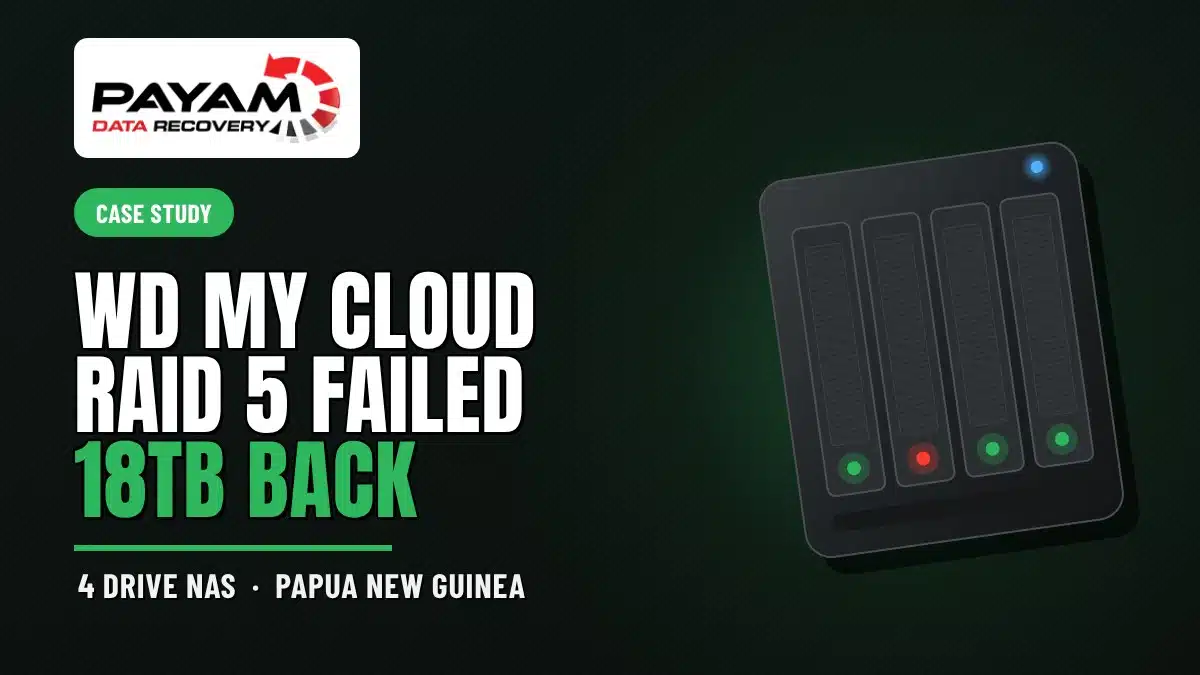
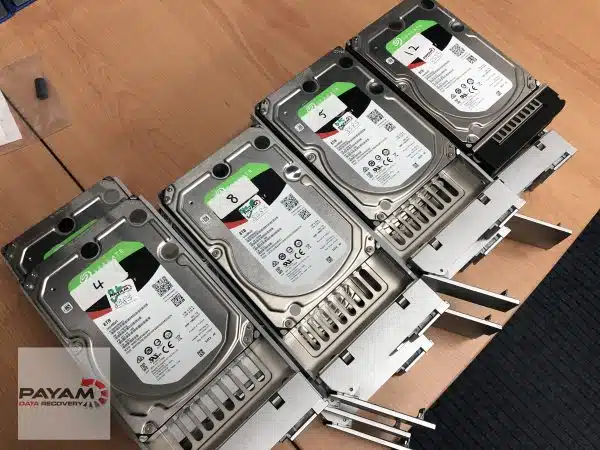
Device: WD My Cloud NAS running a four-drive RAID 5 set, three Seagate 8TB drives plus one Western Digital drive
Problem: A volume holding around 20TB suddenly showed only a few accessible files, and the Veeam backup files the client needed looked gone
Solution: Manual RAID reconstruction and file system analysis after standard recovery tools failed on the WD My Cloud index structure
Outcome: Around 18TB recovered from two shared network folders and saved to a new 26TB drive
Service: RAID and NAS data recovery
An Overseas NAS Failure That Standard Tools Could Not Read
Alexis runs operations from Papua New Guinea, and when a NAS holding roughly 20TB suddenly showed only a handful of accessible files, the backups that mattered most looked gone. The three Seagate 8TB drives went into a box and travelled to the Sydney lab, which is how this WD My Cloud RAID 5 data recovery case began. Alexis had already tried recovering the data with UFS Explorer at home and got nowhere, which is a common starting point for the NAS cases that reach us from overseas.
Our Sydney office team ran the first round of testing. None of the three drives had a hardware fault. That ruled out the usual mechanical suspects and pointed at a file system problem, so the job moved to Payam Toloo to solve.
The Problem: 20TB of Files That Would Not Show Up
Payam connected all three Seagate drives and checked how Windows saw them, then ran WinHex to compare the contents side by side. Each drive sat about 90% full of unique data. That pattern told him straight away he was looking at a RAID set, and almost certainly RAID 5. He opened UFS Explorer and a WD My Cloud NAS volume appeared. He searched for the Veeam backups by their .vbk file extension and found none. The same tool flagged something else worth chasing. A fourth drive should have been part of the set, and it was not in the box.
Payam called Alexis, who confirmed there was indeed a fourth drive and sent it across. Two days later it arrived, and it was a surprise: a red and white Western Digital drive, while the original three were all Seagate. He plugged it in to compare, and the result was the same. He also quietly checked for any sign the NAS had been hit by a hack or ransomware, something he sees more often than most people expect. Not this time.
The WD My Cloud RAID 5 Data Recovery Process
Payam copied the RAID settings into File Scavenger, but it could not read the partition at all. There is a clear reason for that. A WD My Cloud unit runs on a Linux EXT file system, the same base many NAS units use, but it handles file storage in an unusual way. Instead of saving files under their real names and folders, it stores everything under system-generated codes and keeps the real names in a separate index database. Strip away that database and ordinary recovery software just sees a wall of meaningless codes. That is exactly why Alexis’s own UFS Explorer attempt had failed before the drives ever reached Sydney.
So Payam did it by hand. He browsed the reconstructed volume folder by folder, hunting for the tell-tale signs of where real user data lives: shortcuts, log files, and large folders packed with subfolders. Then he ran the numbers. The set held around 18TB of actual files, very close to the amount Alexis said was missing. The data was all there. It simply was not sitting where the client expected. For a deeper background on how striped and parity arrays store data, the Wikipedia entry on RAID is a solid primer.
WD My Cloud RAID 5 Data Recovery Results
The missing Veeam backups were not the real story. The files Alexis needed were intact and living in two large shared network folders rather than as .vbk archives. Payam opened a few documents to confirm they actually worked, then began saving everything to a new 26TB drive. Alexis will get a full file listing and a video preview of the recovered data. Once that is approved and the invoice is paid, both the original drives and the recovery drive ship back to Papua New Guinea by FedEx, with a secure backup held in the lab for two weeks in case anything is missing. In the end, Alexis got back everything they came for.
Why Professional WD My Cloud RAID 5 Data Recovery Matters
A failing NAS is one of the easiest places to turn a recoverable situation into a permanent loss. Running consumer software against a live array, forcing a rebuild, or swapping drives in the wrong order can scramble the parity that holds the data together. The WD My Cloud index quirk makes it worse, because the data can look completely gone to a tool that cannot read the index, which tempts people into reformatting or starting over. Understanding how a network-attached storage device lays out a file system is the difference between reading the array correctly and overwriting it. This is the kind of job where manual analysis beats any automated button, and where the safest move after files disappear is to power the unit down and leave it alone. If you are weighing up your options, our RAID and NAS recovery team can assess the situation before anything risky happens.
Why People Choose Payam Data Recovery
When a RAID, NAS or server fails, the array has to be rebuilt correctly the first time, without putting the original drives at further risk. That is the work we do every day.
- We are a specialist data recovery lab, not an IT support company. We have been recovering data since 1998, from over 300,000 devices.
- Over 2,000 IT companies and computer shops across Australia send us their customers’ complex cases, and data recovery labs and IT companies in more than 50 countries have sent us their difficult cases over the past ten years.
- Every drive is tested and cloned first on professional tools such as Atola Insight Forensic, the PC-3000 and the DeepSpar Disk Imager, and the RAID is rebuilt from the clones. A drive that needs a head swap is opened in our ISO 5 certified laminar flow cabinet, with over 30,000 donor parts in-house, including around 20,000 donor hard drives.
- Emergency service for businesses. Many of our business and IT customers choose it, because every day a server is offline usually costs more than the difference in price. 24/7 emergency service is available as a premium option on 0404 872 926.
- Your data stays private. Our data recovery engineers open only a few random, non-sensitive files to check the recovery worked, and we will sign your NDA on request.
- See your files before you pay. You tell us which files matter most. Before you pay for the recovery, we’ll send you a list of your recovered files so you can check them. If any of the files you listed are missing, tell us and we’ll search again.
- Pay by Visa, Mastercard, American Express, Apple Pay, Google Pay, Link or PayPal, split the cost with Afterpay, Zip, Klarna or PayPal Pay in 4, or pay by bank deposit (EFT).
- Rated 4.9 from over 2,400 Google reviews.
We are not the cheapest. We are the best in Australia at this work. We know what to do, how to do it, and we will do our very best for you. Your best chance of getting your data back is with us.
NAS and RAID Data Recovery Pricing and Services
Every RAID and NAS case starts with a free assessment and a written quote, and no chargeable work begins until you have agreed to it in writing. You stay in control of the decision. For NAS and RAID recoveries, the price depends on the number of drives, the array type, and how much manual reconstruction the file system needs, and current prices are on our RAID and NAS data recovery page. Larger enterprise arrays and multi-drive failures can run higher, which is why the written quote always reflects the specific job in front of us rather than a guess. RAID 5 recovery carries a non-refundable attempt fee, and that fee forms part of the total rather than being added on top of it. This particular job had no hardware fault, so it was handled as a logical and file system recovery. You can request a free data recovery quote for any brand of NAS or RAID, local or international.
Frequently Asked Questions
Why did only a few files show up on my WD My Cloud NAS?
A WD My Cloud stores your files under system-generated codes and keeps the real file names in a separate index database. If that index is damaged or unreadable, the volume can appear nearly empty even though the data is still on the drives. The files are usually still there, just not visible to software that cannot read the index.
Can data be recovered if one drive from the RAID set is missing?
Often yes, depending on the RAID level. A RAID 5 set can survive the loss of one drive, but recovery is far more reliable when the full set is present. In Alexis’s case, the fourth drive turned out to be a different brand, and having it on the bench helped confirm the array and complete the WD My Cloud RAID 5 data recovery.
Why couldn’t UFS Explorer or File Scavenger read my WD My Cloud drives?
Those tools are excellent, but the WD My Cloud index database can stop them from mapping codes back to real file names and folders. Without that mapping, the software sees meaningless codes. Recovering the data then comes down to manual analysis of the reconstructed volume, which is what we did here.
Were the Veeam backups actually lost?
The .vbk Veeam backup files were not where the client expected them, but the underlying data was intact. It was stored in two large shared network folders rather than as Veeam archives, so once the array was read correctly the files were all recoverable.
Do you accept NAS and RAID cases from outside Australia?
Yes. We regularly take on international work, including this case from Papua New Guinea. Drives can be shipped to our Sydney lab, and recovered data plus the original drives are returned by courier once the job is approved and paid. The easiest way for an international customer to reach us is by email at help@payam.com.au, which works in every time zone.
How much does WD My Cloud RAID 5 data recovery cost in Australia?
The price of a NAS and RAID recovery depends on the job, and complex multi-drive cases are quoted individually. We offer a free assessment and a free written quote. The quote explains the cost, the attempt fee, your chances of success and the time involved, for your approval before we start. RAID 5 recovery carries a non-refundable attempt fee, which is part of the total quoted price, not an extra on top. You pay it to begin, and the balance only if we recover your data.
How long does NAS recovery take?
It depends on the array, the number of drives, and how much manual reconstruction the file system needs. A clean logical recovery moves faster than a multi-drive case that requires hand analysis. We give a realistic timeframe with the written quote.
Is it safe to keep using my NAS after files disappear?
No. Continuing to use a NAS after files vanish risks overwriting the very data you want back, and forcing a rebuild can scramble the array. The safest step is to power it down and get it assessed before anything else is done.
About Payam Data Recovery
Payam Data Recovery has been recovering data since 1998 and has recovered data from more than 300,000 devices. The team has worked on RAID and NAS systems for that entire time, using a mix of specialised hardware, software, and AI-assisted analysis, backed by an ISO 5 certified laminar flow cabinet for cases that need physical work. We have labs in Sydney CBD and Rhodes NSW, plus Melbourne and Brisbane, with secure drop-off offices in Adelaide and Perth, which send your device to our lab in Rhodes, NSW at no cost. Work is never outsourced overseas, and we welcome international clients, as this Papua New Guinea case shows. You can read more about Payam Data Recovery or start with our RAID and NAS data recovery service.
Request a Free NAS and RAID Data Recovery Assessment
Lost access to your NAS or RAID array, or watching a 20TB volume show only a handful of files? We can read arrays that standard software gives up on.
Every NAS and RAID recovery starts with a free assessment and written quote before any chargeable work begins.
Any brand, any RAID level, local or international. International clients are welcome.
RAID and NAS Data Recovery
Get a Free Quote
Ready to send a device in? Submit a new job.
Call 1300 444 800 or email help@payam.com.au
Related Case Studies
- WD My Cloud EX4100 data recovery case study
- Synology NAS RAID 5 data recovery case study
- Seagate Personal Cloud NAS recovery case study
- Synology Hybrid RAID case study
- 10 virtual machines recovered from a Lenovo RAID 5 server
Video Transcript
Hi, it’s Mike. Today I’m in Sydney, Australia at the lab of Payam Data Recovery with the owner, Payam Toloo, watching a real case come together. A customer named Alexis all the way from Papua New Guinea sent in three Seagate 8TB drives from a NAS. They had around 20TB of files, but suddenly only a few were showing up. What they really wanted back were their Veeam backup files. The drives were tested first by Tim at the Sydney office. No hardware faults at all, so that pointed to a file system corruption and the job came to Payam to solve.
Payam connected all three drives, checked how Windows saw them, and then used WinHex to compare them. Each drive was about 90% full of unique data, which told him straight away this was a RAID set, most likely RAID 5. Payam opened UFS Explorer and a WD My Cloud NAS volume appeared. He browsed for the Veeam backups and searched the .vbk file extension, but found nothing. UFS Explorer also hinted there should be a fourth drive, so Payam called Alexis and asked for it. Two days later it arrived, and interestingly, it was a completely different drive, a red and white WD, while the original three were all Seagate.
Payam plugged it in to compare, but the result was exactly the same. He also quietly checked for any signs the NAS had been hacked or encrypted for ransom, which he sees more often than people expect. Thankfully, not this time. Payam copied the RAID settings into File Scavenger, but it could not read the partition at all. Here’s why. A WD My Cloud runs on a Linux EXT file system, the same base many NAS units use, but it does something unusual. Instead of saving your files under their real names and folders, it stores everything under random system-generated codes and keeps the real names in a separate index database. Without that database, ordinary recovery tools just see meaningless codes, which is also why the customer’s own UFS Explorer attempt had failed.
So Payam started browsing manually, going through the folders and files by hand, looking for clues like shortcuts, log files, and any large folders with lots of subfolders to work out where the real user data was actually stored. Then he did the maths. The drives showed around 18TB of real files, close to what was missing. The data was all there. It was just not saved as Veeam backups. It was sitting in two large shared network folders. Payam opened a few documents to confirm they worked, then started saving everything to a new 26TB drive.
Alexis will get a full file listing and a video preview, and once it’s approved and paid, both drives ship back to Papua New Guinea by FedEx with a secure backup kept here for two weeks. In the end, Alexis got everything back they wanted. Payam and his team have been recovering RAID and NAS units since 1998 using specialised hardware, software, and AI tools. But as Payam tells me, sometimes it just comes down to old-fashioned troubleshooting to work out what the customer actually needs. Payam Data Recovery has offices all around Australia and takes on work from all around the world with affordable prices and a proven track record of success. They always offer a free assessment or quote and can help with any brand or type of problem.


