

Case Study Summary
- Customer: Marcus, New Zealand
- Device: Synology DS918+ NAS, Synology Hybrid RAID, BTRFS file system
- Drives: Three HGST 10TB, one WD 10TB, one Seagate 20TB (backup, not part of array)
- Fault: One drive password locked (hardware/firmware fault), one drive with wiped partition table
- Previous attempt: Data Lab (New Zealand) declared the RAID fully corrupted and unrecoverable after months
- Challenge: UFS Explorer and R-Studio both unable to autodetect the array; RAID configuration had to be determined manually
- Solution: Manual disc order, stripe block size, and RAID configuration testing by Payam
- Outcome: Approximately 12TB recovered; data returned to Marcus in New Zealand on a 20TB WD external drive
- Service: RAID and NAS Data Recovery
Another company spent months on this job and gave up. Marcus, a client in New Zealand, had already been through that experience when he sent his Synology DS918+ drives to Payam Data Recovery in Sydney. The local data recovery company, Data Lab, had declared the RAID fully corrupted and unrecoverable. This Synology Hybrid RAID data recovery case study shows what happened when the job landed on Payam’s workbench, and why experience matters more than any individual tool.
The Challenge: Synology Hybrid RAID, BTRFS, and a Previous Failed Recovery
Marcus’s Synology DS918+ NAS used Synology Hybrid RAID with the BTRFS file system, a combination that presents specific challenges for recovery. Synology Hybrid RAID does not follow standard RAID conventions exactly, and BTRFS is a modern copy-on-write file system with its own internal structure. When something goes wrong at the array level, standard RAID detection tools often struggle to make sense of what they are looking at.
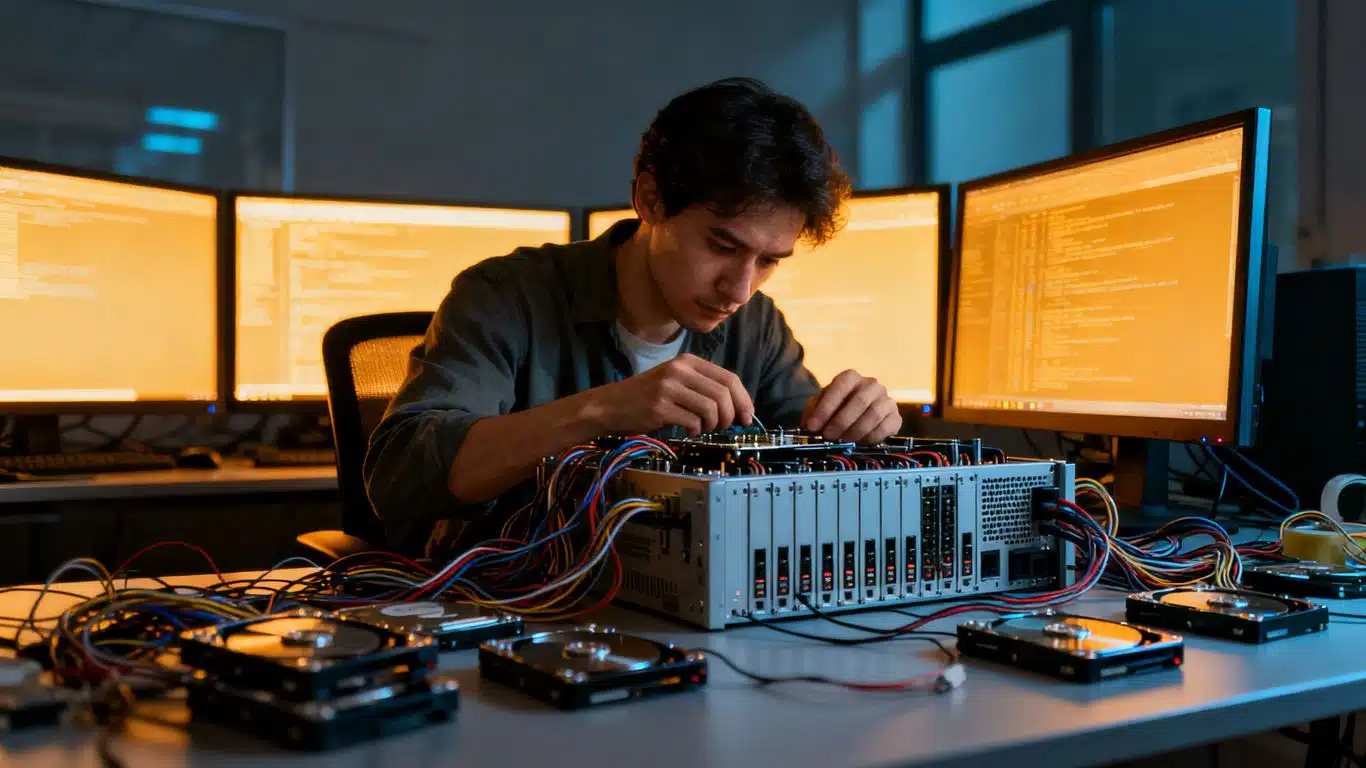
Marcus sent in five drives: three HGST 10TB drives, one WD 10TB drive, and one Seagate 20TB drive. Payam’s first observation was that one of the four main drives was a different brand to the others, which often indicates a drive was replaced at some point following an earlier failure. After checking with Marcus, it was confirmed that the 20TB Seagate drive held an old backup and was not part of the original array. It was set aside.
Drive Diagnostics: What the Atola Insight Forensic Found
All four main drives were tested on the Atola Insight Forensic. Three drives were healthy, with good SMART status and fully readable sectors. The fourth, one of the HGST drives, reported a password lock.
Payam explained that a password lock on a hard drive is rarely what it appears. In most cases it is not a genuine access restriction set by the user, but rather a symptom of hardware failure or firmware corruption. The drive was effectively unusable regardless of the cause. Since the array was configured as RAID 5 and only required three of the four drives to reconstruct, the locked drive was set aside and the three healthy drives were carried forward.
The Hidden Problem: A Wiped Partition Table
When Payam connected the three healthy drives to his workstation and opened Windows Disk Management, something immediately stood out. Two of the drives showed multiple partitions as expected. The third showed none at all. It appeared as unallocated space.
This pointed strongly to one conclusion: at some point, someone had deleted or reinitialised that drive, wiping its partition table. This is almost certainly why Data Lab in New Zealand could not rebuild the array. Without a partition table on one of the member drives, any tool that relies on that structure to identify and reconstruct the RAID will fail before it even begins.
Payam opened WinHex to examine each of the three drives at the sector level. He confirmed that none of the drives were blank or mirrored copies of another. All three were approximately 90% full with unique data. The underlying content was there. The problem was working out how it was arranged.
When Automated Tools Could Not Help
With the drives examined, Payam attempted to use specialist RAID reconstruction software to autodetect the array configuration. UFS Explorer was tried first. It could not find the RAID. R-Studio was tried next. It also could not find it. Neither tool was able to automatically identify the correct configuration from what was on the drives.
However, UFS Explorer did return one useful piece of information. It detected partial data showing the position of two of the drives within the array. This gave Payam a starting point for the manual work ahead.
The Manual Reconstruction: Every Combination Tested
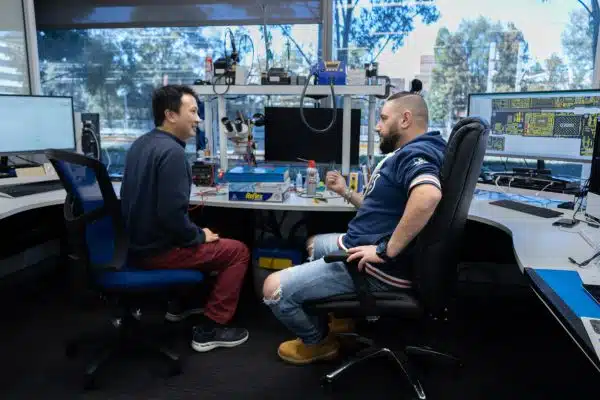
With automated detection exhausted, Payam wrote down every possible combination of disc order, stripe block size, and RAID configuration and began testing them one at a time. Synology Hybrid RAID introduces additional variables compared to standard RAID 5, which means the number of combinations to work through is higher. This is slow, methodical work that requires both patience and the experience to recognise when a combination is getting closer to correct.
A few hours later, Payam found the right combination. The array rebuilt successfully. Approximately 12TB of data became accessible. He tested a selection of files to confirm they were intact, then generated a complete file listing and video preview for Marcus to review before shipment.
The recovered data was transferred to a 20TB WD external hard drive and shipped back to Marcus in New Zealand at no extra charge.
Synology Hybrid RAID Recovery Results
Approximately 12TB of data was recovered from an array that another company had declared fully corrupted and unrecoverable. The recovery succeeded despite a wiped partition table on one member drive, a password-locked drive that had to be excluded, and the complete failure of automated RAID detection tools. The case was resolved through manual parameter testing and hands-on RAID recovery experience going back to 1998.
Why Experience Is the Most Important Tool in Complex RAID Recovery
Payam has been working on RAID recoveries since he was 18 years old. At 45, he still handles two to three complex RAID cases every single day, working with managed IT companies and IT managers across Australia and internationally. When he started in this field, many of the forensic tools available today did not yet exist. He learned to solve these problems without them.
That background is exactly what this case required. No tool could autodetect the array. No shortcut was available. The only path to the data was to understand the problem deeply enough to test every configuration systematically until the right one appeared. That is not something a software licence provides.
For international clients facing complex RAID or NAS data loss, Payam Data Recovery accepts drives sent from overseas. All work is performed at the Sydney laboratory. RAID and NAS data recovery is available for all Synology configurations, all other NAS brands, and all RAID levels. For further background on how Synology Hybrid RAID differs from standard implementations, the standard RAID levels reference provides useful context.
Why People Choose Payam Data Recovery
When a RAID, NAS or server fails, the array has to be rebuilt correctly the first time, without putting the original drives at further risk. That is the work we do every day.
- We are a specialist data recovery lab, not an IT support company. We have been recovering data since 1998, from over 300,000 devices.
- Over 2,000 IT companies and computer shops across Australia send us their customers’ complex cases, and data recovery labs and IT companies in more than 50 countries have sent us their difficult cases over the past ten years.
- Every drive is tested and cloned first on professional tools such as Atola Insight Forensic, the PC-3000 and the DeepSpar Disk Imager, and the RAID is rebuilt from the clones. A drive that needs a head swap is opened in our ISO 5 certified laminar flow cabinet, with over 30,000 donor parts in-house, including around 20,000 donor hard drives.
- Emergency service for businesses. Many of our business and IT customers choose it, because every day a server is offline usually costs more than the difference in price. 24/7 emergency service is available as a premium option on 0404 872 926.
- Your data stays private. Our data recovery engineers open only a few random, non-sensitive files to check the recovery worked, and we will sign your NDA on request.
- See your files before you pay. You tell us which files matter most. Before you pay for the recovery, we’ll send you a list of your recovered files so you can check them. If any of the files you listed are missing, tell us and we’ll search again.
- There is no card surcharge. Pay by Visa, Mastercard, American Express, Afterpay, Zip or bank deposit (EFT).
- Rated 4.9 from over 2,400 Google reviews.
We are not the cheapest. We are the best in Australia at this work. We know what to do, how to do it, and we will do our very best for you. Your best chance of getting your data back is with us.
Synology NAS Data Recovery Pricing
Payam Data Recovery offers a free assessment and quote for all RAID and NAS recovery jobs before any work begins. Priority and Emergency services are available for faster turnaround at higher price points, and current prices are on our RAID and NAS data recovery page. All prices are in Australian dollars and include GST. If we recover your data and you pay, return delivery is free, including to New Zealand. International customers are welcome and Payam Data Recovery regularly handles recoveries sent from New Zealand, Asia, and other countries. The easiest way for an international customer to reach us is by email at help@payam.com.au, which works in every time zone.
There is no obligation following the free assessment. If recovery is not possible, no recovery fee is charged for the assessment itself.
Frequently Asked Questions: Synology NAS Hybrid RAID Data Recovery
Can data be recovered from a Synology NAS after another company has failed?
Yes. This case study is a direct example. Data Lab in New Zealand spent months on Marcus’s drives and declared the RAID fully corrupted and unrecoverable. Payam Data Recovery recovered approximately 12TB of data. If a previous recovery attempt has failed, it is worth seeking a second opinion before giving up.
What is Synology Hybrid RAID and why is it harder to recover?
Synology Hybrid RAID is Synology’s proprietary RAID implementation that allows drives of different sizes to be combined efficiently. It does not follow standard RAID conventions exactly, which means recovery tools designed for standard RAID 5 or RAID 6 may not correctly identify or reconstruct a Synology Hybrid RAID array. Manual analysis is often required.
What does it mean when a drive in a NAS shows a password lock?
A password lock reported by a drive is rarely a genuine user-set password. In most cases it is a symptom of hardware failure or firmware corruption inside the drive itself. The drive is effectively inaccessible regardless. In a RAID 5 array with enough healthy remaining drives, the locked drive can often be excluded and the array reconstructed from the others.
What happens if one of the NAS drives has a wiped partition table?
A wiped or reinitialised partition table means the drive appears as unallocated or blank in disk management, even though the underlying data is still present on the platters. Most automated RAID reconstruction tools will fail when one member drive has no partition table, because they rely on that structure to identify the array. Manual sector-level analysis and parameter testing can work around this.
Why did UFS Explorer and R-Studio fail to find the RAID array?
Both tools rely on recognisable structures on the drives to autodetect a RAID configuration. In this case, one drive had no partition table and the RAID metadata had been altered or was unrecognisable, so neither tool could identify the correct configuration automatically. Manual testing of every possible disc order, stripe block size, and configuration was the only way forward.
Can Payam Data Recovery accept NAS drives sent from New Zealand or overseas?
Yes. Payam Data Recovery regularly works with international clients. Marcus sent his drives from New Zealand, and the recovered data was shipped back at no extra charge. Clients from New Zealand, Asia, and other countries are welcome to send drives to the Sydney laboratory for assessment.
How much does Synology NAS data recovery cost?
The price depends on the complexity of the case. We offer a free assessment and a free written quote. The quote explains the cost, the attempt fee, your chances of success and the time involved, for your approval before we start. Synology Hybrid RAID recovery like this carries a non-refundable attempt fee, which is part of the total quoted price, not an extra on top. You pay it to begin, and the balance only if we recover your data. Priority and Emergency services are available for faster turnaround at higher price points. All prices are in Australian dollars and include GST. If we recover your data and you pay, return delivery is free, including to New Zealand.
How long does Synology NAS RAID recovery take?
Timelines depend on the fault and the service tier selected. Economy service for complex RAID cases typically takes 3 to 4 weeks. Priority service is approximately 1 to 2 weeks, and Emergency service approximately 2 to 5 days.
What Synology NAS models and RAID types does Payam Data Recovery support?
Payam Data Recovery handles all Synology NAS models including the DS918+ and other DiskStation and RackStation devices. All RAID configurations are supported, including Synology Hybrid RAID, RAID 0, RAID 1, RAID 5, RAID 6, and RAID 10, as well as BTRFS and ext4 file systems.
About Payam Data Recovery
Payam Data Recovery was founded in 1998 and has completed over 300,000 devices recovered across Australia and internationally. The company operates full-service laboratories in Sydney CBD, Rhodes NSW (head office and main specialised lab), Melbourne CBD, and Brisbane CBD. Secure drop-off offices are available in Adelaide and Perth, which send your device to the Rhodes, NSW laboratory and back to you at no cost, even if you decline the quote.
All work is performed in Australia. Payam never outsources overseas. For hard drive and RAID cases, the team uses the Atola Insight Forensic and Ace Lab PC-3000, with WinHex for manual sector-level analysis. Payam handles two to three complex RAID recoveries every single day and works with managed IT companies and IT managers across Australia and internationally. International customers, including those in New Zealand and Asia, are welcome to send devices for assessment.
For complex Synology NAS and RAID data recovery cases where other companies have given up, Payam’s depth of experience is the difference that matters.
Request a Free Synology NAS Data Recovery Assessment
If your Synology NAS has failed, or if another company has already told you your data is unrecoverable, contact Payam Data Recovery before giving up. We start with a free assessment and provide a firm quote before any work begins. No obligation.
Pricing: Depends on the complexity of the case, with Priority and Emergency services available for faster turnaround. All prices are in Australian dollars and include GST. If we recover your data and you pay, return delivery is free, including to New Zealand.
We support all Synology NAS models and all RAID configurations including Synology Hybrid RAID, RAID 5, RAID 6, and RAID 10 with BTRFS and ext4 file systems. International customers welcome, including clients in New Zealand and Asia.
Everything is done here in Australia. We never outsource overseas. If anyone can recover your data, it’s us.
Ready to send your drives? Submit a job online
Phone: 1300 444 800 | Email: help@payam.com.au
Related Case Studies
- QNAP NAS RAID 5 Data Recovery Case Study: Two Failed Drives, Software Defeated, Full Recovery
- 16-Drive RAID Recovery Case Study: 10TB Recovered from a Mining Company Server
- WD My Cloud EX4100 NAS RAID 5 Data Recovery Case Study
Video Transcript
Hey, it’s Mike here visiting Payam Data Recovery’s office in Rhodes, New South Wales to meet with the boss Payam and watch him work on a complex RAID recovery that another company spent months on and gave up.
Marcus from New Zealand sent in three HGST 10TB hard drives, one WD 10TB hard drive, and a Seagate 20TB hard drive. These came from his Synology DS918+ NAS configured with Synology Hybrid RAID and BTRFS file system. A data recovery company in New Zealand called Data Lab had the drives for months before telling Marcus the RAID was fully corrupted and unrecoverable.
Payam’s first observation: one of the four main drives was a different brand, usually a sign that a failed drive was replaced at some point. He also suspected the 20TB hard drive might be a destination drive. After checking with Marcus, he confirmed the 20TB hard drive contained an old backup which was not needed for this recovery.
Payam tested each of the four drives on his Atola Insight Forensic. Three drives were healthy with good SMART status and readable sectors, but one HGST drive reported it was password locked. Payam explained this is rare and usually not a real lock. It’s often a symptom of hardware failure or firmware corruption. Since this was a RAID 5, he only needed three of the four drives. So he set that one aside.
He connected the three healthy drives to his workstation. In Windows Disk Management, Payam noticed something strange. One drive had no partitions while the others had several. His suspicion: someone had deleted or reinitialised one of the drives, erasing its partition table. This is likely why the other company couldn’t rebuild the RAID.
Payam opened WinHex to examine each drive manually. He checked if any drives were blank or mirrored. They weren’t. All three were about 90% full with unique data. He tried UFS Explorer to autodetect the RAID. Nothing. He tried R-Studio. Still nothing. But UFS Explorer gave him a clue. It detected partial information showing the position of two drives.
This is where experience takes over. Payam wrote down every possible disc order, stripe block size, and RAID configuration. Then he tested each combination one at a time. A few hours later, he found the right combination. The RAID rebuilt successfully. About 12TB of data was recovered. Payam tested some files to confirm they worked, then generated a complete file listing and video preview for Marcus.
The recovered data will be returned on a 20TB WD external hard drive and shipped to New Zealand at no extra charge.
This case proves that no matter how much money a company spends on forensic tools or data recovery software, complex cases like this come down to experience. Payam has been doing RAID recoveries since he was 18. He’s 45 now and still handles two to three RAID recoveries every single day for managed IT companies and IT managers across Australia and internationally. When he started, none of these tools even existed. If you choose Payam Data Recovery, you can trust they know what to do, how to do it, and won’t give up on you. Thanks for watching.