

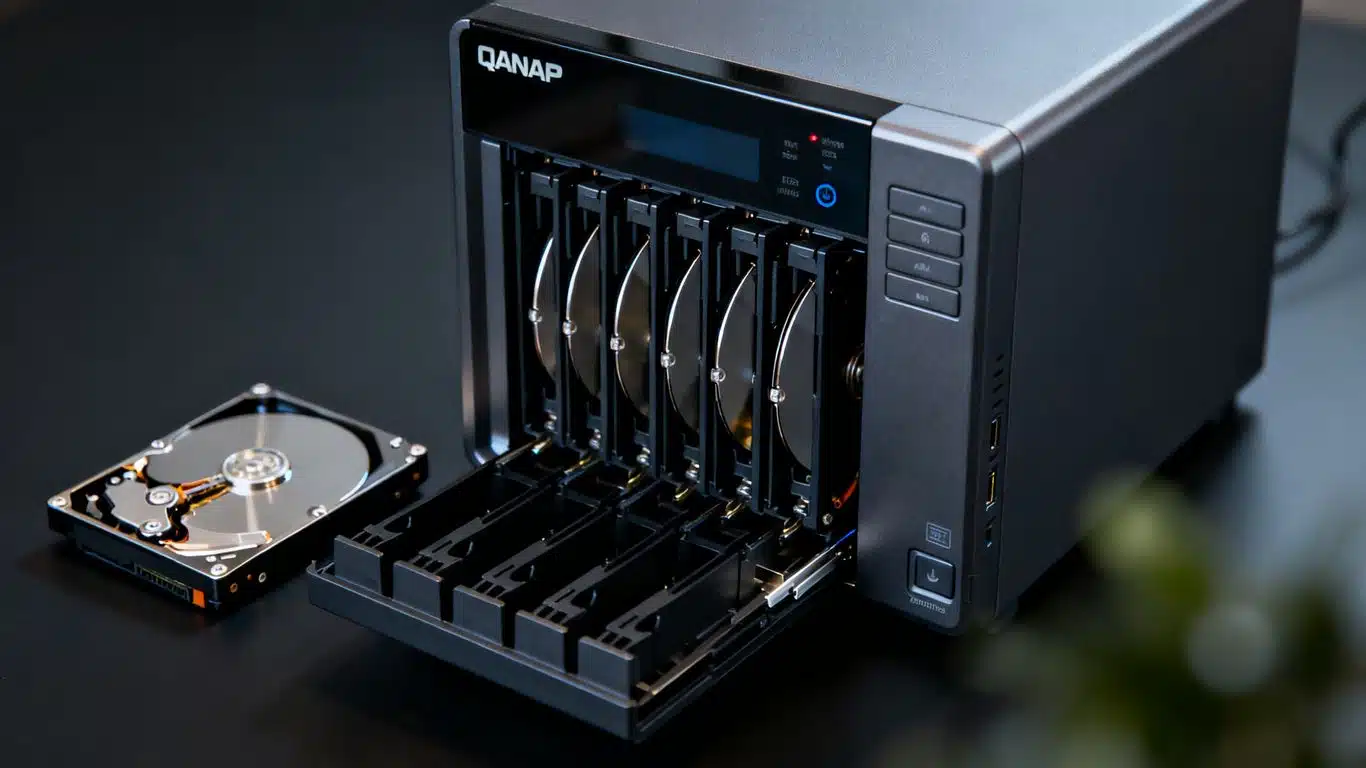
QNAP Server RAID 6 Data Recovery Case Study Summary
- Device: QNAP server with eight Seagate 10TB hard drives and four 50GB SATA SSDs
- Problem: After a firmware update, drives 1, 3, and 4 became inaccessible. RAID 6 group could not rebuild. Five of eight hard drives showed bad SMART status. Two of four SSDs completely dead
- Diagnosis: Dead SSDs were causing system-wide instability and crashes. SSDs configured as RAID 10 mirror for OS only (no client files). Five hard drives had sector reallocation warnings
- Solution: Excluded SSDs from recovery. Cloned all five hard drives with SMART warnings to healthy donor drives using DeepSpar Disk Imagers (5 days). Rebuilt RAID from cloned and healthy drives
- Outcome: All data recovered including software installations, calibration files, project data, and backup scripts
- Service: RAID and NAS Data Recovery
A QNAP server containing eight Seagate 10TB hard drives and four 50GB SATA SSDs lost access to critical business data after a firmware update. The RAID 6 group could not rebuild, and the server held years of software installations, calibration files, project backups, and scripts. This QNAP server RAID 6 data recovery case study documents one of the most complex recovery jobs handled by Payam Data Recovery, involving dead SSDs crashing the workstation, five hard drives with SMART failures, and a 5-day cloning operation before the RAID could finally be rebuilt.
This QNAP server RAID 6 data recovery case study highlights the kind of persistent troubleshooting required when dealing with multi-drive server environments. When dead SSDs caused the recovery workstation to freeze repeatedly, the data recovery engineer had to systematically isolate the problem, clone five failing drives, and rebuild the array from scratch. Based in Australia, Payam Data Recovery also handles complex RAID and NAS recovery cases from the USA, New Zealand, UK, and worldwide.
The Problem: QNAP Server RAID 6 Failure After Firmware Update
The client’s QNAP server had a mixed configuration of eight Seagate 10TB hard drives and four 50GB SATA SSDs. After a firmware update, drives 1, 3, and 4 became inaccessible, preventing the RAID 6 group from rebuilding. This server held critical business data including software installations, calibration files, project backups, and scripts representing years of work.
When the server arrived at Payam Data Recovery, the data recovery engineer began by testing each hard drive and SSD using the Atola Insight Forensic tool. The results were concerning: five of the eight hard drives came back with bad SMART status, specifically with warnings about sector reallocation. The SSDs were even worse. Two of the four were not detected at all. Completely dead.
This QNAP server RAID 6 data recovery case study was already shaping up to be one of the most challenging RAID recoveries the team had faced.
The Freezing System: Dead SSDs Causing Workstation Crashes
The data recovery engineer connected all the drives, both hard drives and SSDs, to the recovery workstation and checked Windows Device Manager to see if the drives were recognised. But something was wrong. Everything started freezing and locking up. The drives were not being detected at all, and the entire system was unresponsive.
He started troubleshooting. He removed some of the failed drives. Still freezing. He powered off, powered back on, and connected just the SSDs. Same problem. The two dead SSDs were causing the chaos.
After checking the two working SSDs with WinHex, the data recovery engineer discovered they were configured as a RAID 10 mirror and appeared to only be used for the operating system (C drive). No actual client files were stored on them. He made the call to leave the SSDs out entirely. This was a turning point in this QNAP server RAID 6 data recovery case study.
QNAP Server RAID 6 Data Recovery Case Study: The Rebuild Challenge
Even without the SSDs, there was still a problem. No matter what combination of hard drives the data recovery engineer tried, the computer would not stay stable long enough to analyse the RAID. He could not even confirm if it was RAID 6, RAID 5, or another configuration.
This is a critical point in this QNAP server RAID 6 data recovery case study. Five of the eight hard drives had SMART warnings about sector reallocation. These failing drives were causing instability even on the professional workstation, making it impossible to analyse or rebuild the array.
The Cloning Solution: 5 Days of DeepSpar Imaging
The data recovery engineer made a decision: clone all five hard drives with SMART warnings to healthy donor drives first, then try again. This is a standard professional approach when drives are showing errors, as it creates a stable copy to work from without risking further degradation of the original drives.
He connected them to his DeepSpar Disk Imagers and started the cloning process. Given the size of the drives (10TB each) and the number of bad sectors, the cloning operation took 5 days to complete all five drives.
Professional hardware imaging tools like the DeepSpar are essential for this kind of work. They use multiple passes with custom algorithms and special timeouts to safely extract data without stressing the failing drive heads, the same approach described in our hard drive data recovery service.
QNAP Server RAID 6 Data Recovery Case Study Results
With the clones ready, the data recovery engineer connected the five cloned drives along with the three original healthy drives to the workstation. This time, there were no freezing issues or system lockups. Everything was detected perfectly.
With a stable environment, the RAID was successfully rebuilt. All the files were visible, and the data could be copied to a destination drive. The recovered data included the crucial software installations, calibration files, project data, and backup scripts.
The customer received a complete file listing and video preview. Once approved, all the data was posted back to them the next day. This QNAP server RAID 6 data recovery case study was completed successfully despite multiple obstacles: dead SSDs, five failing hard drives, system crashes, and an uncertain RAID configuration.
Why Professional QNAP Server RAID 6 Data Recovery Matters
This QNAP server RAID 6 data recovery case study demonstrates several critical points about server and NAS recovery:
1. Dead components can crash recovery systems. The two dead SSDs caused the professional workstation to freeze and lock up. Without systematic troubleshooting to isolate the problem, the recovery could not have proceeded.
2. SMART warnings require cloning before analysis. Five drives with sector reallocation warnings made the array too unstable to analyse directly. Cloning to healthy donor drives first created a stable working environment.
3. Mixed configurations add complexity. The combination of hard drives (RAID 6) and SSDs (RAID 10 for OS) required the data recovery engineer to understand the configuration before deciding which components were needed for recovery.
4. Persistence is essential. As this case study shows, even data recovery experts encounter situations where their own systems crash. The key is systematic troubleshooting: isolating problems, cloning failing drives, and rebuilding from stable copies.
Professional RAID and NAS data recovery at Payam Data Recovery uses industry-leading equipment including the Ace Lab PC-3000, DeepSpar Disk Imagers, Atola Insight Forensic, and a Class 100 cleanroom for mechanical work when head replacement is required. Over 2,000 IT companies and computer repair businesses across Australia trust Payam with their most difficult cases.
RAID and NAS Server Data Recovery Assessment
If you are facing a situation similar to this QNAP server RAID 6 data recovery case study, RAID and NAS data recovery at Payam Data Recovery starts with a free assessment and quote with no obligation. For urgent situations, we also offer an urgent assessment option to prioritise your case immediately.
RAID and NAS recovery pricing depends on the number of drives, RAID level, and complexity of the failure. The Economy service typically falls in the $1,000 to $5,000 range, with Priority and Emergency tiers available for faster turnaround. Complex cases involving multiple failed drives or extensive cloning may be priced higher. Every case is assessed individually, and you receive a detailed quote before any work begins.
Three service tiers are available:
- Economy: Best value, standard turnaround
- Priority: Faster turnaround, moves ahead of the Economy queue
- Emergency: Fastest possible, after-hours and weekends if needed
All prices include GST and free return postage.
Payam Data Recovery handles all RAID configurations (RAID 0, 1, 5, 6, 10, 50, 60) and all NAS brands including QNAP, Synology, Western Digital, Buffalo, Netgear, Drobo, ASUSTOR, TerraMaster, Seagate, and all others.
Payam Data Recovery serves customers across Australia with laboratories in Sydney, Melbourne, and Brisbane, plus secure drop-off points in Perth and Adelaide with free shipping both ways. We also welcome international customers from the USA, New Zealand, UK, and worldwide. If anyone can recover your data, it’s us. Nobody will try harder or invest more expertise into your case.
Frequently Asked Questions: QNAP Server RAID Recovery
Can data be recovered from a QNAP server after a failed firmware update?
Yes. In this QNAP server RAID 6 data recovery case study, all data was recovered after a firmware update caused drives 1, 3, and 4 to become inaccessible and the RAID 6 group could not rebuild. The recovery required cloning five failing drives and rebuilding the array from stable copies.
What happens when RAID drives show bad SMART status?
SMART (Self-Monitoring, Analysis, and Reporting Technology) warnings about sector reallocation indicate the drives are developing bad sectors and failing. In this case study, five of eight drives had bad SMART status. Professional recovery involves cloning these drives to healthy donors first to create a stable working environment, then rebuilding the RAID from the clones.
Why did the dead SSDs crash the recovery workstation?
Completely dead SSDs can cause a computer to hang when the system tries to communicate with them. The operating system repeatedly attempts to detect and read the drives, which locks up the entire system. In this case study, the two dead SSDs had to be excluded from the recovery process entirely, as they only contained the NAS operating system and no client files.
How much does QNAP NAS RAID recovery cost in Australia?
RAID and NAS recovery at Payam Data Recovery is priced based on the number of failed drives, RAID level, and complexity. The Economy service typically falls in the $1,000 to $5,000 range, with Priority and Emergency options available for faster turnaround. Complex cases may be priced higher. We offer a free assessment and quote with no obligation, or an urgent assessment option for time-critical situations. All prices include GST and free return postage.
How long does QNAP server RAID recovery take?
Recovery time varies depending on the number of drives, their condition, and the RAID configuration. In this case study, cloning five 10TB drives took 5 days, followed by the RAID rebuild and data extraction. Turnaround options include Economy (3 to 4 weeks), Priority (1 to 2 weeks), and Emergency (2 to 6 days).
What RAID configurations does Payam Data Recovery support?
Payam Data Recovery handles all RAID configurations including RAID 0, RAID 1, RAID 5, RAID 6, RAID 10, RAID 50, RAID 60, and custom or proprietary configurations used by NAS manufacturers. The team also recovers data from hybrid setups combining hard drives and SSDs, as demonstrated in this case study.
Should I attempt to rebuild my QNAP RAID myself?
No. Attempting to rebuild a degraded RAID array can overwrite data and make recovery impossible. Do not reinitialise the array, install a new firmware update, or replace drives without professional guidance. Send all drives to a professional data recovery company in their current state. If your QNAP shows degraded or failed status, power it down and contact a professional immediately.
What NAS brands does Payam Data Recovery support?
Payam Data Recovery recovers data from all NAS brands including QNAP, Synology, Western Digital (My Cloud), Buffalo, Netgear (ReadyNAS), Drobo, ASUSTOR, TerraMaster, Seagate, LaCie, Thecus, D-Link, Promise Technology, and all others. All RAID levels and configurations are supported.
What tools does Payam use for RAID recovery?
Payam Data Recovery uses the Ace Lab PC-3000 for firmware-level access, DeepSpar Disk Imagers for hardware-based cloning of failing drives, Atola Insight Forensic for drive diagnostics, and professional RAID reconstruction software. A Class 100 cleanroom is available for drives requiring head replacement.
Does Payam Data Recovery accept RAID cases from outside Australia?
Yes. While based in Australia, Payam Data Recovery regularly handles complex RAID and NAS recovery cases from the USA, New Zealand, UK, and worldwide. Contact us at help@payam.com.au or call 1300 444 800 to discuss your case.
About Payam Data Recovery
Payam Data Recovery is Australia’s longest-established data recovery company, founded in 1998 with over 150,000 successful recoveries completed. The company is trusted by over 2,000 IT professionals and computer repair businesses across Australia who send their most difficult cases, including complex RAID and NAS server recoveries like this QNAP server RAID 6 data recovery case study.
With full-service laboratories in Sydney (including the head office and main specialised lab in Rhodes, NSW), Melbourne, and Brisbane, plus secure drop-off points in Perth and Adelaide with free shipping both ways, Payam Data Recovery serves customers across Australia and internationally. All recovery work is performed in Australia and is never outsourced overseas.
For RAID and NAS recoveries, the team uses the Ace Lab PC-3000, DeepSpar Disk Imagers, Atola Insight Forensic imagers, and a Class 100 cleanroom for mechanical work. This QNAP server RAID 6 data recovery case study is one example of the complex server recoveries completed by the team. Everything is done here in Australia. We never outsource overseas.
Is Your QNAP, Synology, or NAS Server Down? We Can Help.
RAID array failed after a firmware update? Drives showing degraded status? Multiple drives failing? NAS not accessible? Do not attempt to rebuild the array yourself. Power down the NAS and contact Payam Data Recovery for a free assessment.
RAID and NAS recovery: Free assessment and quote with no obligation, or urgent assessment for time-critical cases. Economy service typically $1,000 to $5,000, with Priority and Emergency options for faster turnaround. Complex cases assessed individually.
All NAS brands supported: QNAP, Synology, Western Digital, Buffalo, Netgear, Drobo, ASUSTOR, TerraMaster, Seagate, and all others. All RAID levels: 0, 1, 5, 6, 10, 50, 60.
Based in Australia. International customers welcome. Over 2,000 IT companies across Australia trust us with their toughest cases. If anyone can recover your data, it’s us.
Submit your RAID or NAS for recovery | Phone: 1300 444 800 | Email: help@payam.com.au
Related RAID and NAS Data Recovery Case Studies
- 16-Drive RAID Recovery Case Study
- Seagate Personal Cloud NAS Recovery Case Study
- How to Fix a Clicking Hard Drive Case Study
Video Transcript: QNAP Server RAID 6 Data Recovery Case Study
Hey, it’s Mike back at Payam Data Recovery meeting with Payam Toloo. Today he’s working on a tricky one. Eight Seagate 10TB hard drives and four 50GB SATA SSDs from a QNAP server.
Payam starts by reading the client’s notes. After a firmware update, the QNAP lost access to drives 1, 3, and 4. The NAS couldn’t rebuild the RAID 6 group. This server held critical business data, software installations, calibration files, project backups, scripts, years of work.
He tested each hard drive and SSD using the Atola Insight Forensic tool. Five of the eight hard drives came back with bad SMART status, warnings about sector reallocation. Not good. And the SSDs, two of the four weren’t detected at all. Completely dead.
Payam wasn’t sure how the SSDs and hard drives work together in this setup, but he was curious to find out. So, he connected everything to his data recovery workstation, hard drives and SSDs, then checked Windows Device Manager to see if the drives were recognised. But something was wrong. Everything started freezing, locking up. The drives weren’t being detected at all. His whole system was unresponsive.
Payam started troubleshooting. He removed some of the failed drives. Still freezing. He powered off, powered back on, connected just the SSDs. Same problem. The two dead SSDs were causing chaos.
After checking the two working SSDs with WinHex, Payam discovered they were configured as a RAID 10 mirror and appeared to only be used for C. No actual files stored on them. So, he made the call to leave the SSDs out entirely.
But there was still a problem. No matter what the combination he tried, his computer wouldn’t stay stable long enough to analyse the RAID. He couldn’t even confirm if it was RAID 6, RAID 5, or something else.
So, Payam made a decision. Clone all five drives with SMART warnings to healthy donor drives first, then try again. He connected them to his DeepSpar Disk Imagers and started the cloning process. 5 days later, all five drives were successfully cloned.
Payam connected the cloned drives along with the three healthy originals to his workstation. This time, no freezing, no lockups, everything detected perfectly. He was able to rebuild the RAID, see all the files, and start saving everything to a destination drive. Software installations, calibration files, project data, backup scripts, all there.
The customer will soon receive an email and SMS with a complete file listing and video preview. If everything looks good, it all gets posted back to them the next day.
This case study shows that even data recovery experts get stuck. When Payam’s own computer kept crashing, he didn’t give up. He kept troubleshooting until he found a solution. If you’ve got a failed RAID that someone else has given up on, give Payam Data Recovery a call.