

Case Study Summary
- Device: Apple iMac M4 (model M4A 3137)
- Fault: Completely dead, no power, no signs of life
- Challenge: No schematics available; SSD soldered to logic board
- Diagnosis: Blown capacitor near camera module causing a short on a power line
- Solution: Capacitor replacement at component level using infrared camera and microscope
- Outcome: Full data recovery completed; all data transferred to customer’s drive
- Service: iMac Data Recovery
When an iMac M4 arrived at Payam Data Recovery’s Sydney laboratory with no power and no signs of life, the team faced a challenge that most data recovery companies would walk away from. The device was completely dead, no schematics existed for the model, and standard diagnostics were getting nowhere. This iMac M4 data recovery case study shows how component-level fault finding, persistence, and specialist equipment made a full recovery possible when every other avenue had failed.
The Problem: A Completely Dead iMac M4 with No Schematics
The iMac M4 (model M4A 3137) arrived with absolutely no power and no response of any kind. What makes this type of iMac data recovery so demanding is the machine’s all-in-one design. Unlike older computers where a hard drive or SSD can simply be removed and worked on separately, the iMac M4’s SSD is soldered directly onto the logic board. There is no way to extract it. The only path to the data is to repair the computer itself.
This is work that even Apple does not typically perform. Very few companies anywhere in the world are equipped to carry out this level of component repair. Standard data recovery tools and techniques simply do not apply here.
To compound the difficulty, no schematics were available for this specific model. The team would need to rely entirely on experience and specialised diagnostic equipment.
The iMac M4 Data Recovery Process
The first step was carefully removing the ultra-thin front panel, a delicate process where one wrong move could crack the glass and render the machine unusable. From there, the technician removed the motherboard, working through a maze of screws and tiny components.
Initial diagnostics confirmed the problem immediately: no voltage at all from the power source. With no schematics to reference, the technician began tracing the power lines manually, looking for any shorts. A small voltage was injected in an attempt to locate the fault. It did not work. After many repeated attempts, the case came close to being deemed unrecoverable.
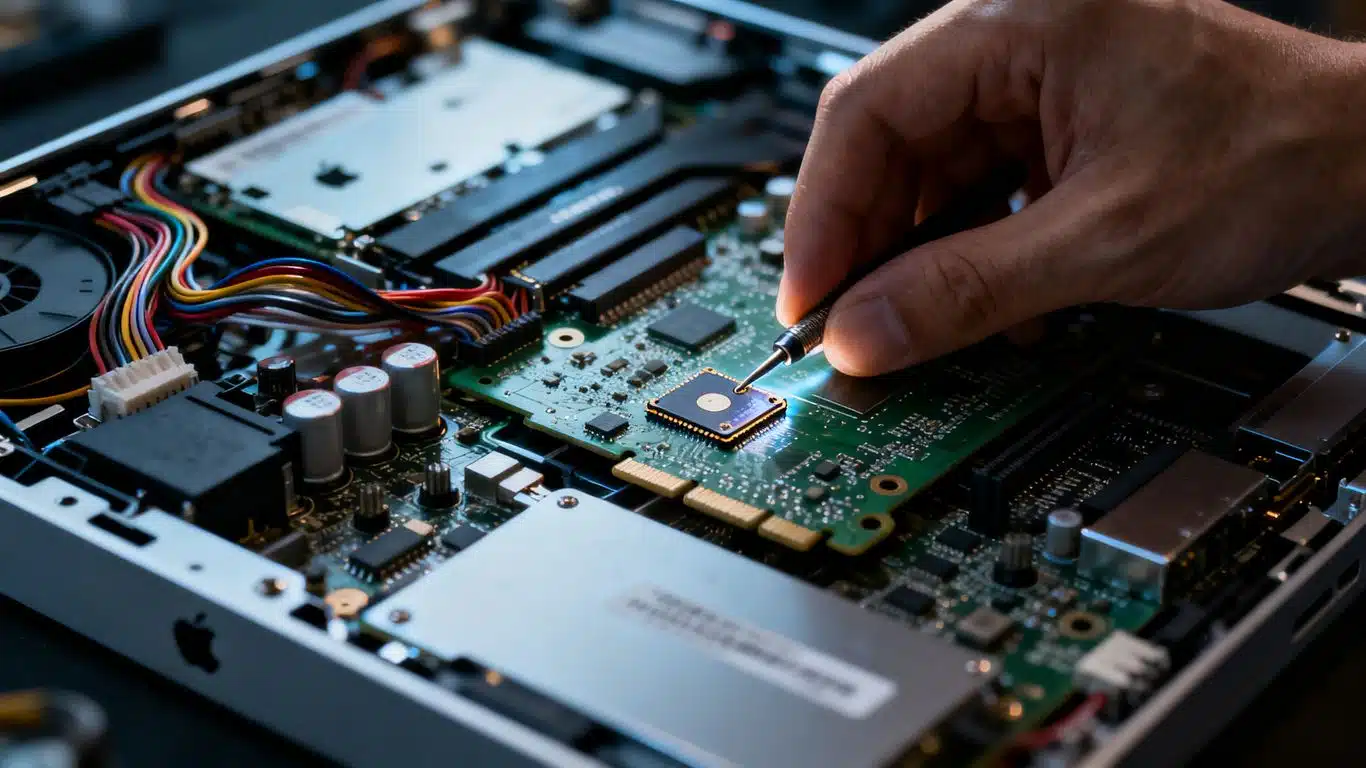
Then a second short was identified on another power line. Under an infrared camera and microscope, the technician found a tiny capacitor near the camera module. It had a small blown hole on its side, almost impossible to see with the naked eye. The capacitor was replaced.
The iMac powered straight back on.
With the machine running, all data was backed up to an internal backup drive at the Payam Data Recovery laboratory, then transferred across to the customer’s own drive, completing the recovery. Payam recommends that customers whose machines have been repaired at component level return the device to Apple for a logic board replacement to ensure a lasting fix.
iMac M4 Data Recovery Results
A complete data recovery was achieved. All data was transferred to the customer’s own drive. The case was resolved despite the absence of schematics for the device and the failure of standard diagnostic approaches. The critical fault, a blown capacitor near the camera module, was identified through infrared imaging and microscope inspection, and corrected at the component level.

Why Professional iMac Data Recovery Matters
The iMac M series represents some of the most challenging data recovery scenarios in the industry. Because the SSD is integrated directly into the logic board, there is no shortcut. Software tools, generic repair shops, and DIY approaches cannot access the data. Any attempt to power on a faulty unit without proper fault analysis risks causing further, sometimes irreversible, damage to the storage chips themselves.
Payam Data Recovery’s team performs component-level logic board diagnostics using professional microsoldering stations, infrared cameras, and advanced diagnostic tools. They also handle data recovery from MacBook and MacBook Pro models with onboard SSDs, as well as Dell, HP, and Microsoft Surface devices with soldered storage.
For a detailed overview of how these failures happen and what options are available, the logic board architecture of modern Apple devices is worth understanding before making any decisions.
iMac Data Recovery Pricing and Services
Payam Data Recovery offers a free assessment and quote for all iMac data recovery jobs, with no obligation before work begins. Economy service pricing for iMac recovery ranges from $375 to $2,000 depending on the fault, with Priority and Emergency services available for faster turnaround. For a complex case like this one, involving component-level logic board fault finding and repair with no schematics available, the Economy service cost was $1,500. All prices are in Australian dollars and include GST.
Payam Data Recovery also handles iMac Fusion Drive recovery, where the HDD and SSD components of a Fusion Drive must be recovered and reconstructed together. See the iMac Fusion Drive recovery case study for an example.
All recovery work is performed at Payam’s laboratories in Australia. The company never outsources overseas. International customers are welcome to send their devices for assessment.
Devices covered include all iMac models, MacBook, MacBook Pro, MacBook Air, and computers from other manufacturers with onboard or soldered SSDs, including Dell, HP, and Microsoft Surface.
Frequently Asked Questions: iMac M4 Data Recovery
Can data be recovered from a completely dead iMac M4?
Yes, as this case study shows. Even with no schematics available and no voltage from the power source, a complete recovery was achieved through component-level fault finding and repair of a blown capacitor.
Why can’t I just remove the SSD from an iMac M4?
The iMac M4 uses an all-in-one design where the SSD is soldered directly onto the logic board. It cannot be removed and worked on separately. The only way to access the data is to repair the logic board itself so the machine can power on.
Does Apple offer this type of data recovery?
Apple does not typically perform component-level logic board repairs for data recovery purposes. In most cases, Apple will replace the logic board or the entire unit, which results in data loss. Specialist companies like Payam Data Recovery focus specifically on recovering the data through board-level repair.
What tools are used for iMac logic board data recovery?
The team uses professional microsoldering stations, infrared cameras, microscopes, and advanced diagnostic tools. In this case study, the infrared camera was critical in identifying the blown capacitor that was causing the short on the power line.
How much does iMac data recovery cost in Australia?
Payam Data Recovery provides a free assessment and quote before any work begins. Economy service for iMac recovery ranges from $375 to $2,000 depending on the fault. Priority and Emergency services are available for faster turnaround at higher price points. For a complex case like this one, involving component-level fault finding with no schematics available, the Economy service cost was $1,500. All prices are in Australian dollars and include GST.
How long does iMac M4 data recovery take?
Turnaround depends on the service tier selected. Economy takes approximately 3 to 4 weeks, Priority approximately 7 to 10 days, and Emergency approximately 3 to 4 days. After-hours and weekend work is available for Emergency cases if needed.
Is it safe to try to repair a dead iMac myself before sending it for data recovery?
No. Attempting to power on a faulty logic board without proper fault analysis, or attempting DIY board-level repairs, risks causing additional and potentially irreversible damage to the storage chips. It is always safer to send the device for professional assessment first.
Can Payam Data Recovery help with other Apple devices with onboard SSDs?
Yes. The same component-level repair expertise applies to MacBook, MacBook Pro, MacBook Air, and iMac models across all generations, including T2 and M-series chips. The team also handles Dell, HP, and Microsoft Surface devices with soldered storage.
What happens after the data is recovered?
Once the data is safely recovered and transferred to the customer’s own drive, Payam recommends returning the iMac to Apple or an authorised service provider for a permanent logic board replacement. The component repair performed for data recovery purposes is not intended as a permanent fix for the machine.
About Payam Data Recovery
Payam Data Recovery was founded in 1998 and has completed over 150,000 successful recoveries across Australia and internationally. The company operates full-service laboratories in Sydney CBD, Rhodes NSW (head office and main specialised lab), Melbourne CBD, and Brisbane CBD. Secure drop-off points are available in Adelaide and Perth, with free shipping both ways to the Rhodes laboratory.
All work is performed in Australia. Payam never outsources overseas. The team uses professional microsoldering stations, infrared cameras, advanced diagnostic tools, and specialised software for Apple T2 and M-series chips. For hard drive cases, a Class 100 cleanroom facility is available on-site with over 20,000 donor parts held in-house.
For complex cases involving iMac data recovery, MacBook recovery, or any device with soldered storage, Payam’s team of specialists has the equipment and experience to recover data when no other option remains. International customers are welcome.
Request a Free iMac Data Recovery Assessment
If your iMac has no power, will not boot, or shows signs of logic board failure, Payam Data Recovery can help. We start with a free assessment to identify the exact fault and provide a firm quote before any work begins. No obligation.
Pricing: Economy service ranges from $375 to $2,000 depending on fault type, with Priority and Emergency options available for faster turnaround. For a complex case like this one, the Economy service cost was $1,500. All prices are in Australian dollars and include GST.
We recover data from all iMac models, MacBook, MacBook Pro, MacBook Air, and other computers with soldered or onboard SSDs, including Dell, HP, and Microsoft Surface. International customers welcome.
Everything is done here in Australia. We never outsource overseas. If anyone can recover your data, it’s us.
Ready to send your device? Submit a job online
Phone: 1300 444 800 | Email: help@payam.com.au
Related Case Studies
- iMac Fusion Drive Data Recovery Case Study
- MacBook Liquid Damage Data Recovery Case Study
- MacBook Pro Power Management IC Failure Case Study (Melbourne)
Video Transcript
Hey, it’s Mike at Payam Data Recovery with data recovery specialist, looking at a case study that required some serious detective work. This is an iMac M4 data recovery case study showing how Payam Data Recovery in Sydney, Australia recovered data from a completely dead iMac when no schematics were available and standard diagnostics failed.
A customer sent in their iMac M4, model M4A 3137, which was completely dead on arrival. No power, no signs of life. Here’s what makes these cases so difficult. Unlike traditional data recovery, where you can remove a hard