

Published 7 June 2026. Updated 25 October 2026.
Client: Fernando, a commercial property management business owner in Gladesville, NSW
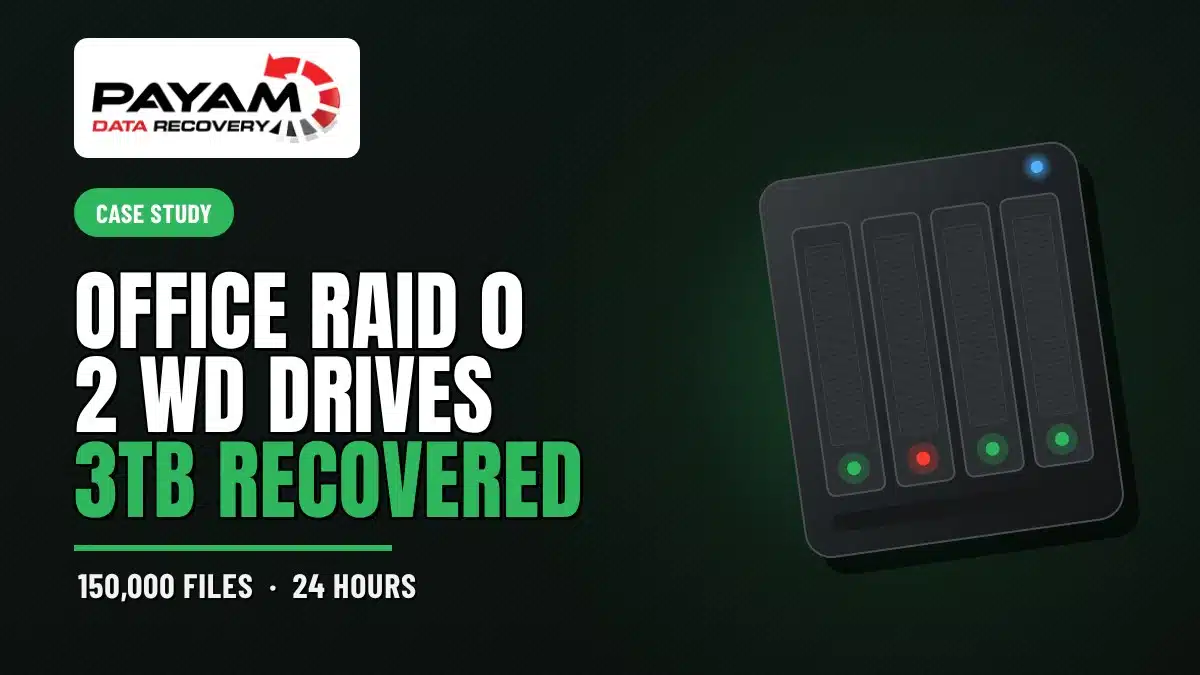
Device: Two Western Digital 3TB drives in a RAID 0 striped array (5.6TB volume) running the office network
Problem: The array stopped working. A previous recovery company had returned only partial data, empty folders, and corrupted files, and the last backup was over five years old
Solution: Full hardware clones of both drives on a DeepSpar Disk Imager, then the RAID 0 rebuild and recovery run on the clones rather than the failing originals
Outcome: Over 3TB recovered in good condition, including roughly 50,000 documents, 20,000 photos, and 80,000 other business files, all in about 24 hours
Service: RAID and NAS data recovery
A Whole Office Running on Two Striped Drives
Fernando runs a commercial property management business in Gladesville, and his entire office network ran off a single RAID 0 array: two Western Digital 3TB drives striped together into one 5.6TB volume. One drive carried the staff documents and user folders. The other held the business database and the CRM records the office depends on every day. When the array stopped, so did the business. To make it worse, the last backup was more than five years old, and another lab had already failed to get the data back. This is the kind of RAID 0 data recovery case that arrives with a lot of pressure attached.
The Problem: No Backup, and a Failed First Attempt
Before the drives reached us, Fernando had sent them to another data recovery company. They kept the drives for three weeks and handed back a mess: partial data, empty folders, and corrupted files. For a working office that is almost as bad as getting nothing, because you cannot trust what you do have. The reason RAID 0 hurts so much in this situation is simple. There is no redundancy in a stripe. Every file is split across both drives, so neither disk holds a complete copy of anything on its own. If one drive starts failing, the whole volume is at risk.
The RAID 0 Data Recovery Process
When the drives landed on the bench in our Sydney lab, our data recovery engineer loaded both into a workstation and opened UFS Explorer to read the array. It came up as a 5.6TB RAID 0 striped volume across the pair, exactly as expected. About two hours into reading, the files were saving far too slowly, which is a warning sign that a drive is struggling. Our data recovery engineer stopped right there rather than push on.
The drives then went onto an Atola Insight Forensic unit for a proper health check. One of them failed its SMART assessment, throwing read errors and running about 20% below normal speed. These were entry-level Western Digital drives, never built for the demands of a server, and they had worn out. Continuing the recovery directly on hardware in that state would have produced the same missing and corrupted files Fernando got the first time. That is almost certainly what happened at the previous lab.
Cloning First: Why It Changed the Outcome
Instead of working the failing originals, our data recovery engineer moved both drives to a DeepSpar Disk Imager and produced full hardware clones, imaged 100% with no skipped sectors. A sector-by-sector clone pulls everything it can from the weak drive while it still responds, then all the heavy reading happens on the copies. With both clones in hand, the RAID 0 rebuild and the RAID 0 data recovery were repeated on the imaged drives. This time the volume read cleanly.
RAID 0 Data Recovery Results
The recovery came back complete. Over 3TB of data was returned in good working condition: roughly 50,000 documents, 20,000 photos, and another 80,000 business files including the database and CRM records. From the moment the drives arrived to the moment the recovered data was ready to go back, the whole job took about 24 hours. Fernando got the office running again on data he had been told was unrecoverable.
Why Professional RAID 0 Data Recovery Matters
RAID 0 is the least forgiving array there is. With no parity and no mirror, a single failing drive can take down the entire volume, and the recovery only works if both members are read carefully and rebuilt with the correct stripe parameters. Running consumer software against failing drives, or letting a slow read drag on, tends to finish off a marginal drive and scatter corruption through the result. The safest first move on any failing array is to stop using it and clone the members before anything else. As Payam Toloo, who has been recovering data since 1998, puts it to stressed customers, “your problem is now my problem and we’ll get you out of a jam.”
Why People Choose Payam Data Recovery
When a RAID, NAS or server fails, the array has to be rebuilt correctly the first time, without putting the original drives at further risk. That is the work we do every day.
- We are a specialist data recovery lab, not an IT support company. We have been recovering data since 1998, from over 300,000 devices.
- Over 2,000 IT companies and computer shops across Australia send us their customers’ complex cases, and data recovery labs and IT companies in more than 50 countries have sent us their difficult cases over the past ten years.
- Every drive is tested and cloned first on professional tools such as Atola Insight Forensic, the PC-3000 and the DeepSpar Disk Imager, and the RAID is rebuilt from the clones. A drive that needs a head swap is opened in our ISO 5 certified laminar flow cabinet, with over 30,000 donor parts in-house, including around 20,000 donor hard drives.
- Emergency service for businesses. Many of our business and IT customers choose it, because every day a server is offline usually costs more than the difference in price. 24/7 emergency service is available as a premium option on 0404 872 926.
- Your data stays private. Our data recovery engineers open only a few random, non-sensitive files to check the recovery worked, and we will sign your NDA on request.
- See your files before you pay. You tell us which files matter most. Before you pay for the recovery, we’ll send you a list of your recovered files so you can check them. If any of the files you listed are missing, tell us and we’ll search again.
- Pay by Visa, Mastercard, American Express, Apple Pay, Google Pay, Link or PayPal, split the cost with Afterpay, Zip, Klarna or PayPal Pay in 4, or pay by bank deposit (EFT).
- Rated 4.9 from over 2,400 Google reviews.
We are not the cheapest. We are the best in Australia at this work. We know what to do, how to do it, and we will do our very best for you. Your best chance of getting your data back is with us.
RAID and Server Data Recovery Pricing and Services
Every RAID, NAS, and server case starts with a free assessment and a written quote, and you decide whether to proceed once you have it. Nothing chargeable happens until the terms are agreed in writing. The price of RAID and server recovery depends on the number of drives, the array type, and the condition of the members, and current prices are on our RAID and NAS data recovery page. RAID 0 recovery like Fernando’s carries a non-refundable attempt fee. That fee is agreed up front and forms part of the total quote. It is never an extra charge added on top.
We handle every common configuration, including RAID 0, RAID 1, RAID 5, RAID 6, and RAID 10, along with NAS units and enterprise servers from every major brand. Everything is done here in Australia. We never outsource overseas, and international customers are welcome, and return delivery is free after a paid recovery.
Frequently Asked Questions
Can data be recovered from a failed RAID 0 array?
Often yes, even though RAID 0 has no redundancy. As long as both drives can be read, the stripe can be rebuilt and the files reassembled. The key is reading carefully and not pushing a failing drive, which is exactly what saved Fernando’s data.
Why is RAID 0 so risky compared with other RAID levels?
RAID 0 splits every file across both drives for speed, with no mirror and no parity. If either drive fails, no complete files remain on the survivor. RAID 1, 5, 6, and 10 all build in some protection. RAID 0 builds in none.
Another company already tried and gave me corrupted files. Can you still help?
In many cases, yes. A failed first attempt often means the array was read directly on failing hardware. Cloning the drives first and rebuilding from the images frequently produces a clean result where the first attempt did not.
Why do you clone the drives before recovering the data?
A failing drive has a limited number of good reads left. Imaging it sector by sector captures everything possible while the drive still responds, then all further work happens on the copies, so the originals are never put at more risk.
My drives are entry-level, not server drives. Does that matter?
It often does. Desktop-class drives used in a server or always-on network role tend to wear out faster than the workload expects. That was a factor here, and it is a common reason small business arrays fail.
How much does RAID 0 data recovery cost in Australia?
The price of RAID and server recovery depends on the array and drive condition. We offer a free assessment and a free written quote. The quote explains the cost, the attempt fee, your chances of success and the time involved, for your approval before we start. RAID 0 recovery carries a non-refundable attempt fee, which is part of the total quoted price, not an extra on top. You pay it to begin, and the balance only if we recover your data.
How long does a RAID recovery take?
It depends on the array size and drive health. Fernando’s two-drive RAID 0 went from assessment to recovered data in about 24 hours. Larger or more damaged arrays take longer, and we confirm a realistic timeframe with your quote.
I am outside Australia. Can you help?
Yes. International customers are a regular part of our work. Get in touch and we will arrange shipping and the assessment. The easiest way for an international customer to reach us is by email at help@payam.com.au, which works in every time zone.
About Payam Data Recovery
Payam Data Recovery has been recovering data in Australia since 1998, with more than 300,000 devices recovered behind us. We run our own ISO 5 certified laminar flow cabinet and labs in Sydney and Rhodes NSW, Melbourne, and Brisbane, with secure drop-off offices in Adelaide and Perth, which send your device to our lab in Rhodes, NSW at no cost. For drive and array work we use professional equipment including the Ace Lab PC-3000, the DeepSpar Disk Imager, and the Atola Insight Forensic, alongside UFS Explorer for array rebuilds. Every case is handled in our own labs. We never send your drives overseas. You can read more about our team and history on our about page.
Request a Free RAID Data Recovery Assessment
Has your RAID array, NAS, or server gone down, or has another lab handed back corrupted files? Before you write the data off, let us assess it.
Every RAID and server recovery comes with a written quote after a free assessment. We handle RAID 0, 1, 5, 6, and 10, NAS units, and enterprise servers from every major brand. International customers are welcome.
RAID Data Recovery Service
Get a Free Quote
Ready to send it in? You can submit a new job online in a couple of minutes.
Phone: 1300 444 800 | Email: help@payam.com.au
Related Case Studies
- RAID 5 recovery after a dual drive failure in Sydney
- 16-drive enterprise RAID recovery
- QNAP server RAID 6 data recovery
- VMware ESXi server case study
- Western Digital PCB repair case study
- 49,500 photos recovered case study
Video Transcript
I’m Mike, and today I’m in Sydney, Australia at the head office of Payam Data Recovery, one of the country’s most experienced data recovery labs. I’m here to meet Payam Toloo, the owner, who has been recovering data professionally since 1998 with labs in Sydney, Melbourne, and Brisbane. He’s invited me behind the scenes to walk through a real RAID case that landed on his desk today, from initial diagnosis through to a fully recovered drive returned to the client.
The drives belong to Fernando, who runs a commercial property management business in Gladesville, New South Wales. Two Western Digital 3TB drives configured as a RAID 0 array powered his entire office network. One held all the staff documents and user folders. The other held the business database and CRM records. The last backup was over five years old, and another data recovery company had already had the drives for three weeks, returning partial data, empty folders, and corrupted files. Fernando came to Payam hoping for a better result.
After loading them into his workstation and opening UFS Explorer, he spotted a 5.6TB RAID 0 striped volume across the pair. In a RAID 0 array, every file is split between two drives, so neither disk holds complete files on its own. You need both working together to read anything at all. But two hours in, the files were saving far too slowly. He stopped immediately and moved the drives to his Atola Insight Forensic unit. One drive failed its SMART health check, showing read errors and reading 20% below normal speed. These were cheap entry-level drives, never built for server work, simply worn out and starting to fail. Pushing on would have meant missing data and corrupted files, exactly what Fernando had received the first time.
Instead, Payam moved both drives to his DeepSpar Disk Imager and produced full hardware clones, 100% imaged with no skipped sectors. He repeated the recovery on the clones, and this time everything came back cleanly. Over 3TB of data: 50,000 documents, 20,000 photos, and 80,000 more critical business files, all recovered in good working condition. From start to finish, 24 hours.
As Payam likes to tell stressed customers, your problem is now my problem and we’ll get you out of a jam. This is another successful case study from Payam Data Recovery. Their team handles RAID 0, RAID 1, RAID 5, RAID 6, RAID 10, NAS units, and enterprise servers from every major brand. If you have a RAID, NAS, or server data loss situation, no matter how big or small, they offer a free assessment and quote, with labs across Australia and international customers welcome too. Contact Payam Data Recovery for a free assessment and quote.


