

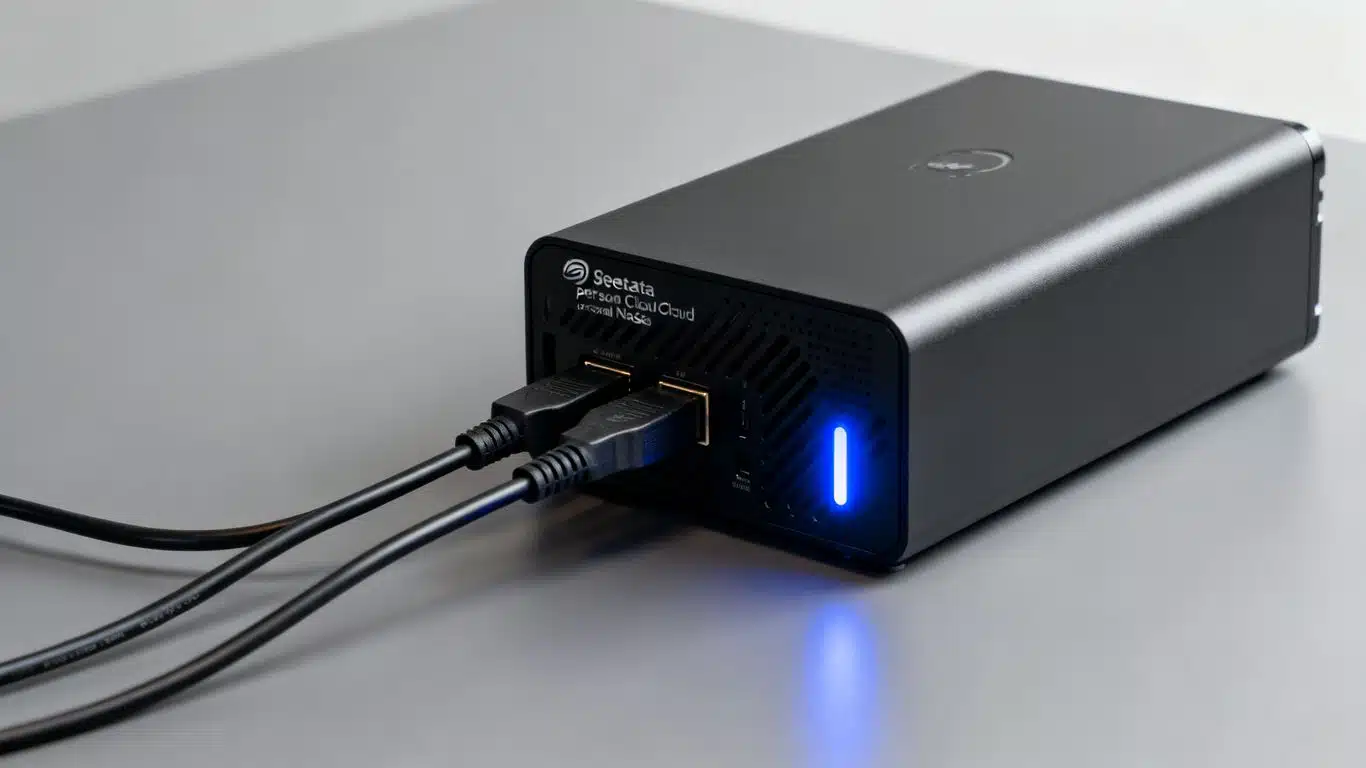
Case Study Summary: Seagate NAS Data Recovery, Personal Cloud 2-Bay
- Client: Steven from Western Australia
- Device: Seagate Personal Cloud 2-bay NAS with two Seagate 3TB hard drives (RAID 1 mirror)
- Problem: NAS had power and flashing lights but would not connect via Wi-Fi or USB. Photos trapped inside. Seagate could not help.
- Solution: Both drives tested healthy using Atola Insight Forensic. RAID 1 mirror confirmed. Drives cloned and files extracted using professional software.
- Outcome: All photos recovered at the lowest price using a basic backup extraction. Steven received a full file list and video preview.
- Service: RAID and NAS Data Recovery Australia
Seagate NAS Data Recovery Case Study: Personal Cloud 2-Bay NAS Not Connecting
Steven from Western Australia had a problem many NAS owners will recognise: his Seagate Personal Cloud 2-bay NAS stopped connecting. The unit had power and the lights were flashing, but it would not respond via Wi-Fi or USB. His photos were trapped inside, and Seagate could not help him get them back. This Seagate NAS data recovery case study shows how our team tested both internal drives, confirmed they were perfectly healthy, and recovered all of Steven’s files at the lowest possible price using a basic backup extraction. If your NAS has stopped working, we can help.
The Problem: Seagate Personal Cloud NAS Will Not Connect
Steven’s Seagate Personal Cloud 2-bay NAS had power and the indicator lights were flashing, but the unit refused to connect. He could not access his files via Wi-Fi or USB, and his photos were completely inaccessible. He contacted Seagate for help, but as is common with NAS manufacturers, they could not assist with recovering his data.
This is a situation that affects NAS owners across all brands. When the NAS enclosure itself fails, the data on the drives inside becomes locked away, even if those drives are perfectly healthy. Without the right tools and expertise, there is no way to extract the files. Steven sent his NAS unit to Payam Data Recovery for a professional assessment.
How We Diagnosed and Recovered Steven’s Files
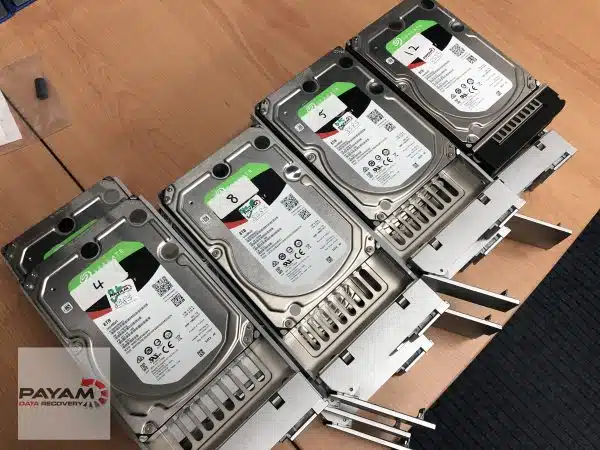
This was actually the first time the team had worked on a Seagate Personal Cloud model, so senior technician Payam needed to figure out how the two drives inside worked together. Using the Atola Insight Forensic, he tested the first Seagate 3TB hard drive. He listened carefully for any clicking, ticking, or beeping that would indicate a head failure. Instead, the drive produced a smooth, consistent hum. Its SMART status cleared and it passed a full diagnostic test. The second drive was tested with the exact same healthy result: two perfectly healthy hard drives.
With both drives confirmed healthy, Payam opened them in WinHex to view the raw data. After comparing random sectors, he confirmed that both drives contained identical data, which meant they were configured as a RAID 1 mirror. As a precaution, both drives were cloned. Professional data recovery software was then used to extract all the files onto an external hard drive. The team ran their file list reporting tool to check for any damaged files, and Steven received an email with a complete file list and a video preview of his recovered data.
Because both drives were healthy and no hardware repair was needed, this Seagate NAS data recovery case study was completed as a basic backup extraction at the lowest service price. Steven could choose to pick up his data or have it posted to his address in Western Australia.
What Is RAID 1 and Why Do NAS Devices Use It?
Understanding RAID 1: How Steven’s NAS Protected His Data
The Seagate Personal Cloud 2-bay NAS is designed to run in RAID 1 by default, which means the NAS mirrors the same data onto both disks so each drive is a complete copy of the other. In a mirrored array, every write operation is sent to both drives at the same time, so over months and years they become bit-for-bit twins. This is exactly what Payam confirmed when he opened both 3TB drives in a hex editor and saw identical raw sectors: the controller was presenting a mirrored array, not a striped RAID 0.
RAID 1 is great for basic fault tolerance. If one disk fails, the other still has all your files. But it is important to understand that RAID 1 is not a true backup, because anything that corrupts, deletes, or encrypts the data (accidental deletion, malware, ransomware, user error) is replicated instantly to both disks. RAID 1 protects against a single disk failure, not against fire, theft, power surges, ransomware, or accidental deletion.
A NAS enclosure is essentially just a small computer sitting in front of two standard hard drives. When that enclosure dies (whether it is the power board, controller, network board, or firmware), the bare disks inside can still be read directly on a data recovery workstation. You will usually see a normal filesystem rather than some exotic proprietary layout. However, most NAS devices use Linux-based file systems (such as EXT4 or Btrfs) that standard Windows and macOS computers cannot read natively. This is why professional data recovery tools are needed to safely mount the filesystem and extract the files, even when the drives are perfectly healthy.
This Seagate NAS data recovery case study is a good example of how RAID 1 protects your data from drive failure, but cannot protect you from an enclosure or controller failure. The data was safe on the drives the entire time. It just needed a specialist to extract it.
Why NAS Manufacturers Will Not Help You Recover Your Data
One of the most important lessons from this Seagate NAS data recovery case study is that most NAS manufacturers will not help you if your unit fails. They will not fix the unit, they will not send a new power supply, and they will not recover your data. In most cases, they will simply offer a replacement unit without your files, which means total data loss for the customer.
This applies across all major NAS brands, not just Seagate. Whether you have a Synology, QNAP, Western Digital My Cloud, Drobo, or Netgear ReadyNAS, the manufacturer’s warranty typically covers the hardware only, not the data stored on it. Most NAS vendors treat the unit and the data as separate responsibilities: they might offer to swap the hardware under warranty, but they will not repair a failed board in your specific enclosure or perform data recovery on the original disks.
In many warranty or return processes, the drives are wiped or destroyed as part of refurbishing or replacement. If you send the whole box back to the manufacturer, you may get a new chassis, but your photos and files are gone. This is why specialist data recovery labs exist: they work directly with the disks, understand the NAS’s RAID layout and filesystem, and can extract your data before anything is reformatted or overwritten.
The good news is that in many cases, the drives inside are still perfectly healthy, just as they were in Steven’s case. A professional NAS data recovery service can test the drives, extract the files, and return your data, often at a much lower cost than you might expect.
Two Lessons Every NAS Owner Should Know
Steven’s case provides two practical lessons that apply to anyone who relies on a NAS for storing important files. This Seagate NAS data recovery case study turned out to be straightforward because Steven did the right thing: he stopped trying to fix it himself and sent it to a specialist.
Lesson 1: If your NAS powers on but will not connect, stop and pull the drives. If a 2-bay NAS shows lights but will not connect over Wi-Fi, Ethernet, or USB, the safest move is to shut it down and remove the drives, not keep power-cycling it or running reset wizards that may re-initialise the disks. Every reset attempt or factory restore risks overwriting the data you are trying to save. In this Seagate NAS data recovery case study, the drives were perfectly healthy. The worst thing Steven could have done was run a factory reset on the NAS unit itself, which would have erased everything.
Lesson 2: RAID 1 is not a backup. You still need a separate copy of your data. If you rely on a small RAID 1 NAS as your personal cloud, you still need at least one separate backup, whether that is another NAS, an external hard drive, or cloud storage. RAID 1 protects against a single disk failure, but it does not protect against fire, theft, power surges, ransomware, or accidental deletion. Anything that corrupts or deletes data on one drive is instantly replicated to the other. A true backup is a separate copy stored in a different location.
Why People Choose Payam Data Recovery
When a RAID, NAS or server fails, the array has to be rebuilt correctly the first time, without putting the original drives at further risk. That is the work we do every day.
- We are a specialist data recovery lab, not an IT support company. We have been recovering data since 1998, from over 300,000 devices.
- Over 2,000 IT companies and computer shops across Australia send us their customers’ complex cases, and data recovery labs and IT companies in more than 50 countries have sent us their difficult cases over the past ten years.
- Every drive is tested and cloned first on professional tools such as Atola Insight Forensic, the PC-3000 and the DeepSpar Disk Imager, and the RAID is rebuilt from the clones. A drive that needs a head swap is opened in our ISO 5 certified laminar flow cabinet, with over 30,000 donor parts in-house, including around 20,000 donor hard drives.
- Emergency service for businesses. Many of our business and IT customers choose it, because every day a server is offline usually costs more than the difference in price. 24/7 emergency service is available as a premium option on 0404 872 926.
- Your data stays private. Our data recovery engineers open only a few random, non-sensitive files to check the recovery worked, and we will sign your NDA on request.
- See your files before you pay. You tell us which files matter most. Before you pay for the recovery, we’ll send you a list of your recovered files so you can check them. If any of the files you listed are missing, tell us and we’ll search again.
- There is no card surcharge. Pay by Visa, Mastercard, American Express, Afterpay, Zip or bank deposit (EFT).
- Rated 4.9 from more than 2,300 Google reviews.
We are not the cheapest. We are the best in Australia at this work. We know what to do, how to do it, and we will do our very best for you. Your best chance of getting your data back is with us.
How Much Does NAS Data Recovery Cost?
NAS data recovery pricing depends on the condition of the drives and the complexity of the recovery. Basic cases like this Seagate NAS data recovery case study, where the drives are healthy and just need to be extracted, sit at the lower end of our prices. More complex cases involving failed drives, RAID rebuilds, or multi-drive arrays are quoted individually. Priority and Emergency services are available for faster turnaround.
We always start with a free assessment and quote with no obligation. Our data recovery engineers will test your drives, determine the exact problem, and provide a specific price before any work begins. For full pricing details, visit our RAID and NAS data recovery service page.
International customers worldwide are welcome to ship their NAS drives to our Sydney laboratory using an international courier or postal service such as DHL, FedEx, or UPS. The easiest way for an international customer to reach us is by email at help@payam.com.au, which works in every time zone.
Frequently Asked Questions About This Seagate NAS Data Recovery Case Study
My NAS has power and lights are flashing but will not connect. Can my data be recovered?
Yes. This is exactly what happened in this Seagate NAS data recovery case study. Steven’s NAS had power and flashing lights but would not connect via Wi-Fi or USB. The drives inside were perfectly healthy, and all his photos were recovered. In most cases where the NAS enclosure fails but the drives are undamaged, recovery is straightforward and can be completed at a low cost.
Will Seagate recover my data if my Personal Cloud NAS fails?
No. As this case study demonstrates, Seagate could not help Steven recover his data. Most NAS manufacturers will not assist with data recovery. They will typically offer a replacement unit without your data. In many warranty or return processes, the drives are wiped or destroyed as part of refurbishing, so sending your NAS back to the manufacturer can result in permanent data loss. A professional data recovery service is needed to extract files from a failed NAS unit before anything is reformatted.
What is RAID 1 and does it protect my data?
RAID 1 is a mirroring configuration where two drives store identical copies of the same data. It protects against a single drive failure, but it is not a true backup. Anything that corrupts, deletes, or encrypts data (accidental deletion, malware, ransomware) is replicated instantly to both drives. RAID 1 also cannot protect you if the NAS enclosure, power supply, or controller board fails. In Steven’s case, both drives were healthy but inaccessible because the NAS unit itself had failed. If you rely on a RAID 1 NAS, you still need at least one separate backup in a different location.
Can I just remove the drives from my NAS and plug them into my computer?
Not easily. As this Seagate NAS data recovery case study shows, the NAS enclosure is essentially a small computer in front of standard drives. NAS devices typically use Linux-based file systems such as EXT4 or Btrfs that standard Windows and macOS computers cannot read natively. Even if the drives are healthy, you will need specialised software or professional help to access the files. Attempting to format or initialise the drives on your computer will erase the data permanently.
How much does NAS data recovery cost in Australia?
Basic cases where the drives are healthy (like this Seagate NAS data recovery case study) sit at the lower end of our prices. More complex cases with failed drives or RAID rebuilds are quoted individually. We offer a free assessment and quote with no obligation. Visit our RAID and NAS data recovery service page for details.
Do you recover data from NAS brands other than Seagate?
Yes. Payam Data Recovery recovers data from all NAS brands including Synology, QNAP, Western Digital My Cloud, Seagate Personal Cloud, Drobo, Netgear ReadyNAS, and Dell. Whether your NAS unit has failed, your drives have stopped working, or your RAID array has lost its configuration, our data recovery engineers can help. For full details, visit our RAID and NAS data recovery service page.
What should I do if my NAS stops working?
Do not keep power-cycling the unit or running reset wizards, as these can re-initialise or wipe the drives. Do not remove the drives and plug them into a computer without professional guidance, as attempting to format or initialise them will erase the data permanently. The safest approach is to power down the NAS, leave the drives in place, and send the complete unit to a professional data recovery laboratory for assessment. We offer a free assessment and quote with no obligation.
Do you accept NAS recovery jobs from international customers?
Yes. International customers worldwide are welcome to ship their NAS devices or drives to our Sydney laboratory using an international courier or postal service. We provide the same free assessment, detailed quoting, and secure return shipping for international clients as we do for Australian customers.
How long does NAS data recovery take?
For basic cases like this Seagate NAS data recovery case study where the drives are healthy, turnaround can be as fast as a few days with our Economy service. More complex cases involving drive repairs or RAID rebuilds take longer. Priority and Emergency services are available for faster completion. Contact us for a free assessment and we will provide an estimated turnaround with your quote.
About Payam Data Recovery
Payam Data Recovery is Australia’s oldest data recovery company, established in 1998. With over 300,000 devices recovered and 28 years of experience, the team operates from laboratories in Sydney, Melbourne, and Brisbane, with secure drop-off offices in Perth and Adelaide. The Rhodes, NSW facility has an ISO 5 certified laminar flow cabinet and houses over 30,000 donor parts, including around 20,000 donor hard drives.
Trusted by over 2,000 IT professionals and computer repair businesses across Australia, Payam Data Recovery serves businesses and individuals across the country and internationally. The team uses industry-leading equipment including the Atola Insight Forensic for drive diagnostics. All work is performed in Australia and is never outsourced overseas.
International customers worldwide are welcome to ship their devices using an international courier or postal service such as DHL, FedEx, UPS, or their national postal service.
For more information about NAS and RAID data recovery services, including all supported NAS brands, RAID levels, and server types, visit our service page or contact us for a free assessment. If you are facing a situation similar to this Seagate NAS data recovery case study, our team is ready to help.
Your NAS Has Stopped Working? We Can Recover Your Data.
Basic NAS cases where the drives are healthy sit at the lower end of our prices. More complex cases with failed drives or RAID rebuilds are quoted individually. Priority and Emergency services are available for faster turnaround. We offer a free assessment and quote with no obligation.
We recover data from all NAS brands including Synology, QNAP, Western Digital My Cloud, Seagate Personal Cloud, Drobo, and more. Visit our RAID and NAS data recovery service page for full details.
International customers worldwide are welcome to ship their NAS devices to our Sydney laboratory using an international courier or postal service.
All work is performed in Australia. We never outsource overseas.
Submit a Job Online
Phone: 1300 444 800
Related Data Recovery Case Studies
- Western Digital Hard Drive Data Recovery Case Study
- DVR Surveillance Hard Drive Data Recovery Case Study
- Samsung Hard Drive Data Recovery Case Study
- Synology NAS 12TB recovery
- DIY damage on a Seagate drive
- Seagate firmware bug recovery
View Full Video Transcript: Seagate NAS Data Recovery Case Study
Hey, I’m Mike back at Payam Data Recovery meeting with Payam in his office to work on another real case. This one’s from Steven in Western Australia who sent in a Seagate Personal Cloud 2-bay NAS unit. This is actually their first time working on one of these. So, Payam needed to figure out how the two drives inside work together.
Using his favourite tool, the Atola Insight Forensic, Payam tested the first Seagate 3TB drive. He listened carefully for any clicking, ticking, or beeping that would indicate a head failure. Instead, a smooth, consistent hum. Healthy. SMART status cleared. Full diagnostic passed. The second drive, exact same result. Two perfectly healthy hard drives.
The customer reported the NAS has power, lights flashing, but won’t connect via Wi-Fi or USB. He just wants his photos back.
Payam opened both drives in WinHex to view the raw data. After comparing random sectors, he confirmed both drives contained identical data. He cloned both drives, then used professional data recovery software to extract all the files to an external hard drive. After running their file list reporting tool to check for damaged files, Steven will receive an email with a full list and video preview. You can pick it up or have it posted.
Here’s the thing with NAS units. Most manufacturers won’t help you. They won’t fix the unit, won’t send a new power supply. They’ll just offer a replacement without your data. Total data loss.
This was actually an easy RAID 1 case. Payam recovered everything at their lowest price. A basic backup service for people who don’t have the experience or tools to do it themselves.